Move an event domain to a new DNS provider: a checked migration plan
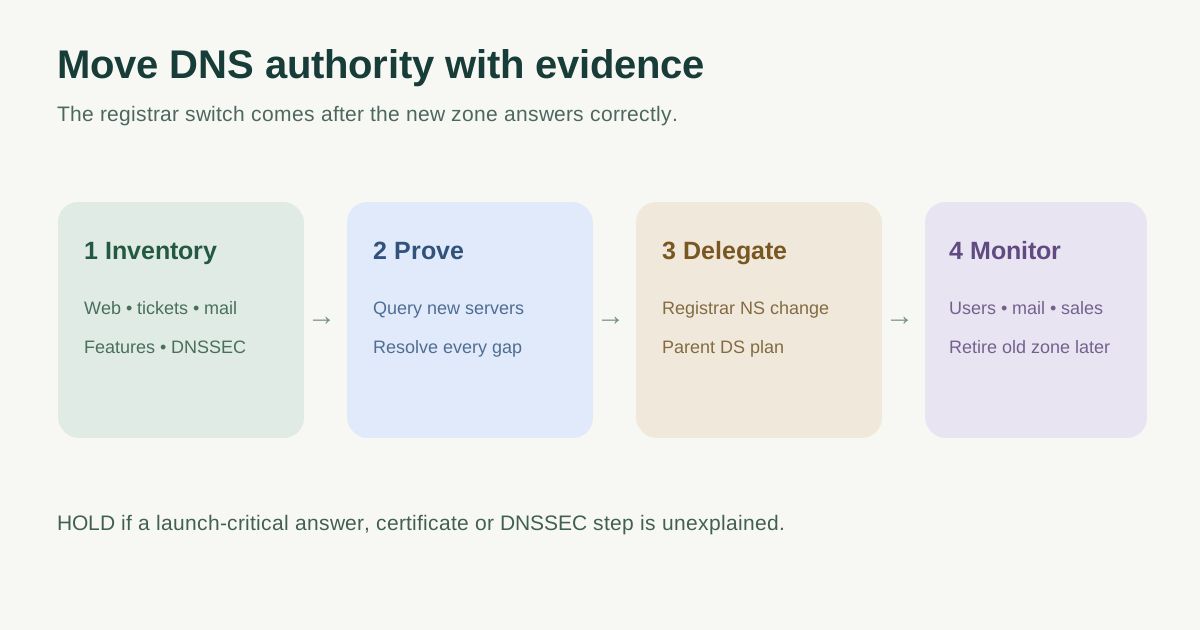
Changing DNS providers moves authority for an event domain, even when the website, email and ticket checkout stay where they are. The leading Google checklist covers zone inventory, new-provider setup and nameserver delegation. A safe plan adds explicit acceptance gates: prove the replacement zone answers correctly before changing the registrar, coordinate DNSSEC with the parent zone, and keep a monitored recovery path. No checklist can guarantee zero downtime.
Boletolibre editorial team
Published
Define what is moving—and who can approve it
Write down the registered domain, current and proposed authoritative DNS providers, registrar account owner, change approver and launch-critical services. This procedure changes which nameservers answer the domain. It is separate from moving website files, changing the public brand domain, transferring the registration or editing one A record. Assign one person to approve the registrar delegation and one to watch event registration, ticket checkout and email during the window.[1][4]
Schedule around live ticket launches, on-sale times, check-in and important mail campaigns. If another system automatically adds verification or certificate records, identify its owner before freezing zone changes. Keep a dated copy of the current nameserver set and a way to reach the old provider.
Build a new zone that preserves service behavior
| Inventory | Compare on the replacement provider | Why it matters |
|---|---|---|
| Website and event links | A/AAAA, CNAME, apex alias or flattening; redirects and proxy mode | Public pages, QR links and HTTPS reach the same services |
| Registration and ticketing | Vendor subdomains, ownership TXT and callbacks | Checkout and confirmation paths stay attached |
| MX, SPF, DKIM, DMARC and mail-related CNAME/TXT | Attendee confirmations and support replies continue | |
| Trust and policy | CAA, DNSSEC signing and parent DS plan | Certificates and validating resolvers work |
| Other dependencies | SRV, delegated subzones, monitoring and automation | Less visible service names remain answerable |
Export or document the old zone, then build the new one before changing delegation. Compare record owner, type and value, including provider features that do not travel in a zone file: flattening, proxying, URL forwarding, health checks and API-managed records. Do not expect the new provider’s zone-apex NS and SOA values to be identical to the old provider’s; they are provider-assigned. Compare the application records and intended behavior instead. An import is a starting point, not proof of parity.[2][5][1]
If the domain uses DNSSEC, agree a provider-specific sequence for the registrar or parent-zone DS record, signing keys and validation checks. A stale DS record pointing to old signing keys can make a correctly populated new zone fail for validating resolvers. Route 53’s hosted-zone migration guide explicitly coordinates removal and later restoration of the parent DS record for its workflow; use the actual old and new providers’ instructions and a qualified DNS owner for your case.[2]
Query the new authoritative nameservers directly
Before touching the registrar, query each new nameserver for representative records: apex and www, the live event subdomain, MX and mail-authentication TXT, ticketing aliases, important verification values, and any delegated subzone. A command such as `dig @ns-new.example.net events.example.org A` targets a named server; substitute the nameserver assigned by the new provider. Confirm that answers, not merely dashboard rows, match the approved inventory. Check DNSSEC validation and provider-specific routing features with the responsible specialist.[2][4]
Record a go/no-go gate with the exact mismatches, owner and decision. Do not switch delegation while a payment, email or certificate dependency is unexplained. If a TTL adjustment is part of the plan, decide it from the existing records and delegation behavior early enough for previous cached values to expire; no single time window fits every zone.
Change registrar delegation once, then observe
At the approved time, the authorized registrar owner replaces the old nameserver set with the exact new set. Changing an NS record inside a child zone is not the same as changing the parent delegation held through the registrar. Capture the saved previous set, registrar submission receipt and time. Query the parent delegation and then multiple recursive resolvers, and watch the event website, ticket flow, confirmation mail and support mailbox.[4][2]
Keep the old zone active and aligned while resolvers may still consult it. Set the retirement decision from observed answers, relevant TTLs, provider requirements and business traffic rather than a blanket number of hours. If you must reverse the delegation, use the recorded old nameserver set under an explicit incident decision; reversal also faces caching, so it is not an instant undo. Do not delete the old zone until the owner has evidence that the new authority is stable.[2]
Close the migration with evidence
The handoff should name the new DNS owner, access and backup route, change process, DNSSEC/key and DS owner, active automation, and where the verified zone inventory lives. Record the final registrar delegation and a sample of authoritative and recursive answers. Leave any unresolved service issue with a named owner and due time.
Download the DNS provider migration worksheet (Markdown, English)
Sources and further reading
- Checklist for Changing Your DNS Provider Without DowntimeClouDNS · Accessed
- Migrating a hosted zone to a different AWS accountAmazon Route 53 · Accessed
- Making Amazon Route 53 the DNS service for an existing domainAmazon Route 53 · Accessed
- Delegation of DNS zones with Azure DNSMicrosoft Learn · Accessed
- Import and export a domain zone fileMicrosoft Learn · Accessed