Audit the editorial mix across newsletter issues
A useful newsletter issue can still be part of a repetitive series. This audit compares several sent issues as a reader might encounter them, then turns one observed gap into a testable next-issue decision. Four issues are a manageable worked example, not a required sample size or a target content ratio.
Boletolibre editorial team
Published
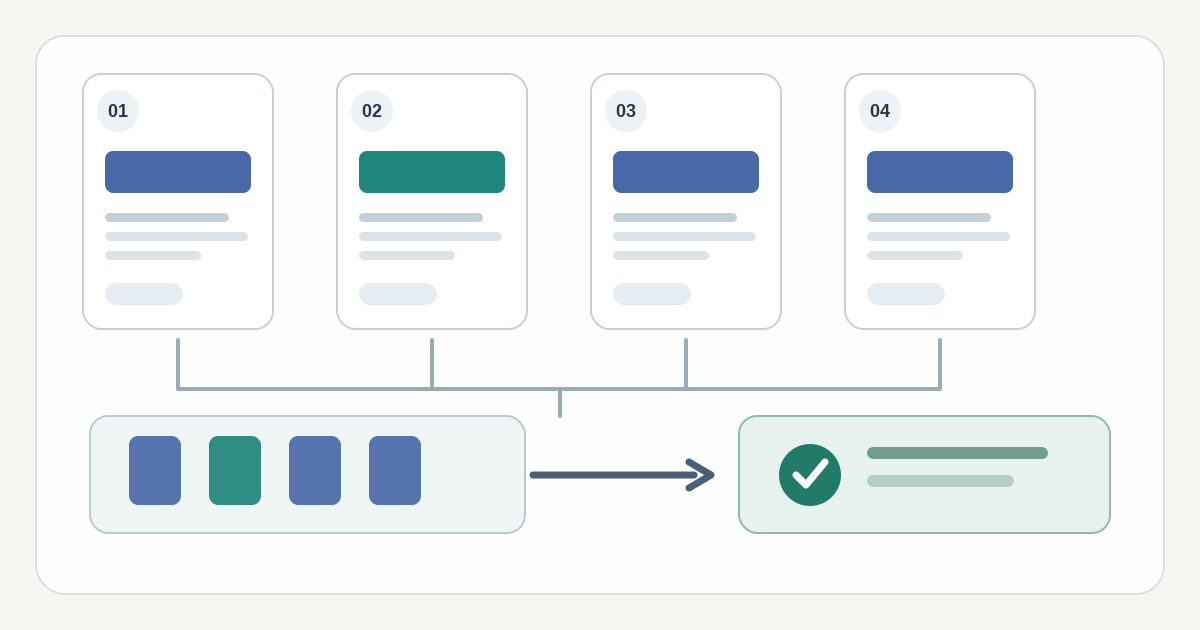
Use the four-issue editorial-mix worksheet
Use the four-issue editorial-mix worksheet
Download the localized worksheet, replace its fictional rows with recent sent editions, and keep the blank rows if your review covers more issues. It records the lead promise, supporting content, primary ask, reader evidence, and a next-issue decision. It is an editorial record, not an automated content score.
Keep archived copies and aggregate report notes together. Do not paste subscriber-level exports or private replies into a broadly shared sheet; summarize a question or observation without identifying the sender.
Choose issues a reader could reasonably compare
Start with several consecutive issues sent to a substantially similar audience under the same newsletter promise. Four is convenient for a first pass because the sequence fits on one page; choose a longer or shorter window when the editorial cycle calls for it. Record dates, audience changes, unusual deadlines, and any special edition.[1]
Do not mix a welcome email, a one-off sales blast, and a regular editorial issue into a single balance score. If a launch or emergency legitimately dominated one edition, annotate the reason instead of treating it as a mistake. Mailchimp describes a content calendar as a way to see topic and format balance; this audit looks backward at what was actually sent.[1]
Archive the actual rendered or sent version of every selected issue before coding. An editorial calendar can show what the team intended, while the delivered issue shows which story led, which link was available and what the reader could act on. If an archive or audience record is missing, mark that issue unverified rather than silently filling the gap from a draft. A changed audience or a special edition can stay in the record with a context flag, but do not treat it as an ordinary comparable observation without explaining why.
Define categories from your reader promise
Before counting, write down the jobs your newsletter promises to do: for example, explain a change, teach a task, share a community story, or invite an action. Add a topic tag for the subject itself and a content-form tag such as guide, interview, or short update. These are local labels, not a universal taxonomy.[1][2]
Separate a topic from its treatment. Three issues can mention the same topic while offering three genuinely new answers; three identical announcements may repeat the same ask. Mark the lead story and main action separately from brief mentions so a repeated footer does not look like a repeated lead. Mailchimp's email guide recommends a clear hierarchy, with the important takeaway near the top.[1][2]
Use one primary reader-job code per issue, determined from its first substantive story and dominant action, not simply its subject line. Also record any meaningful secondary job and the format of the lead. If the subject promises a guide but the email opens with a promotion, flag a split promise for discussion instead of giving both jobs a full lead count. Two editors can independently code one borderline issue and agree on the rule before applying it to the rest. Freeze those definitions for this review window so the tally is reproducible.
Read the sequence for prominence and gaps
Fill one row per issue using the message as sent, not the planned calendar entry. Copy the lead's reader promise in your own short words; note the first major link or action, supporting slot, and which reader question is answered. Then scan down columns: which job repeatedly gets the lead, which topic never rises above a brief, and which promised question is missing?[1]
Count observations only to locate a pattern. A three-of-four lead pattern is a prompt to inspect context, not proof that the mix is wrong or that each category needs a fixed share. Check whether the same audience saw the run, whether a deadline justified repetition, and whether an apparent gap belongs in this newsletter at all.[1]
Read the grid both across and down. Across a row, check whether the lead, supporting item and main action tell a coherent story for that issue. Down the lead column, look for repeated jobs; down the secondary column, look for a promised job that never receives comparable prominence. Do not collapse 'mentioned once' into 'answered well.' A brief link to setup steps in issue 02 shows the topic was present, but readers seeking guidance may still not have received a usable lead answer.
Add reader evidence without over-reading metrics
Use replies, direct questions, short survey responses, and relevant link activity to challenge your editorial impression. In Mailchimp's regular-email reports, click performance can show total and unique clicks for tracked URLs when click tracking is enabled. Record the linked story and its placement; a lower link may get fewer clicks for reasons beyond topic interest.[3][4]
Treat clicks as one clue, not a count of people who read a story. Tracking can be off; bot or spam-filter activity can inflate clicks; different issue audiences and layouts weaken comparisons. Open rates are still less direct evidence of content preference. If the signal is unavailable or suspect, write 'unknown' and use the editorial record and reader feedback rather than inventing a ranking.[3][4]
For each supporting signal, write what was measured and what it cannot show. For example, the guide link in issue 02 might have unique clicks, but it sat below the lead and the audience may differ from issue 04. Comparing its raw count with the lead announcement link would mix topic interest with placement and exposure. Summarize repeated reader questions without names, and note whether they came from the same person. A missing or untracked link is unknown evidence, not evidence of disinterest.
Work through a fictional four-issue run
Imagine a member newsletter whose first, third and fourth issues lead with organizational announcements. A practical how-to appears only as a lower brief in issue two. Several anonymized replies ask for setup steps. The audit does not conclude that announcements are bad; it finds that a promised practical job has not yet had a prominent answer.
For the next issue, the editor chooses a short step-by-step guide as the lead, keeps one necessary announcement as a brief, and writes a precise subject line matching the guide. The worksheet records this as a single change with an owner and a reader question to answer. If the announcement has a real deadline, it may still deserve the lead instead.
Use the fictional tally below as a coding check: organizational updates led issues 01, 03 and 04; a member story led 02; the practical setup guide led none and appeared briefly in 02. That is three update leads in four issues, but no target share follows. The useful finding is narrower: the promised teaching job has not received a prominent answer despite recurring setup questions. If issue 04 carried a genuine deadline, record that exception before choosing whether the guide can lead next.
| Reader job | Lead issues | Supporting appearance | Audit reading |
|---|---|---|---|
| Organization update | 01, 03, 04 | — | Repeated lead; inspect distinct value and deadline |
| Member story | 02 | — | One different lead |
| Setup guide | None | Brief in 02 | Promised question lacks a lead answer |
Choose one next-issue change you can defend
Write the editorial decision in action form: 'Lead with the setup guide and move the routine update to a brief,' rather than 'make content more balanced.' Add the reader need, evidence, trade-off, owner, and review date. Other valid decisions include a recurring answer column, a different story format, or retaining the current mix because the publication promise requires it.[1][2]
Do not force a promotional-versus-educational quota. A mix is useful when it fits the audience's stated interests, the newsletter promise, and the moment. The content calendar can then carry the chosen story and production responsibilities; it cannot replace the retrospective judgment that produced them.[1][2]
Turn the finding into a reversible editorial brief. For the next regular issue, assign an owner to lead with a concise setup guide that answers the repeated question, move the routine update to a brief, and check that the subject and first link match that promise. Keep the necessary deadline notice prominent if it is still urgent; schedule the guide for the next comparable issue instead. Record the trade-off and a review date, so a missed guide or a changed deadline can reopen the decision without pretending the original tally was a quota.
Check the next issue and rerun the audit
After the changed issue sends, confirm that the promised story actually appeared in the position planned. Review available reader replies and tracked link evidence, while recording placement, audience and tracking differences. One issue cannot prove a causal lift from its topic; it can show whether the editorial change was executed and whether a follow-up question emerged.[3]
At the next review, compare a fresh run with the same locally defined category rules. Keep a decision log: what was changed, why, what was observed, and whether to keep, revise, or reverse it. If categories drift as the newsletter evolves, update the codebook and annotate the break instead of pretending old and new counts are identical.[3]
At the follow-up, first check execution: did the guide become the lead, was its main link present, and did the same audience receive the issue? Then examine replies and tracked-link evidence with their caveats. If tracking was off, record unknown rather than zero. If the guide produced new questions, the next improvement may be a clearer second step, not simply more guide leads. Recode a fresh consecutive run using the saved definitions and note any editorial or audience change that breaks comparability.
Sources and further reading
- How to Plan Your Monthly Content Calendar: Tips and TricksMailchimp · Accessed
- Email Marketing Guide for Successful CampaignsMailchimp · Accessed
- About Email ReportsMailchimp Help · Accessed
- Troubleshooting Click TrackingMailchimp Help · Accessed