How to diagnose DNS SERVFAIL for an event domain
When an event page or ticketing hostname returns DNS SERVFAIL, the error alone does not say which record to edit. Compare the same query across resolvers and authoritative nameservers, then hand the evidence to the operator who controls the failing layer.
Boletolibre editorial team
Published
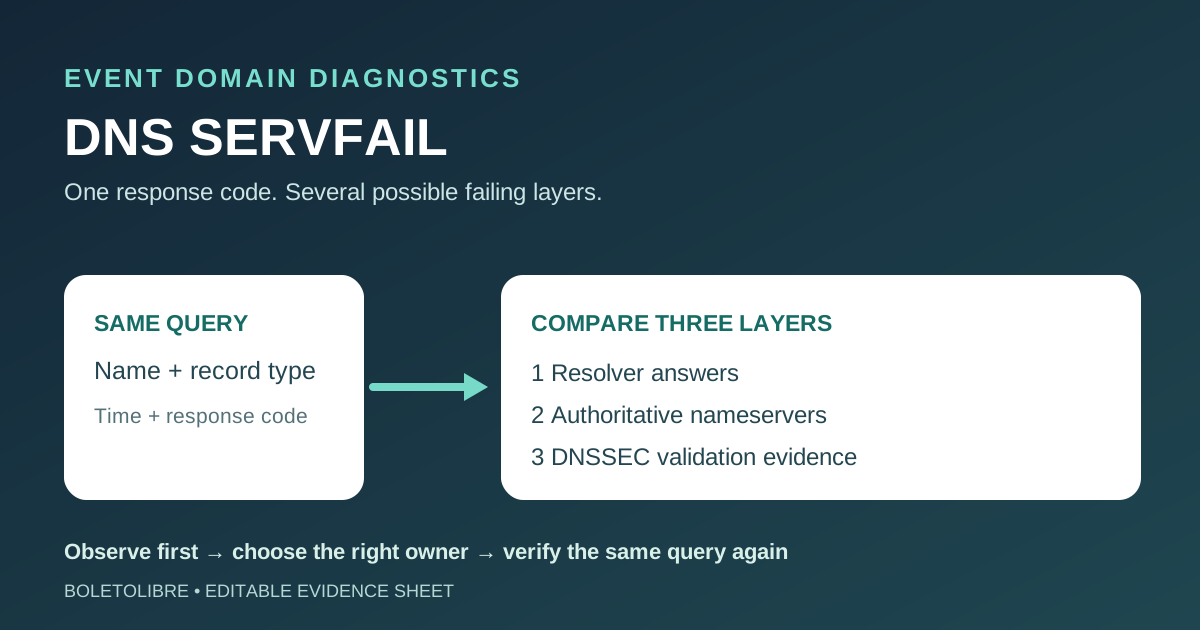
Download the SERVFAIL evidence sheet
Download the editable DNS SERVFAIL observation sheet (Markdown, English)
Record the exact event hostname, record type, time, resolver and observed response before asking anyone to change DNS. The sheet separates what happened from a proposed cause.
What SERVFAIL tells you—and what it does not
SERVFAIL means the DNS lookup could not be completed successfully. It is different from NXDOMAIN, which says the queried name does not exist. The response does not identify one root cause by itself. The leading Google page lists authoritative-server trouble, network reachability, delegation and DNSSEC validation among possibilities, but the right repair depends on evidence for the exact name and resolver.[1][2]
For an event, the affected lookup might be the website A/AAAA record, a ticketing CNAME or mail MX record. Record which one failed and whether attendee checkout or essential email is affected. Keep a status message factual; do not promise that changing the website host will fix a DNS validation error.
Compare resolver answers with authoritative answers
| Observation | What it may suggest | Next owner |
|---|---|---|
| Only one device or network reports failure | Local resolver, connectivity or cache needs comparison | IT/network operator |
| Several public resolvers report SERVFAIL for one name/type | Domain delegation, validation or authoritative service needs review | DNS operator |
| Authoritative nameservers answer differently or not at all | Zone or nameserver health/configuration needs inspection | Authoritative DNS provider |
| Validating resolver fails but a controlled check without validation succeeds | Possible DNSSEC chain or signature problem; not yet proof | DNSSEC/registrar owner |
Query the same fully qualified name and record type using more than one resolver, then query the currently delegated authoritative nameservers. Save response code, answer or error detail, timestamp and resolver address. Google’s Public DNS troubleshooting guide uses this comparison and Extended DNS Errors to narrow the failure; a single browser error screenshot is not enough.[2]
Use DNSSEC checks as diagnosis, not a shortcut
A controlled query with the checking-disabled flag (+cd in dig) can help test whether DNSSEC validation is involved. Cloudflare documents this diagnostic. If an answer appears only when validation is bypassed, inspect the parent DS, child DNSKEY, signatures and recent registrar or DNS-provider changes with the DNSSEC owner. The flag is an observation tool, not a production fix.[3][2]
Do not switch off DNSSEC or delete a DS record just to make one test pass. A mismatch between parent and child can leave validating resolvers unable to resolve the domain, and disabling signing has an order-of-operations requirement. Route 53 documents safeguards for that change. Fix the identified configuration with the qualified owner and a rollback plan.[4]
Send an evidence packet to the right operator
Provide the failing hostname/type, first and latest occurrence, affected attendee flow, resolver results, authoritative nameserver results, any Extended DNS Error, recent DNS/registrar changes and a copy of the current zone/delegation state. If the issue is confined to a local network, involve its resolver administrator. If nameserver answers fail, involve the authoritative DNS provider. If validation differs, involve the DNSSEC and registrar owners.[2]
After a change, repeat the same queries from the same resolvers and test the real event path—page, registration, ticket confirmation or mail delivery as applicable. Record what recovered and what remains uncertain. Avoid the first page’s broad suggestion that merely enabling DNSSEC prevents SERVFAIL; misconfigured DNSSEC is itself a documented cause.[1][2]
Sources and further reading
- SERVFAIL Explained: How It Affects Your Internet ExperienceClouDNS · Accessed
- Domain Troubleshooting for Google Public DNSGoogle for Developers · Accessed
- Troubleshooting DNSSECCloudflare · Accessed
- Troubleshooting DNSSEC signingAmazon Route 53 · Accessed