Do test emails count toward your campaign send limit? Make a launch ledger
A campaign can look ready in the editor while a reviewer test or the final send is blocked by an account limit. First find out what the provider counts: a test may use monthly sends, a separate test allowance, both, or neither. Then reserve capacity for the actual audience. The ledger below keeps those questions separate so a team does not mistake one green counter for permission to send.
Boletolibre editorial team
Published
The answer depends on the account and send type
There is no universal rule that test email is free capacity. Mailchimp says test and live emails count toward its monthly marketing send limit, while Pay As You Go tests use credits. HubSpot's current monthly-limit guide lists test emails among the messages that do not count toward that HubSpot monthly limit. Both statements are about their own products and plans; check the account actually sending the campaign.[1][2][3]
A second counter can stop a test even when monthly sends remain. Mailchimp applies per-email and 24-hour test limits by plan, and one test addressed to five reviewers counts as five test sends for those limits. A 24-hour test window and the monthly send allowance cover different periods. Do not carry a published plan number into a different account without checking its current plan and usage screen.[1][2][3]
Record every counter before the first review round
Write down the provider, account, plan, billing period, remaining monthly sends or credits, and how its 24-hour test window is measured. Record the current per-email and 24-hour test balances and the maximum recipients allowed in one test. If the tool has a separate template-test mode, check its rules rather than assuming the campaign-test balance applies. Mailchimp documents separate template-test limits.[3][2][1]
List other committed sends before making the launch calculation: scheduled campaigns, automations, follow-ups and any reviewer rounds already queued. Use the current eligible audience estimate from the sending tool, not the number of rows in an export. Record the exact send mode for each item; HubSpot, for example, counts ordinary marketing emails and several automated types toward its monthly limit but excludes its test emails.[3][2][1]
| Counter | Question to answer | Evidence to record |
|---|---|---|
| Monthly sends or credits | Do test sends count here? | Account plan and current remaining balance |
| 24-hour test window | How many test recipients remain? | Window period, balance and next availability if shown |
| Per-email test cap | How many tests remain for this draft? | Draft-specific balance |
| Addresses per test | How many reviewers can one test reach? | Provider limit and planned recipient count |
Calculate the review and live-send margin
For a provider that counts tests toward monthly sends, use this planning equation: remaining monthly capacity minus estimated live recipients minus other committed sends minus planned test sends equals the margin. For equal-sized rounds, multiply rounds by recipients per round; otherwise add the recipient count from every round. Separately compare planned tests with the available 24-hour and per-email test balances; a positive monthly margin cannot clear a short-window cap.[2][3][1]
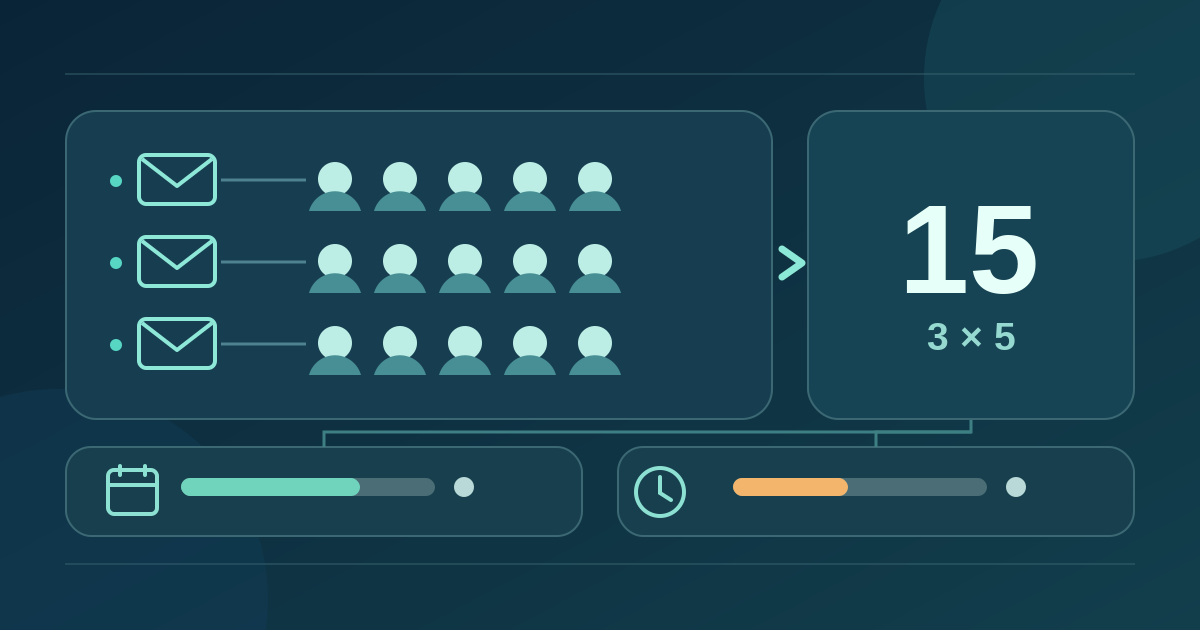
Example only: an account shows 650 sends remaining; the live audience is estimated at 500, other committed messages at 80, and three review rounds are addressed to five people each. Planned tests are 3 × 5 = 15, leaving 650 − 500 − 80 − 15 = 55 sends of planning margin. If this account's actual provider excludes tests from its monthly limit, the monthly margin is 70, but the separate test caps still need checking. Recalculate from the account's real counters immediately before launch.[2][3][1]
Diagnose a blocked test by its actual limit
If a test fails, capture the provider's exact warning and the attempted recipient count before retrying. Check whether the binding limit is per email, per 24 hours, monthly sends or credits, one-test recipient count, or another account restriction. Mailchimp's published test rules show why a multi-recipient round can exhaust a cap sooner than a team expects. A new draft or repeated click does not create more 24-hour allowance.[3][2][4]
Choose a response that matches the limit: remove duplicate reviewers from the next round, consolidate comments before one final test, or use a provider preview where it answers the visual question. Mailchimp says its Inbox Preview does not affect the test sending limit, but its test emails do not substitute contact-specific merge data. For personalization or the actual recipient path, use the provider's documented live-data preview or a properly eligible small live segment and count that live send in the ledger.[3][2][4]
Set a launch decision and an owner
Have one owner sign off on the recipient estimate, remaining counters, other committed sends, required review evidence, and minimum margin. If the account cannot fit both the test and live send, change the schedule, audience or plan through the account owner before promising a launch time. Never treat a successful test as proof that the later live send fits the monthly allowance or will reach every inbox.[4][3]
After the final test, update the ledger with the actual number of test recipients and the account's current usage. Recheck just before the send because another team or automation may have used the same account in between. Keep the warning, revised calculation and decision in the campaign approval record so the next reviewer can see why the send was delayed or cleared.[4][3]
Copy the send-allowance worksheet
Fill one row per field. The example arithmetic above is a method, not a plan entitlement. Obtain all limits and window details from the active account and its current provider documentation; use the worksheet to name who will verify them.
| Field | Write the account-specific value |
|---|---|
| Sending account and plan | Provider; account; plan; owner |
| Monthly allowance | Period; current remaining sends/credits; whether tests count |
| Test caps | 24-hour window/balance; per-email balance; addresses per test |
| Committed sends | Other scheduled/automated sends and owners |
| Campaign estimate | Eligible live recipients and as-of time |
| Review plan | Rounds and recipients per round; test mode; required evidence |
| Decision | Computed margin; blocker/warning; approver; recheck time |
Download the six-language campaign send-allowance worksheet (Markdown)
Sources and further reading
- Understand which emails count toward the monthly email send limitHubSpot Knowledge Base · Accessed
- About Mailchimp Pricing PlansMailchimp · Accessed
- About Test Email Sending LimitsMailchimp · Accessed
- Preview and Test Your EmailMailchimp · Accessed