Event email campaign approval workflow: owners, gates and version control
A campaign can have excellent copy and still stall because nobody owns the final decision. For a ticket launch or event update, decide who validates changing facts, who checks the intended audience and who is allowed to release the email before anyone starts editing. Use a versioned approval record for one marketing message; use the separate pre-send QA checklist to test the finished email.
Boletolibre editorial team
Published
Name one campaign and one decision owner
Create a campaign ID, event edition, intended audience, purpose, target send time with time zone, and a link to the current event facts. Name a campaign owner who can resolve conflicting feedback and make the go/hold decision. This is a planning record, not a substitute for consent review or the email service's own sending controls.
Assign reviews by evidence, not job title
The fact owner confirms claims such as venue, date, speaker, ticket tier and offer deadline against a named source. The audience owner confirms the proposed recipient and exclusion rules with the sending team. A content reviewer checks the promise and wording; an authorized sender operates the chosen email service. One person may cover several roles, but each decision still needs a named owner and evidence. Access rights vary by service: in Mailchimp, an Author can build an email but cannot send it, while a Manager can send; role availability depends on the plan.[1]
Move the draft through four gates
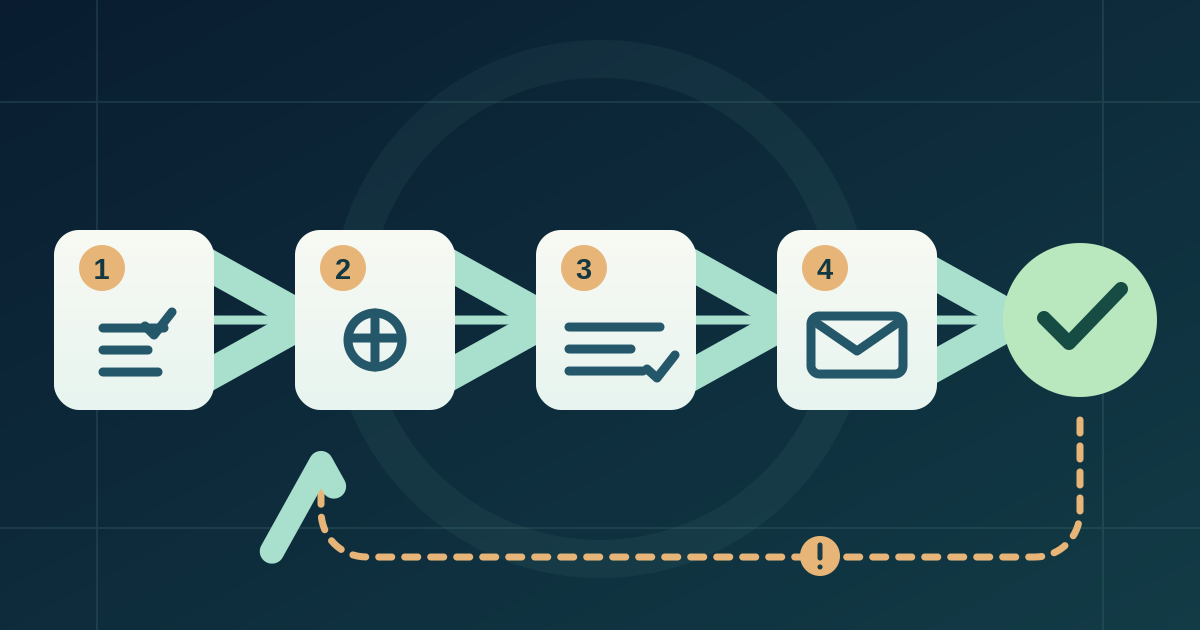
Write each gate as a decision on a specific version, with a due time and evidence link. A gate may be approved, returned for revision or held. Do not interpret an unanswered review request as approval. The release owner should be able to see the four decisions without searching a chat thread.
| Gate | Owner | Evidence for approval |
|---|---|---|
| Fact | Event fact owner | Current program or ticket offer; disputed claims resolved |
| Audience | Audience owner | Include/exclude rules and permission review reference |
| Content | Editorial owner | Subject, offer and call to action match approved facts |
| Authorized execution | Campaign owner + authorized sender | Prior gates passed; linked QA GO and named sender recorded |
Collect feedback without losing the decision
Send reviewers the same version and a clear deadline. Keep comments in one shared record, assign each requested change to an editor and record how it was resolved. A test email can collect feedback, but a test send alone does not approve the event facts or recipient rules. Mailchimp has draft comments and test-email feedback; use the equivalent available process if another service is used.[2][3]
- Set one decision owner and one backup before drafting.
- Give reviewers the same version identifier and one feedback deadline.
- Close every blocking comment before final QA and release.
Release the approved version
After the first three gates pass, hand the exact version to the separate pre-send QA checklist for recipient, rendering and link checks. Its reviewer owns the QA GO, CONDITIONAL or HOLD decision. Gate four records the campaign owner's authorization for a QA-cleared version and a named sender; it does not repeat those tests. Link the QA decision, final version, audience snapshot or rule reference, decision time, scheduled time and the person who actually pressed Schedule or Send. Verify that this person has permission in the selected service. Scheduling is not proof of delivery, and recipient selection may be recalculated at send time depending on provider settings.[1][3][4]
Reopen approval when facts change
If a material fact changes after approval, mark the old version superseded and hold release while the affected gates reopen. For example, if a speaker withdraws after the content review, the fact owner supplies the corrected program, the editor removes the claim, and the content and final-release owners approve the new version. If the message is already scheduled, check the service's status and pause it where the service allows; do not assume every queued or in-progress message can be stopped.[4]
Copy the approval record
Duplicate the editable record for each campaign. It contains role assignments, four gate decisions, evidence links, version history and a release receipt. Store only team references in the sheet, not recipient addresses.
Download the event email campaign approval record (Markdown, English)
Sources and further reading
- Mailchimp account user levels and permissionsMailchimp · Accessed
- Mailchimp collaboration on draft emailsMailchimp · Accessed
- Mailchimp preview and test guidanceMailchimp · Accessed
- Mailchimp scheduling and pause limitsMailchimp · Accessed