Event fact sheet template: keep your website and promotion consistent
An event brief explains why the event exists. A fact sheet answers a different question: which details can the team safely publish today? Put each public claim beside its owner, confirmation source, and status. Then use the same verified facts when you update the event page, write an email, or hand copy to a partner. The editable sheet below is an internal working record, not a public announcement.
Boletolibre editorial team
Published
Download the editable fact sheet
Download the event fact sheet and publication matrix (English Markdown)
Make one organizer-owned copy for this event edition. Name a fact-sheet editor and a separate approver for high-impact changes. Keep the working document private if it contains internal contacts, draft prices, or unpublished programme details. The public event page remains the visitor-facing source of current information; the sheet is the team’s review tool.
- One row per fact, not one paragraph that hides several decisions.
- A direct evidence link or named owner for each value.
- A status that tells writers what may be published now.
Capture the facts people will act on
Start with the event name and edition, date, local start and end time with named time zone, venue name and attendee entrance, ticket or registration destination, current price and fees if applicable, programme items, access information, and the support contact route. Add a separate row for each venue entrance or sales window that could change independently. Do not copy last year’s values forward without checking them.
Use an unambiguous date in the internal record, such as YYYY-MM-DD, then write the public date naturally for each audience. Numeric dates like 02/04 can be interpreted differently across regions; W3C’s date-format guidance explains why a clear representation matters.[1]
- Value: the exact wording or destination to verify.
- Source: the venue, ticket configuration, programme owner, or other authoritative record.
- Verified by and when: a person and date, not “the team checked”.
Keep pending details out of finished copy
Use three visible states: confirmed, pending, and withdrawn. “Pending” means there is no approved public claim yet. A tentative speaker, room, price, or sponsor must not become a promise because a draft was scheduled early. “Withdrawn” marks a formerly approved value that should no longer be reused. Keep the old value and reason in the change log rather than silently replacing it.
Give every pending row a decision owner and next check date. If a public page needs an answer now, publish only what is true: for example, that session details will be added after confirmation. Do not invent a date for that confirmation. Where a ticket button depends on a sales window, verify the actual checkout state before the wording changes.
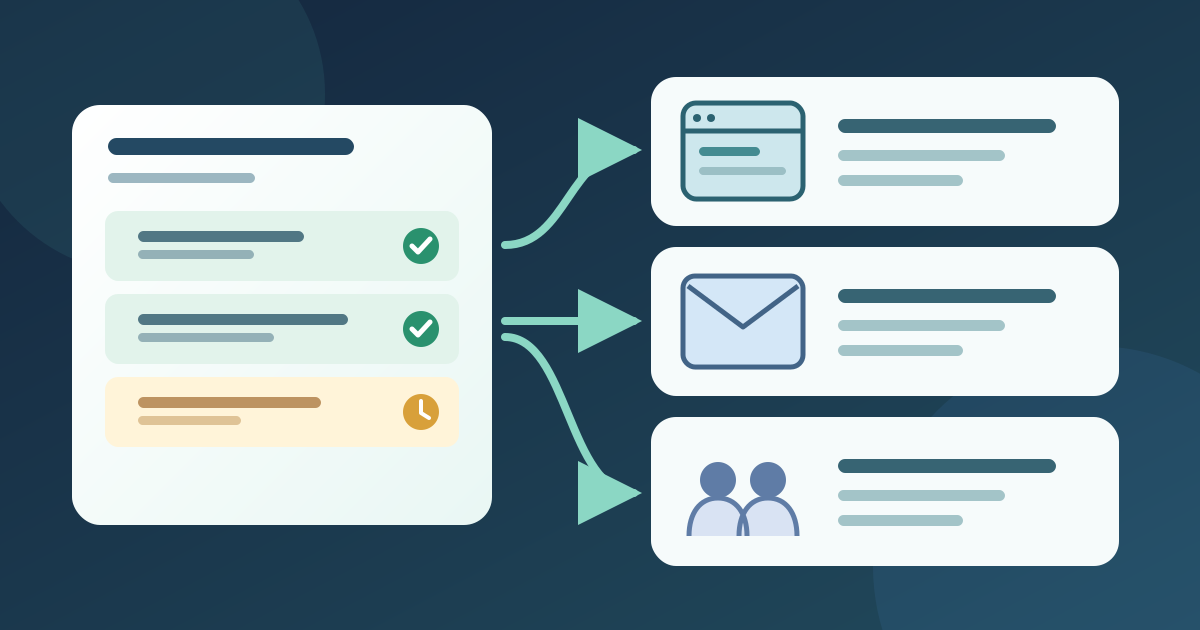
Prepare channel copy from the same record
The sheet is not a script to paste wholesale. A visitor needs concise facts and a useful next step; an email needs the change or action relevant to its recipients; a partner needs approved wording and the current destination URL. Create a short “safe to reuse” sentence for each confirmed fact, then log where it appears. Keep private operational notes separate from public copy.
If the event is listed on Boletolibre.com, record that event page as one public destination and verify its visible details against the sheet. This does not require the fact sheet to live on the ticketing platform. For links, use a label that tells readers the destination or action; W3C guidance explains the value of identifiable link purpose.[2]
Check the published version as a visitor
Before release, compare the proposed page, email, and partner asset against confirmed rows. Open each public destination on a phone as well as a desktop browser. Follow the ticket link, inspect the price and event date shown at checkout, and confirm that the support route works. If a venue map or programme file is linked, test that exact published URL, not only the draft file.
Record the reviewer, publication time, and live URL in the release matrix. A sent email cannot be edited in place; if a fact changes after it goes out, choose an appropriate correction route and update the page first. Ask partners to replace stale assets, then verify the published replacement.
Keep the sheet current through the event
Set a review trigger for every material change: venue or entrance, date or time, ticket price or availability, session assignment, or access detail. The owner updates the evidence row, the approver confirms the new wording, and the publisher checks every listed destination. Mark the old value withdrawn and note which channels still need correction.
At event close, save a dated snapshot and label it as that edition. Remove obsolete sales calls to action from current-facing pages, but preserve a clear record of what was actually published. For a recurring event, duplicate the empty template for the next edition and reconfirm each field; never let a prior-year fact pass as current merely because the layout was reused.
Sources and further reading
- Use international date format (ISO)W3C · Accessed
- Understanding Success Criterion 2.4.4: Link Purpose (In Context)W3C WAI · Accessed