Event email sender authentication: an SPF, DKIM and DMARC inventory
Before changing SPF, DKIM or DMARC for an event domain, find every system that sends mail as that domain. A ticketing platform, mailbox, support tool and campaign service can each have different authentication settings. This inventory assigns owners and records evidence before policy changes.
Boletolibre editorial team
Published
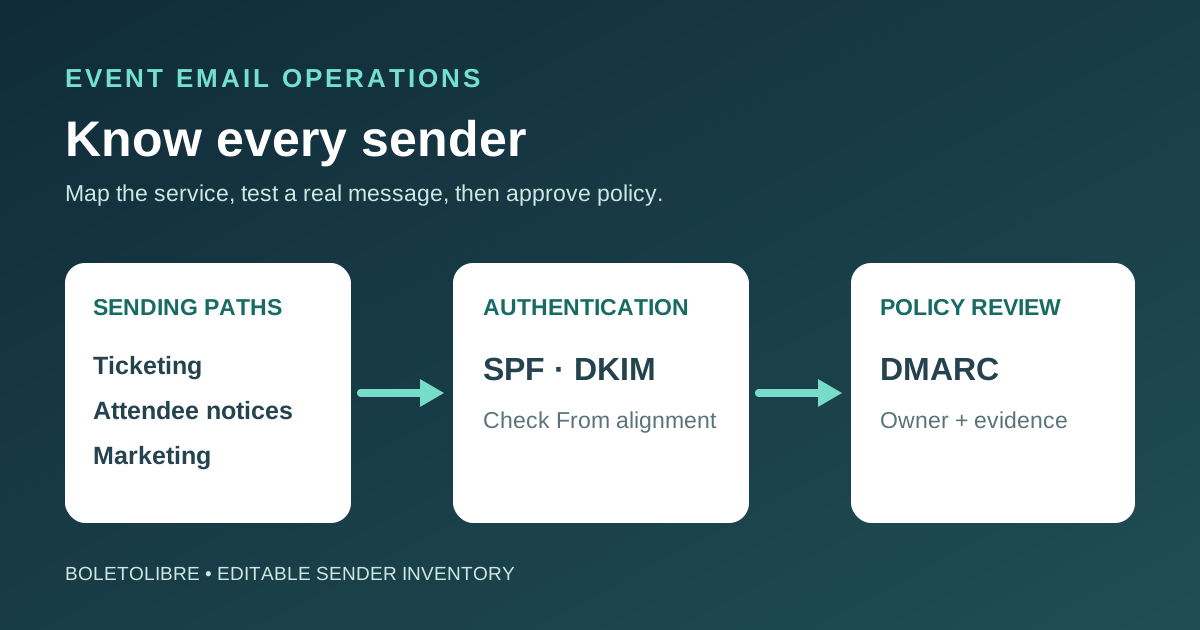
Download the event email sender inventory
Download the editable sender and authentication worksheet (Markdown, English)
Create one row for every system that sends as your event domain: mailbox, ticketing, confirmation, reminders, sponsor communications and marketing. Record the owner and message type before changing DNS. The sheet does not contain credentials.
Start with every visible From address and service
List who sends registration confirmations, ticket delivery, schedule or access notices, refunds, staff replies and optional promotional campaigns. These can use different providers and subdomains. The leading Google checklist starts with sender inventory because a record change made from an incomplete list can disrupt legitimate mail. Keep a sample message and a responsible person for each sending path.[1]
Record the domain people see in the message From header, the provider’s MAIL FROM/Return-Path domain and the DKIM signing domain. They can differ. For example, a ticket provider may sign with its own domain unless custom authentication is configured. The attendee-facing domain should be an intentional choice, not a side effect of a template.[3]
Map SPF, DKIM and DMARC to actual owners
| Control | What to document | Who verifies |
|---|---|---|
| SPF | Published TXT record for each sending domain, provider instructions and DNS-lookup budget | DNS owner with each sending vendor |
| DKIM | Selector records, signing domain and provider-side activation | Sending platform owner |
| DMARC | Published policy, report destination and From-domain alignment decision | Domain/email owner |
| Mail routing | MX and any custom MAIL FROM or bounce-domain records | Mail platform owner |
Do not paste together every vendor’s SPF include value without checking the existing record and lookup count. RFC 7208 limits SPF evaluation to ten DNS-query-causing mechanisms or modifiers. Use each provider’s current instructions and ask the DNS operator to review the final combined record.[4]
SPF and DKIM prove different things. DMARC requires a passing SPF or DKIM result aligned with the visible From domain; a pass for the vendor’s separate domain may not align. Amazon SES documents why a custom MAIL FROM or DKIM setup can matter for third-party senders.[3]
Test real event messages, not only DNS syntax
Send controlled examples through each path to recipient accounts your team manages. Inspect authentication results in message headers, including the visible From, SPF domain, DKIM d= domain and DMARC result. Log both the sending service and message category. Check the reply path and delivery of essential registration notices. A public DNS checker can find record syntax, but it cannot prove every template and provider is using the intended identity.
Google’s current Gmail guidelines set authentication requirements for senders to personal Gmail accounts and additional requirements for senders above its bulk threshold. Consult the provider page for the volume and message category that actually apply to your event. Authentication supports acceptance, but it does not guarantee placement in an inbox.[2]
Review DMARC reports and approve policy changes
Route aggregate reports to a maintained mailbox or reporting service with a named owner. Compare observed senders with the inventory, classify unknown sources carefully, and fix legitimate failures before a stricter DMARC policy is considered. A p=none record requests monitoring; it is not the same as asking receivers to quarantine or reject failed messages.[2]
Treat enforcement as a separate approved change with a rollback owner. Do not publish a reject policy just because a checklist says so: a forgotten ticket vendor or finance mailbox can fail alignment. Record the decision, observed mail sample, report evidence and next review date. The article is a planning aid, not a provider-specific DNS configuration.
Keep the record current through the event cycle
Add sender review to new vendor onboarding and event launch approval. When a ticketing or marketing contract ends, remove its DNS entries only after checking any remaining confirmation, refund or support flow. Preserve a dated zone export and evidence of the tested replacement. This inventory complements a pre-send deliverability check; it answers who is allowed to send as the domain and how that authorization is verified.
Sources and further reading
- Email Authentication (SPF, DKIM, DMARC) Setup Checklist TemplateCheckFlow · Accessed
- Email sender guidelinesGmail Help · Accessed
- Complying with DMARC authentication protocol in Amazon SESAmazon Web Services · Accessed
- RFC 7208: Sender Policy FrameworkIETF · Accessed