Event email deliverability checklist: send, verify and recover
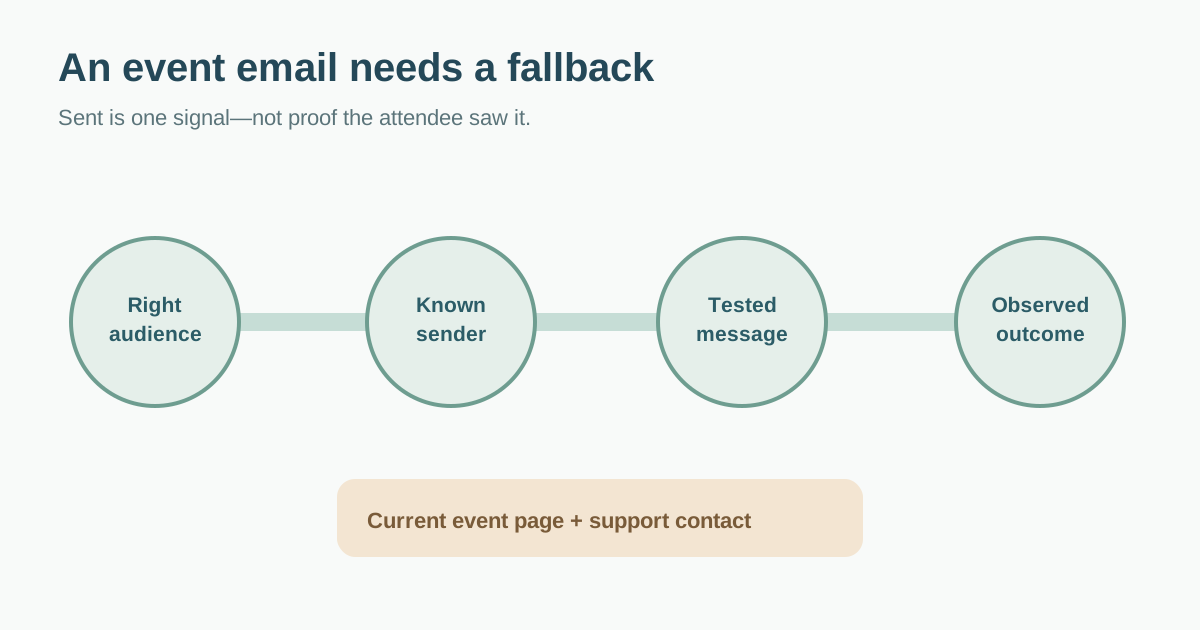
A “sent” status does not prove an attendee saw the message. For events, the consequences are concrete: a missing confirmation, changed door time or inaccessible arrival instruction can leave someone stranded. Use this checklist to prepare each message stream, observe what the sending provider reports and give attendees another way to find essential information. Keep service notices separate from optional marketing and have the responsible team review the applicable rules.
Boletolibre editorial team
Published
Download the event-message delivery matrix
Download the event email send-and-monitor matrix (Markdown, English)
The worksheet separates registration confirmations, schedule/venue changes, arrival/access updates and optional promotional mail. For each stream it records sender, audience source, template, live destination, authentication check, recipient test, provider event, response owner and fallback. The first organic Transpond checklist is a general campaign audit covering authentication, list quality, unsubscribe, content and monitoring; this event matrix turns those checks into an owner and response path for time-sensitive attendee mail.[1]
Identify the message and rightful audience
Start with the operational reason for the send. A registration confirmation goes to the person who completed registration; a venue change goes to affected attendees; a promotional message belongs only to the audience you are permitted to contact for that purpose. Do not copy an old event list into a new campaign merely because the addresses are available. Record the source of each recipient segment and have the communications/privacy owner classify any unsubscribe and consent obligations. A message labelled “important update” should not hide marketing copy.
| Message stream | Audience source to verify | If email fails |
|---|---|---|
| Registration confirmation | Current completed registrations | Show confirmation on-site; provide ticket lookup/help route |
| Program or venue change | Affected confirmed attendees | Update event page and staffed support channel |
| Arrival/access instructions | Current ticket holders who need details | Keep current public arrival page and on-site contact |
| Optional promotion | Permitted subscribers/segment | Honor suppression and do not re-send to opt-outs |
Confirm the real sending identity
List every platform that sends as the event or organizer: ticketing, transactional email and marketing tools may differ. Verify the visible From domain, authenticated sender and reply route for each stream. Gmail currently asks senders to authenticate with SPF or DKIM; senders over its bulk threshold face additional SPF, DKIM, DMARC, alignment and subscription-message unsubscribe requirements. These are Gmail recipient rules, not a universal legal classification for every message. Check the current provider guidance and actual headers with the mail administrator rather than changing DNS blindly.[2]
Do not create a second conflicting SPF record or assume a published DMARC record means all senders align. Test representative messages from each system, because a passing newsletter does not prove a confirmation service uses the same identity. The first organic guide correctly treats alignment and list quality as separate checks.[1]
Test content and the complete path
Send a representative message through the same channel and template as the real event stream. Check From and reply address, subject, event date/timezone, recipient name substitution, mobile rendering, image alternative text and the ticket or event link. Open every critical link. If the message points to a ticket wallet or checkout, verify its current availability and access without using a real attendee’s private link.
Make a clear distinction in the log: API accepted by the email service, provider delivery event, bounce, complaint and attendee confirmation are different observations. An accepted send does not prove inbox placement or reading. AWS SES documents separate bounce and complaint notifications; its event messages may also arrive in different order or batches, so a sender should not infer a guaranteed outcome from one event alone.[3][4]
Handle failures before the event changes again
Decide before sending who sees bounces and complaints, when they review them, and how invalid addresses are suppressed according to the sending provider and applicable policy. AWS SES requires a mechanism to manage bounces and complaints and offers notification/event publishing options. If the sender is another service, use its current equivalent rather than assuming SES settings apply.[3]
Look for a pattern by message stream and receiving provider: a registration-confirmation failure needs a different response than a marketing bounce. Do not repeatedly send to a known failed address without investigation. If a last-minute schedule change matters for access or safety, update the authoritative event page and support team while you troubleshoot mail; email alone is not a complete reach plan.
Close the loop with truthful evidence
After each important send, record intended audience count, accepted sends, reported delivery/bounces/complaints, the time of review and unresolved cases. Compare with registration records, but protect personal data in the reporting sheet. A lower open rate alone cannot locate a delivery failure; mail privacy features and user behavior affect it. Escalate a sudden provider-specific change to the mail administrator with timestamps, message IDs and non-sensitive examples.[1]
Before the next event, remove obsolete templates and links, review complaint causes and confirm the fallback contact still works. Do not promise “100% inbox delivery.” Treat this checklist as a coordination tool, not a substitute for provider diagnostics or jurisdiction-specific marketing advice.
Sources and further reading
- Email deliverability checklist: 15 checks before your next campaignTranspond · Accessed
- Email sender guidelinesGmail Help · Accessed
- Setting up event notifications for Amazon SESAmazon Web Services · Accessed
- Amazon SNS notification contents for Amazon SESAmazon Web Services · Accessed