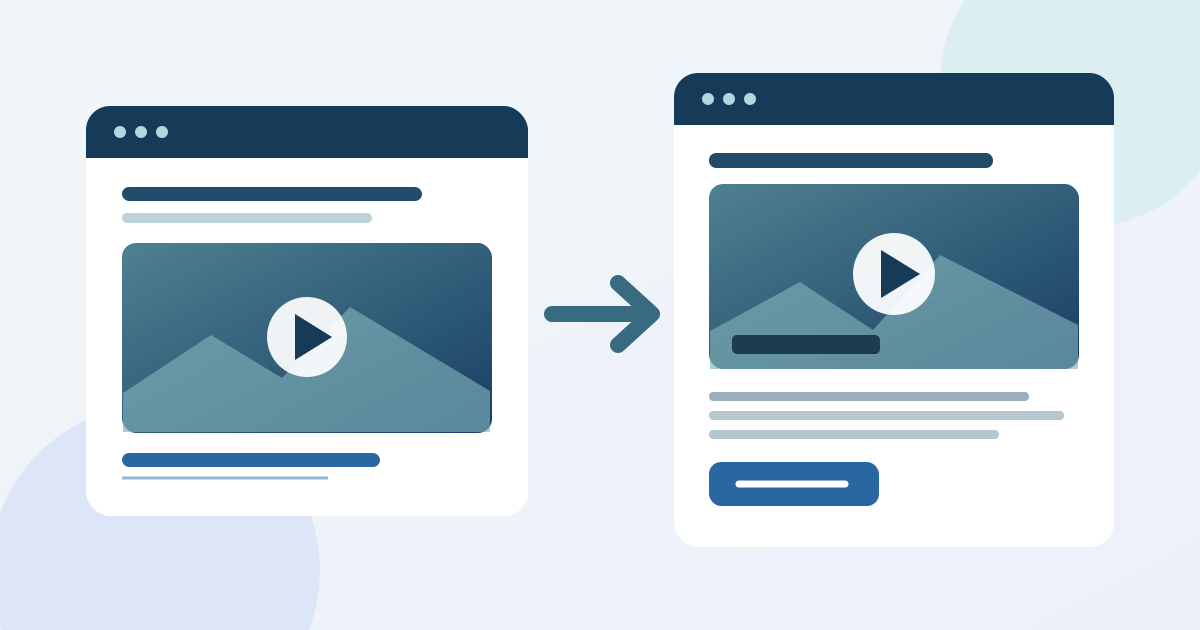
Link to video from an email with a useful thumbnail and text fallback
A video can demonstrate an idea faster than a paragraph, but a marketing email is an unreliable video player. Design the message as an invitation to a useful page: show a truthful still, state the key point in ordinary text, and give readers an obvious link that survives image blocking. The worksheet below turns those decisions into a reviewable production brief.
Boletolibre editorial team
Published
Give the video one job
Linked-video email card worksheet (Markdown)
Write the reader task first: “See the room layout before deciding whether to attend,” or “Watch the two-minute repair demonstration before attempting it.” If you cannot finish that sentence, a video may be decorative rather than useful. Put the decision-critical facts—date, cost, eligibility, action—into live email text. A reader who declines to watch should still know what the email is about and what to do next. Reserve the video for movement, demonstration, or human explanation that actually benefits from motion.
Choose the destination before the thumbnail
Use a stable, public page that explains the video and gives the reader a next step. A raw media file or private preview link can fail after the send; a page lets you correct surrounding context, place a transcript, and keep the action near the media. Check the page while signed out, on a phone, and in the intended language. Record who owns the page and whether a replaced video will make an older thumbnail misleading. Mailchimp documents linked thumbnails because most email clients do not reliably display embedded video; this is a practical email design choice, not a promise that every inbox behaves identically.[1]
Make the image a truthful preview
Pick one frame that genuinely represents the destination. A play triangle can signal that the image opens video, but it must not suggest that playback happens inside the inbox if it actually opens a web page. Avoid a screenshot with tiny text, a fabricated player bar, or an outdated speaker, product, or venue. Obtain permission for the still and crop it so the subject survives a narrow screen. Keep text out of the image when the words matter; place them in the email body where they can be read or translated.
Keep the message useful without the image
Place a brief value statement above or below the card: what the viewer will learn, roughly how long it takes, and what happens after clicking. Then provide a visible text link such as “Watch the 90-second studio tour,” pointing to the same page as the thumbnail. This link carries the invitation when images are blocked or a plain-text version is read. Do not bury a deadline, accessibility detail, or price solely inside the video. If the video is optional, say so and give a text route to the same essential information.[2]
Write the linked image and text link as one unit
When the thumbnail itself is linked, its alternative text should name the link purpose, not merely describe colors: “Watch the 90-second studio tour on the venue page.” The adjacent visible link can use similar words, but a screen-reader user should not encounter a string of vague “play” and “click here” controls. If your email system makes the linked image and adjacent text two separate links, test how their names sound in sequence. Use concise alt text and a clear text label; the still is not a substitute for either.[2]
Assemble one complete card, then switch its image off
Treat the card as a small invitation, not as a pasted video player. A workable version might use the live headline “See the studio before the open house,” the sentence “A 90-second tour shows the entrance and work areas,” a still of that actual entrance with a modest play cue, and a visible “Watch the 90-second studio tour” link. Put the open-house date, location, registration deadline, and registration action beside the card as real text. Both the linked image and the visible link should reach the same public video page. The image alt can say “Watch the 90-second studio tour on the venue page”; it should not repeat every piece of surrounding copy or suggest that the triangle itself plays a file in the inbox.[1][2]
Now remove the image from that draft. The headline, duration, reason to watch, destination link, and decision-critical event facts should still form a complete message. An image-off failure is easy to miss: a poster thumbnail reads “Register by 10 November,” while the email body merely says “Watch our film” and offers no separate registration link. Someone whose images are blocked cannot see the deadline, and someone who does not want to watch cannot act. Repair the email by moving the deadline and registration link into live text; keep the still for preview, not for essential copy. Check the actual plain-text part too if your sender creates one, because an HTML text link does not guarantee that its label or destination survives conversion unchanged.[2]
Prepare the video page for more readers
On the destination, provide accurate captions for meaningful speech and sound. Review automatic captions rather than assuming they are correct. Offer an easy-to-find transcript; include important visual information if the meaning depends on what appears on screen. A short email summary and a full transcript serve different jobs: one helps decide whether to open, the other helps access the content. Put the transcript on or clearly linked from the video page. Check that the page’s heading, language, player controls, captions and next-step link still work after the email is scheduled.[3][4]
Make the destination keep the email’s promise
Write a short handoff contract before the send: the email promises a 90-second studio tour, so the destination must identify the studio, present that tour without a sign-in, and leave the next action visible whether or not playback starts. A visitor should not land on a generic channel page, a private review file, a different year’s venue, or an expired event offer. Verify the headline, language, video length, still frame, and registration details against the email. If the player fails or a connection is slow, the page should retain a summary, reviewed captions when playback works, an easy-to-find transcript, and the registration route. Avoid making the video the only path to the event facts.[3][4]
Name a page owner and a change trigger. Replacing the hosted video after scheduling can change the first frame, length, spoken dates, or caption track while the delivered email thumbnail stays frozen. If a venue detail changes, the owner checks the page copy, captions, transcript, and call to action together, then decides whether the old thumbnail is still a truthful preview. An editable web page can correct the destination context; it cannot rewrite an already delivered email. If the email itself contains a material wrong date or promise, use the sender’s correction process rather than silently changing the destination. Record the final public URL and its owner in the worksheet so the handoff can be rechecked after send.
Run a short release test
Send a test to at least one narrow mobile view and one desktop view. View with images on and off, follow both thumbnail and text link, and confirm they reach the same current destination. Check the text-only version if available. Test with a keyboard and listen to link names with a screen reader when possible. Open the page signed out, enable captions, inspect the transcript, and check that the action after watching is clear. Recheck the destination just before send; email content cannot be recalled once delivered.
Record a delivered test, a repair, and a retest
A builder canvas shows an approximation. Send a test through the intended platform and record at least one narrow mobile inbox and one desktop inbox that matter to your audience, with client and date. In each, inspect images on and off; confirm the visible text link, the linked image, and any plain-text URL all lead to the same current page. Open that page signed out, test a keyboard route to the player and next action, enable captions, and locate the transcript. If possible, listen to the two adjacent link names with a screen reader: a linked image followed by an identical text link can be understandable, while two unnamed “play” links are not. Mark any untested client or assistive-technology condition as untested, not passed.[5][2]
Use the worksheet matrix for observed outcomes rather than a single “looks good” tick. For example: “mobile inbox, images off — FAIL: thumbnail vanishes and no text link remains; owner adds a visible video link and retests — PASS.” A second row might be “desktop inbox, images on — FAIL: still links to a private preview; both image and text links changed to the public page — PASS after signed-out click.” A third might record that captions are present but the transcript describes an old room layout; the page owner revises it before approval. Keep the original failure, repair, client, reviewer, and date. A passing preview screenshot alone does not prove that the delivered links or the destination work.[5][2]
Interpret clicks without calling them video views
Decide what success means before the send. An email provider may report a click on the thumbnail or text link; that shows a link interaction, not a confirmed video start, completed watch, or registration. Video-host or page analytics may provide starts or completion only if those events are actually configured and available. Report the two observations separately. For example, “300 tracked email-link clicks” and “120 recorded player starts” are different measures; do not label 300 people as viewers or divide the counts into a watch rate without checking repeat clicks, missing player data, and the definitions of each report. Mailchimp documents that security scans and other bots can inflate click counts, so review filtering and caveats where the sender provides them.[6][7]
If the team tags destination links for campaign analysis, keep a consistent source, medium, and campaign naming scheme and check the final redirect in the delivered message. The image and visible text link should share the intended destination and comparable tags; otherwise one card can split or mislabel its own traffic. Google Analytics documents campaign URL parameters, but tags describe the visit to the page, not whether the video played. Keep names, email addresses, and other personal details out of URL paths and campaign parameters, especially when analytics receives those URLs. The worksheet should name which report supplies link clicks, which player or page report supplies video events, who owns each, and which metric is unavailable. “Not measured” is more honest than an invented completion claim.[8][9]
Example: a 90-second preview
Suppose a community studio is announcing an open house. Its 90-second tour shows the entrance and workspaces. The email says “See the studio layout before you visit; the tour takes 90 seconds,” then states the open-house date and registration link as ordinary text. The linked still shows the actual entrance with a play icon; the visible link says “Watch the 90-second studio tour.” The public page has reviewed captions, a transcript describing the entrance and work areas, and the same event details. Someone who never plays the video can still decide whether to register.
Sources and further reading
- Add Video to an EmailMailchimp · Accessed
- Accessibility in Email MarketingMailchimp · Accessed
- Captions/SubtitlesW3C Web Accessibility Initiative · Accessed
- TranscriptsW3C Web Accessibility Initiative · Accessed
- Preview and Test Your EmailMailchimp · Accessed
- Use Click Tracking in EmailsMailchimp · Accessed
- About Bot Activity and Bot FilteringMailchimp · Accessed
- URL builders: Collect campaign data with custom URLsGoogle Analytics Help · Accessed
- Best practices to avoid sending Personally Identifiable InformationGoogle Analytics Help · Accessed