How to read an email link-click report by URL
A campaign can show plenty of clicks yet leave its main task unfinished. Read the URL rows as evidence of which destinations attracted attention, then verify outcomes in the system that records them. This worksheet keeps planning clicks, action clicks and completed actions apart.
Boletolibre editorial team
Published
Give each URL a job
Download the URL-level click report worksheet (Markdown, English)
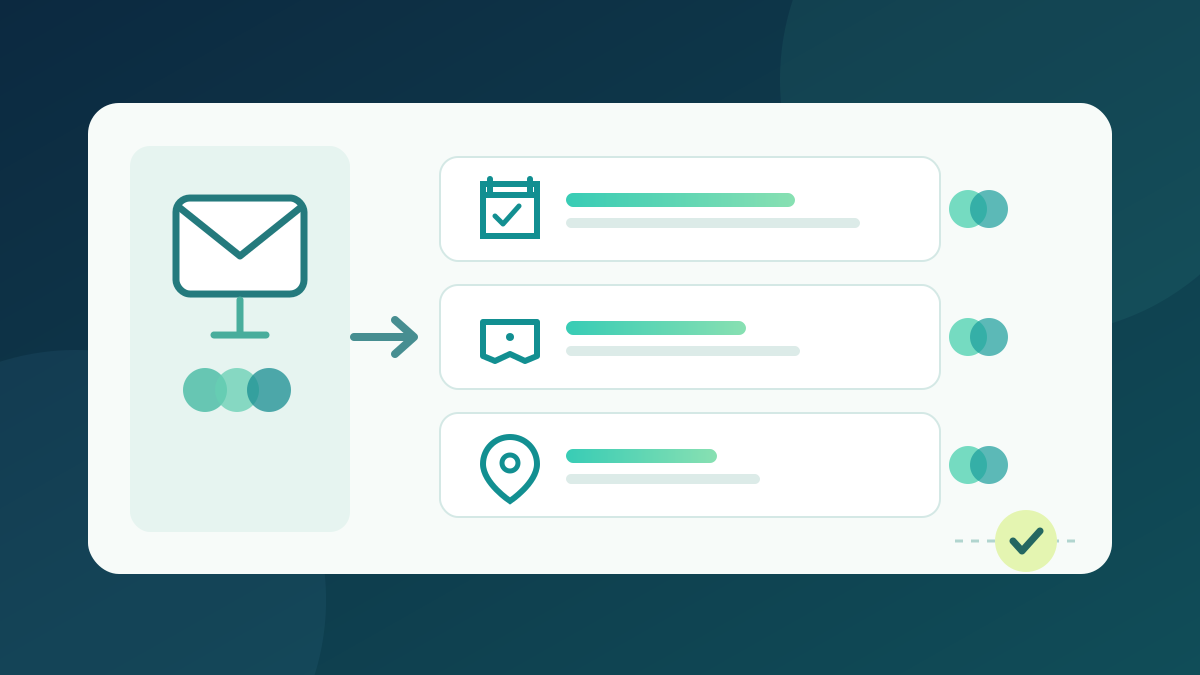
Before opening a dashboard, write the one decision the email was meant to support. Was its main job to drive a registration, prompt a download, or help readers plan a visit? List every tracked destination, including header links, text links, buttons and footer links. Assign each URL a plain-language job. A calendar link can be useful without being a purchase link; a venue map can solve a visitor question without proving ticket demand.[1]
Compare URLs only after you know what each one promises. Two links to the same task may be alternative paths to that task. A privacy or unsubscribe link is operational, not evidence that the offer failed. Record the actual destination URL and the label shown to readers, because a vague label or wrong destination can make the click pattern misleading.
Capture one reproducible report
Use the sent campaign report, not a draft preview. Record the campaign name, audience, send-completion time, successful deliveries, report export time and a common observation window, such as the first 72 hours after sending. Confirm click tracking was enabled. Mailchimp’s Click performance tab lists tracked URLs with total and unique clicks for each, while the overview gives campaign-wide click figures. Other senders may name these fields differently; copy their definitions before combining exports.[1][2]
Note the bot-filtering view and whether it changed between screenshots or exports. Mailchimp says automated security activity can inflate click counts and that its bot filter affects account reporting. A sudden cluster of clicks on every link just after delivery is a reason to investigate the report, not proof that recipients visited every page. Keep recipient-level exports private and use aggregated rows for a shared readout.[3]
Keep people and click events separate
Total clicks count tracked click events, including repeat clicks by one recipient. Unique clicks for a URL count distinct recipients who clicked that URL. Campaign-wide “clicked” counts recipients who clicked at least one tracked link anywhere in the email. These are different units. If a reader clicks the calendar and the ticket page, that reader can appear in two URL rows but only once in the campaign-wide count.[1][2]
Do not sum per-URL unique counts and call the result unique people. Nor should you divide total clicks by successful deliveries and label it a unique-recipient click rate. If a report has a rate, write its exact numerator and denominator beside it. For a link-specific comparison, show both the unique and total count with the same reporting window; a large gap may represent repeat interest, retries, or automated activity and needs context.
Group links by intent
Mark each destination as a primary action, planning aid, logistics or support link. For an event reminder, “Tickets” might be primary, “Add to calendar” planning, and “Directions” logistics. In another campaign, a guide download may be primary and pricing a follow-up question. The classification depends on the email’s stated purpose; do it before ranking URLs by clicks.
Compare links within their role and read the mix across roles. Strong calendar interest may mean readers are preparing to attend; it does not establish that they registered. A click map can show where clicks landed within the email design, but a URL table answers a different question: which destinations received tracked clicks. If the same destination appears more than once, do not assume its URL row isolates one button or placement.[4]
Work through a small report
Suppose a reminder reached 1,000 successfully delivered messages. The report shows 210 distinct recipients clicking at least one tracked link. Its URL rows look like this. The 295 link-level unique counts below do not mean 295 people: some recipients clicked more than one URL. The 356 total clicks describe click events, not people.[2]
| Destination and role | Unique recipients | Total clicks |
|---|---|---|
| Ticket page · primary | 120 | 160 |
| Add to calendar · planning | 95 | 110 |
| Venue map · logistics | 80 | 86 |
The ticket system separately shows 18 confirmed orders during the chosen window. Put that number beside the email report, but do not divide it by 120 and call the result a conversion rate unless the order records can reliably be connected to this email’s ticket-link visitors. Orders may arrive through other routes, include multiple tickets, or happen later. The link report reveals attention to destinations; the order system establishes completed orders.
Verify destination outcomes and tracking noise
Open the main destination as a reader would. Check that the button resolves to the intended page, that the page and offer match the email, and that the next step still works. If the campaign points to an external checkout, a tracked click shows the handoff attempt, not the checkout result. Record the destination owner, outcome source and any outage or content change during the observation window.[1]
Review suspicious click patterns before interpreting small differences. Mailchimp documents that security scans and link previews can create non-human activity, and its filter hides much of it from reports. A filtered view is still an estimate, not a verified list of human visits. A click map is useful for diagnosing placement, but it does not replace destination results or prove why a person clicked.[3][4]
Choose a bounded next action
Write one sentence for observation, one for the limit, and one for the next change. For example: “The ticket URL drew 120 unique clickers, while the calendar drew 95; 18 orders were recorded in the ticket system during the window. The systems do not identify which of those orders came from this email. Next time we will keep the calendar aid and make the ticket step clearer on the landing page.”
If the primary link has little attention, inspect its label, visibility and message promise before changing the landing page. If attention is strong but completions are weak, inspect the destination and form or checkout flow. If a planning link attracts more clicks, ask whether it served a different task; do not remove useful information just to raise one click share. Change one controllable element and record the hypothesis before the next send.
Reuse the worksheet
Use the downloadable worksheet to record each URL, its role, unique and total clicks, the campaign-wide unique count, the destination outcome and the decision. Keep the report cutoff and bot-filtering state alongside the numbers. On the next send, repeat the same definitions and window so the comparison describes a real change rather than two incompatible screenshots.
Sources and further reading
- Use Click Tracking in EmailsMailchimp · Accessed
- About Email ReportsMailchimp · Accessed
- About Bot Activity and Bot FilteringMailchimp · Accessed
- About Click MapsMailchimp · Accessed