What is an e-ticket for an event?
An e-ticket is an electronically issued ticket that identifies an admission entitlement for an event. It may arrive as a downloadable document or be available through an account, app or mobile wallet. The important question is not simply whether you have a message on your phone, but whether you have the ticket and can present it in the format the issuer accepts.
Boletolibre editorial team
Published
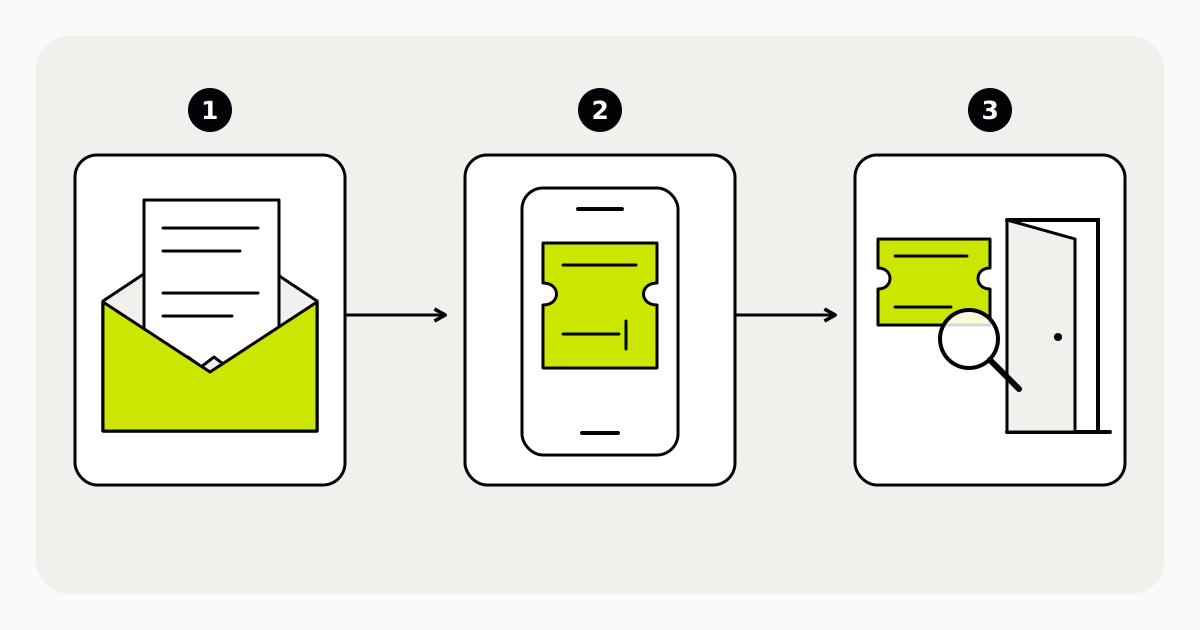
Confirmation, ticket and entry are different
An order confirmation records a purchase or registration. It might contain the tickets, provide a way to retrieve them or explain when they will become available. Do not assume the confirmation itself is the entry credential. Check the message for an explicit ticket attachment, access link or delivery instruction.
The ticket connects the holder to the relevant event and admission terms. Ticket Generator, for example, describes creating electronic tickets, delivering them digitally and checking them at entry. That is one provider’s workflow, not proof that every electronic ticket uses the same delivery channel or validation method.[1]
What to check before leaving
- Open the ticket early. Confirm the event, date, venue and admission type, and find the organizer’s help contact before you need it.
- Read the presentation instructions. Confirm whether the accepted format is a printed document, an in-app ticket or another specified option; do not assume a screenshot is accepted.
- For a group order, establish whether each person has a separate ticket and how the issuer wants those tickets shared or presented.
- Check any identification, transfer and re-entry conditions. These come from the event’s stated rules, not from the fact that the ticket is electronic.
One order can require several entry checks
Imagine a fictional evening talk. A buyer receives one confirmation for three places, then a link to three separate tickets. Forwarding the confirmation to all three guests does not necessarily give each person a usable ticket. The buyer should follow the issuer’s sharing instructions and make sure each guest can access the right credential.
A QR code can carry data that a ticketing system uses during a check. The system still needs to establish whether the ticket was issued for this event, remains valid and has already been used under the applicable entry rules. A visible square pattern is not, by itself, proof of admission rights.[2][3]
Make the next step explicit
For organizers, a useful delivery message answers three practical questions: where the ticket is, how it must be presented and whom to contact if it cannot be opened. Include the route for resolving an entry problem; do not improvise an exception from a payment receipt alone.
Keep ticket codes out of public posts, and use the issuer’s supported transfer process when one is available. Electronic delivery changes how a ticket reaches its holder. It does not automatically make the ticket transferable, reusable or immune to copying.
Sources and further reading
- Electronic ticket creation and delivery: a provider exampleTicket Generator · Accessed
- Connecting ticket QR codes to a validation systemThe QR Code Generator · Accessed
- QR Code features and data encodingDENSO WAVE · Accessed