How to triage event website accessibility fixes before launch
When an event launch is close, an issue list needs a decision owner and evidence, not a simple count of audit warnings. Use the original issue log to follow the attendee journey from event details to registration, ticket purchase, confirmation and access information. Prioritization orders work; it does not waive accessibility goals or local obligations.
Boletolibre editorial team
Published
Start with attendee tasks and real evidence
Download the accessibility issue decision log (Markdown, English)
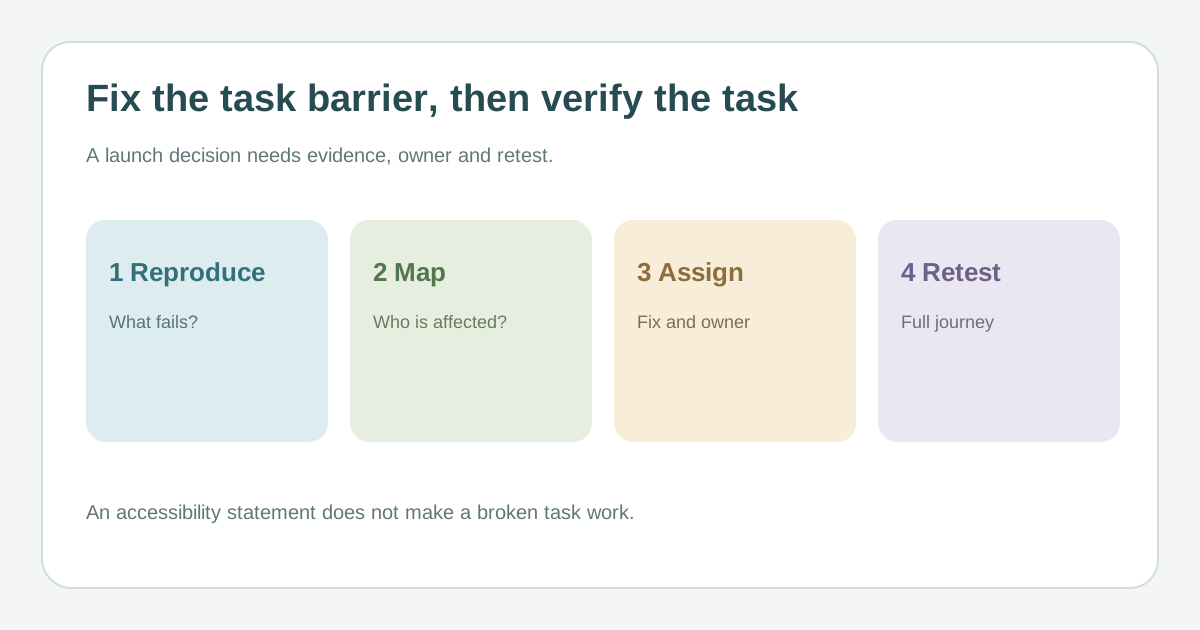
Walk each route with keyboard and relevant assistive technology, and consider feedback from disabled people. Record the exact page or step, device and observed failure. A blocked ticket purchase, unreadable venue access detail or unusable confirmation deserves attention based on its real impact. Do not classify severity from a WCAG conformance level or scanner count alone.[1][2][3]
Decide who and what the barrier affects
Note whether the defect is in a shared navigation or form component, a single page, one language, a mobile view or an external checkout. Check whether a claimed workaround is actually usable by the affected attendee in time to complete the task. Mark uncertainty explicitly and route third-party issues to the vendor and an internal owner; handing off responsibility does not resolve the barrier.[1][2][3]
Assign a fix, retest and temporary communication
Give each issue an accountable owner, decision date, proposed remedy, retest method and release dependency. Address task blockers and widely reused components with urgency appropriate to the event schedule, while tracking every remaining issue. If a material limitation persists, describe it accurately on the relevant public page and provide a reachable support route. An accessibility statement or manual support option is not proof the digital route works.[1][2][3]
Retest the full journey and update the record
After the change, repeat the affected task in the relevant browser, device, assistive technology and language. Verify that the user can finish the task, including errors and confirmation. Reopen failures, record residual barriers and make a decision before launch. Keep a longer-term remediation owner for issues that cannot be completed in this release; review local legal requirements with qualified counsel where needed.[1][2][3]
Sources and further reading
- Plan web accessibility workW3C Web Accessibility Initiative · Accessed
- Implement and prioritize accessibility issuesW3C Web Accessibility Initiative · Accessed
- Web Accessibility First Aid: Approaches for Interim RepairsW3C Web Accessibility Initiative · Accessed