How to manage a domain before, during and after an event
Managing a domain means keeping both the registration and its connected services under control. A working page today does not tell you who can renew the name or recover the account tomorrow. Build a small operating record before a busy sales period, then keep it useful after the event.
Boletolibre editorial team
Published
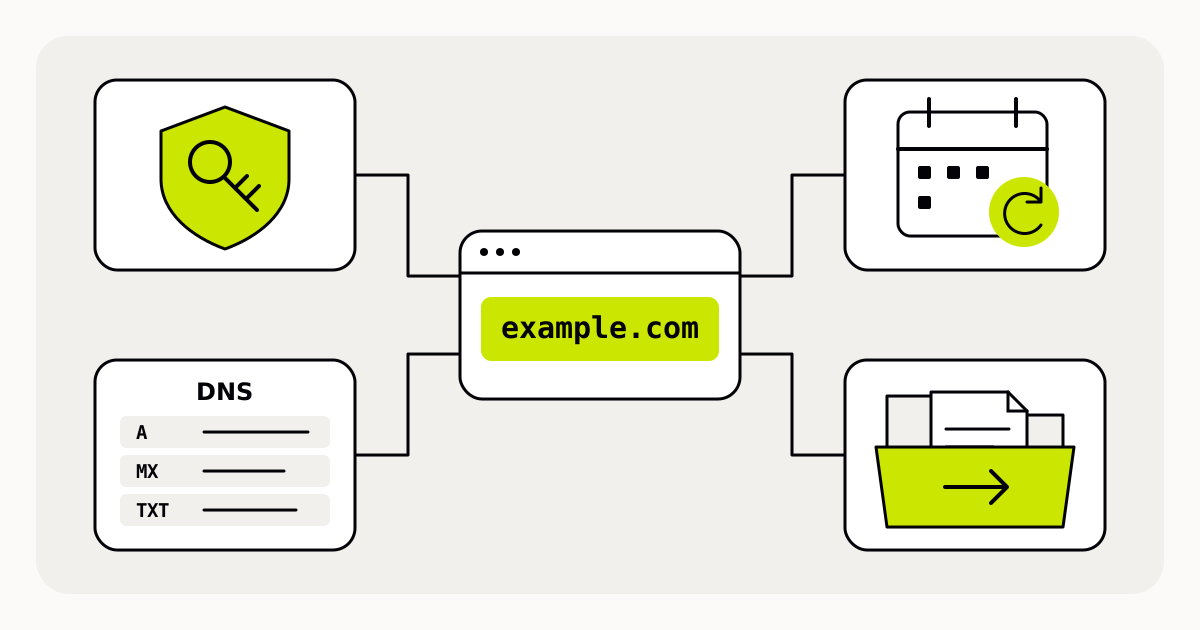
Start with a domain record, not a password hunt
Create a short record for the exact registered name. Include the registrar, expiry date, responsible role, recovery contact and the providers running DNS, the website and email. Record where approved access is stored, not the passwords themselves. For a shared event brand, make this an organizational record rather than a note in one volunteer’s inbox.
| Responsibility | Question to answer |
|---|---|
| Registration | Who can renew the name and update registrant details? |
| DNS | Which provider’s nameservers are authoritative, and who can edit the records? |
| Website | Who maintains the pages and the website’s domain connection? |
| Who maintains mail delivery and the related DNS settings? |
Do not assume the registrar’s DNS editor is the active one. For example, DreamHost’s instructions explicitly apply when the domain uses DreamHost nameservers. Identify the DNS provider actually serving the domain before making changes.[4]
Protect the account and its recovery route
Use a unique password and enable multifactor authentication if the registrar supports it. ICANN also advises keeping domain-account information private and recoverable. A designer or supplier should not need your main password merely to help with a website; look for scoped or delegated access where the provider offers it.[1][2]
Keep the contact email active and regularly monitored. An address independent of the managed domain can remain useful when that domain has a problem; ICANN recommends this separation. Ask the registrar about a transfer lock and its removal procedure. A lock adds protection, but is not a guarantee against every unauthorized change.[1]
Write down who can handle recovery when the usual administrator is unavailable. Check the provider’s documented recovery process in advance. If recovery codes are supplied, store them using the organization’s approved secure procedure rather than alongside public event planning documents.
Schedule renewal around the event calendar
Renew through the registrar before the registration expires. ICANN warns that failing to renew can interrupt associated services and may result in losing the name. Keep contact and billing details current, and read the provider’s renewal and expiry terms rather than assuming every extension follows the same recovery timetable.[3]
If you enable automatic renewal, still assign someone to verify that it succeeded. Put a review ahead of major announcements, not only on the expiry date. For a recurring festival, review the domain while preparing the next edition, even if no page redesign is planned. Record the confirmed new expiry date after renewal.
Make DNS changes with a recorded purpose
DNS settings may support more than the website: MX records direct email, and TXT records can carry verification or mail-related information. A website move is not a reason to delete every unfamiliar record. Use the exact values supplied by the service you are connecting.[4]
- Name the change: which hostname, which service and why it needs updating.
- Save the existing relevant settings in an access-controlled record and identify their owners.
- Obtain the required hostname, record type and destination from the receiving provider.
- Confirm which DNS account is authoritative; plan any nameserver change separately and preserve required records.
- Choose a change window, an owner and a recovery plan if the new service fails.
- After the change, test the intended page and any affected email or verification workflows; record the result.
DNS information can remain cached after an update, so a check from one device is not the whole picture. Allow for provider guidance and observe results before changing the same settings again. Reverting a record does not promise instant reversal for every visitor either.[5]
Treat unexpected renewal notices as something to verify
A message using a familiar logo can still be a phishing attempt. ICANN describes scams that imitate renewal requests and says it does not collect domain-registration fees directly from registrants. Open your known registrar account independently to confirm an unexpected payment demand, rather than trusting the message’s link.[2]
If registration details change without authorization, contact the registrar promptly using its established support route. Preserve relevant notices and your registration evidence. Do not send the account password to anyone offering to recover the name.[1]
Close the loop when people or suppliers change
At the end of a season, confirm the next responsible person, review delegated access and remove access that is no longer needed through the provider’s controls. Keep the domain’s registration record and the website’s maintenance agreement distinct: ending a design contract should not leave renewal ownership unanswered.
A useful handoff includes the domain name, provider contacts, next renewal date, current service map, recent changes and unresolved issues. Have the receiving person confirm that they can use their authorized access and find the recovery instructions. Do not test a handoff by sharing the previous administrator’s password.
Use a short recurring review
Before a major sale or campaign, ask four questions: can the authorized team access the accounts, is the registration current, do the public links and dependent services work, and does someone own the next action? Record exceptions and deadlines. This repeatable check is more valuable than an elaborate document that nobody opens after launch.
Sources and further reading
- Protecting domain accounts and responding to unauthorized changesICANN · Accessed
- Phishing and additional account protectionsICANN · Accessed
- Renewal and expiration guidanceICANN · Accessed
- DNS records, active nameservers and email settingsDreamHost · Accessed
- DNS updates and cached answersMDN Web Docs · Accessed