What is SSL? TLS, HTTPS and the limits of a secure connection
SSL, short for Secure Sockets Layer, is the predecessor of TLS, or Transport Layer Security. SSL is obsolete, but “SSL certificate” remains a common label for a TLS certificate. For a modern website, the practical question is whether the browser has a properly authenticated HTTPS connection.
Boletolibre editorial team
Published
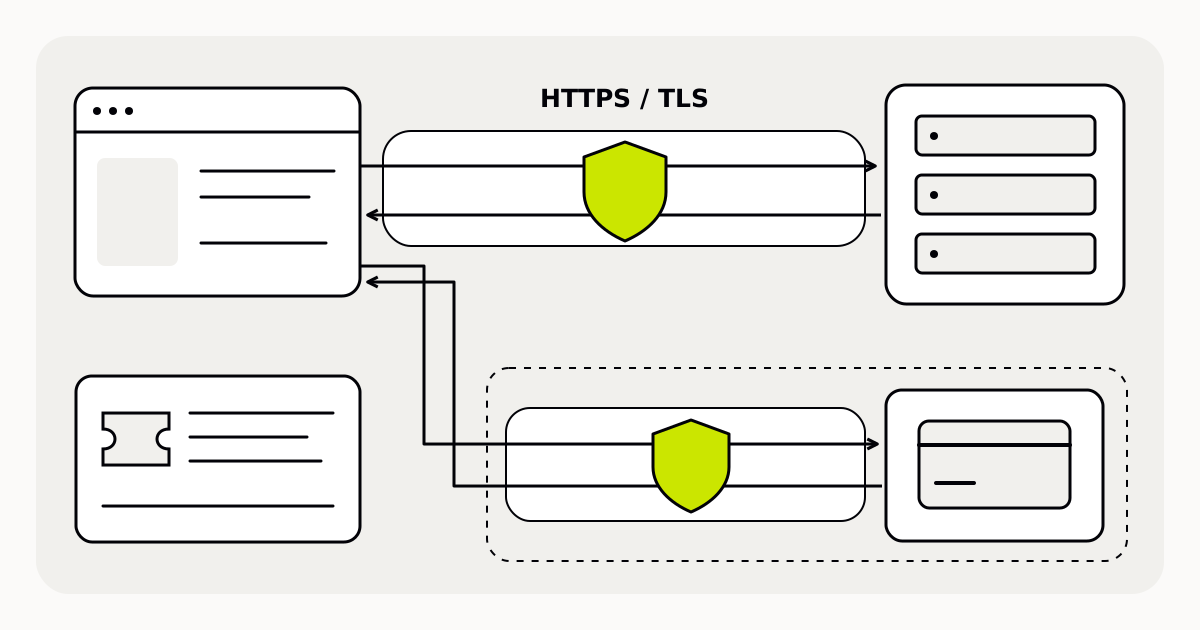
SSL, TLS and HTTPS are not interchangeable objects
SSL and TLS name communication protocols. A certificate is part of establishing the server’s identity, not the protocol itself. HTTPS is HTTP communication protected with TLS. A service advertising an “SSL certificate” may be using the conventional older wording; ask about the actual HTTPS setup rather than requesting the obsolete SSL protocol.[1][2]
In web server authentication, the certificate binds the server’s keys to its domain name. This lets the browser check that it is communicating with the server for the requested name. That check concerns the connection and its endpoint, not every claim on the page.[2]
What TLS protects
| Protection | Practical meaning |
|---|---|
| Encryption in transit | Helps prevent an interceptor from reading data exchanged between browser and server |
| Integrity | Helps detect tampering with that data during transmission |
| Server authentication | Lets the browser verify the server for the requested domain name |
The scope matters: this is protection while data travels between the connected endpoints. It is not a promise about how an organizer later stores information or handles a refund. A website should also load its images, scripts and other resources over HTTPS. HTTP resources inside an HTTPS page are mixed content and can undermine that protection.[2]
An event example: two connections, two checks
Imagine an attendee opens an event page and follows a link to an external checkout. The event page and the checkout destination are separate connections. A secure first page does not establish the security of the second. Check the actual destination and its HTTPS connection before entering payment details.
Likewise, HTTPS alone does not prove that the event will take place, that the organizer is trustworthy or that all legal duties are satisfied. Those questions need event and seller information. This is a boundary of connection security, not an extra promise provided by a certificate.[2]
What to check before sharing the page
- Open the exact public hostname and investigate any browser certificate warning; do not ask attendees to ignore it.
- Check that the page and the resources it loads use HTTPS.
- Follow checkout links and inspect the final address, not only the link text.
- Confirm who manages the certificate, its renewal and the HTTPS configuration for the hostname.
Buying a domain or configuring DNS is not proof that HTTPS is ready. Ask the responsible hosting service to confirm the setup, then check the visitor journey. Keep connection checks separate from reviewing the organizer’s identity, event details and cancellation information.[2]
Sources and further reading
- SSL and TLS terminologyAmazon Web Services · Accessed
- TLS, server authentication and mixed contentMDN Web Docs · Accessed