Audit Duplicate Email Contacts Across Lists Before Removing Records
A contact can appear once in each of several mailing lists and still create a messy record trail. The immediate task is not to press “remove duplicates.” It is to establish which rows refer to the same mailbox, which details must survive, and which list changes are safe for the next send. This guide is a cross-list record audit; it does not replace the separate check for overlapping segments inside one campaign.
Boletolibre editorial team
Published
Start with a decision record
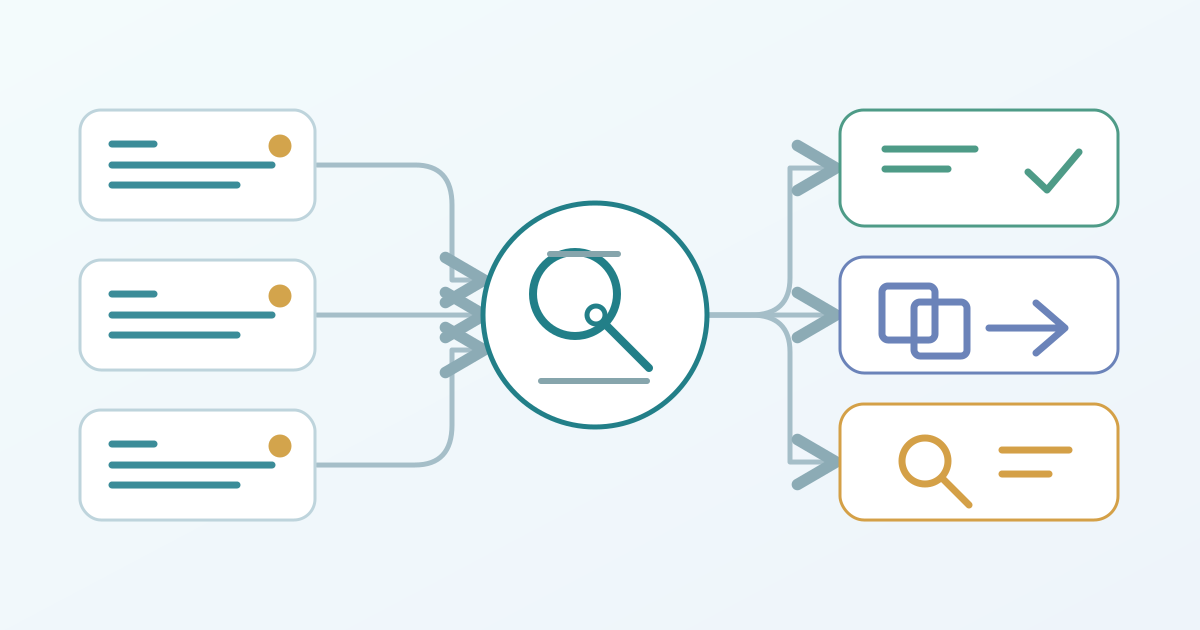
Download the editable worksheet before touching the source lists. Name the lists and export dates, the person who owns the audit, the intended campaign, and where an authorized backup will be kept. Use one row per candidate group, not one row per email message. The card records decisions and counts; keep full addresses, consent evidence, and contact history inside the authorized list system or a restricted working file.
Know what kind of duplicate you are looking for
An exact address in List A and List B is a cross-list overlap. It is different from two segments in one list selecting the same contact and different again from one person using two addresses. Mailchimp says it prevents exact-address duplicates within one audience but does not deduplicate across audiences. Its account and billing behavior is provider-specific; check your own service before assuming that two lists share one contact record.[1][2]
Choose the audit unit explicitly: one stored record, one exact mailbox address, or one intended campaign recipient. Those counts answer different questions. The same address can have two records but only one intended campaign recipient if you select one list. Conversely, two different addresses may reach one person or a shared inbox. Names, company names, and forwarding hints can suggest a review, but they do not prove that records can be merged.
Export a working snapshot and find candidates
Take a dated export of each relevant list before editing. Keep its original status, group or preference fields, source list, and a stable record ID when available. Make a restricted working copy for comparison. If you use a spreadsheet, highlight or filter duplicates first; Microsoft warns that Excel’s Remove Duplicates removes rows permanently from the selected data, so it should not be the first investigative step. Keep the raw exports intact for later reconciliation.[4]
Start with exact addresses after trimming accidental whitespace around the whole field. Preserve the original spelling in another column. Lowercasing the domain for comparison is safe under SMTP rules, but do not silently rewrite the part before @: RFC 5321 requires local parts to be treated as case-sensitive, though the RFC discourages relying on that distinction. Put case variants, plus-address variants, spelling changes, and suspected aliases in a separate review queue. Do not strip dots or plus tags with a universal rule.[5]
Read the record context before choosing a survivor
For each exact-match group, compare marketing status, the date and source of any permission evidence, topic or frequency preferences, tags and groups, and the fields used to personalize mail. A newer row is not automatically more authoritative. For example, a form signup may have a useful first name while another list contains a later preference change. Record both pieces and decide where each will live before any archive or consolidation.
Treat conflicting status as a hold for review, not as a field to fill with whichever value looks most favorable. A subscribed label in one list must not silently turn an unsubscribed or unknown-status row in another list into a sendable recipient. Likewise, do not discard a distinct preference merely because one row has fewer fields. If you cannot explain the intended purpose and the evidence for the final send state, leave the records separate and omit the disputed group from the proposed change. This article does not prescribe a legal conclusion about consent.
Choose an action that fits the evidence
The worksheet offers three outcomes. “Keep separate” fits different purposes or unresolved permissions; record which list may be used for the particular campaign. “Consolidate later” fits a verified shared address with compatible status and a mapped set of useful fields. “Investigate” fits aliases, case variants, shared inboxes, or conflicting source data. Each outcome needs an owner and a next check. Counting a match is not approval to archive a record.
If your platform has a combine-audiences feature, read its transfer limits before using it. Mailchimp says its documented combine process is permanent, omits some contact history and permission data, and is not recommended for GDPR-enabled audiences. A cross-list worksheet is therefore a decision aid, not an instruction to bulk merge. Check a small reviewed sample, confirm destination fields and statuses, and document any recovery limits before approving a larger change.[3]
Reconcile counts and the next send
Record total source rows, distinct exact addresses, extra rows beyond those addresses, held groups, and approved changes. The extra-row figure is rows with usable addresses minus distinct exact addresses; it is not a count of people, valid subscribers, or messages that would have been sent. Set aside rows with blank or malformed addresses and count them separately before using this subtraction. For a small sample, check that each chosen survivor has the intended status and preferences and that source IDs still trace back to the snapshot. Compare a preview of the proposed recipient set with the original campaign plan.
After an approved change, repeat the exact-match count and inspect a few held and completed groups. A drop in stored rows should reconcile with the action log; an unexplained drop is a stop signal. Check the sending platform’s final recipient count and exclusions separately, since list cleanliness alone does not establish one-send behavior across separate campaigns. Keep the dated audit and schedule the next review after a new import or list change, rather than assuming one cleanup stays correct forever.
A small worked audit
Suppose three exported lists contain 120, 95, and 70 rows, all with usable addresses: 285 source rows. Grouping by exact address after trimming outer whitespace yields 248 distinct addresses, so there are 37 extra rows across those groups. That does not mean 37 contacts should be deleted. In a sampled group, alex@example.test appears in two lists: one row has a topic preference and the other has an unknown marketing status. Mark it “investigate,” preserve both records, and exclude it from a proposed consolidation until the status is resolved.
A second group has the same exact address and compatible status in both lists but different useful group labels. Mark it “consolidate later” with a field map and owner. If two rows have different addresses but the same name, mark them as possible aliases only; do not include them in the 37 exact extra rows. The audit is successful when every changed record can be traced to a reviewed decision and the next campaign’s audience is clear, not when the largest number of rows disappears.
Sources and further reading
- About Duplicate ContactsMailchimp · Accessed
- Requirements and Best Practices for AudiencesMailchimp · Accessed
- Combine Audiences to a Primary Audience Using TagsMailchimp · Accessed
- Find and remove duplicatesMicrosoft Support · Accessed
- RFC 5321: Simple Mail Transfer ProtocolRFC Editor · Accessed