How to audit and retire unused event subdomains
A forgotten event subdomain can point to an old ticketing, staging or sponsor service. Use this audit to find it, establish who owns its target, and decide what to retain or retire without breaking attendee links.
Boletolibre editorial team
Published
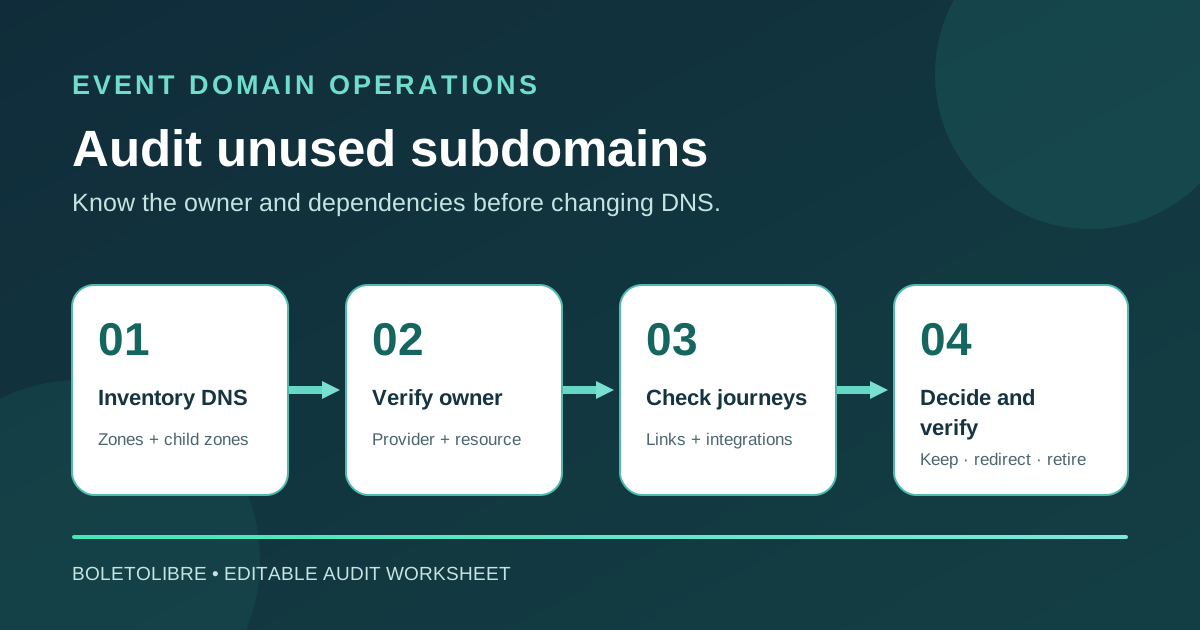
Download the subdomain inventory and retirement worksheet
Download the editable subdomain audit worksheet (Markdown, English)
Copy the worksheet for each event domain and edition. It records the DNS name, target service, business owner, evidence, decision and change approval. Keep credentials out of the shared document.
Why an unused event subdomain needs a decision
An old ticketing, sponsor, livestream or staging hostname may still be published after its event or vendor contract ends. A DNS record alone does not prove the service is active, and a page that fails to load is not automatically safe to delete. The audit asks whether the hostname still serves a purpose, who controls its target, and what would break if it changed.
A dangling record can be risky when it points to a deprovisioned third-party resource that someone else can claim. OWASP documents this as a possible subdomain-takeover path, not as a guarantee that every dead CNAME is exploitable. Treat a suspected dangling target as a security review item; do not test takeover by claiming a resource you do not own.[2]
Build an inventory from more than one source
Start with exports from every authoritative DNS zone. Include A, AAAA, CNAME, MX, TXT and NS records, then inspect separately delegated child zones. Cloudflare explains that an NS record can move management of a subdomain into its own zone, so a parent-zone export may not show its full contents.[3]
Compare the DNS list with the registrar and DNS accounts, hosting and CDN configurations, ticketing and email vendors, infrastructure code, certificates, old event plans and published links. Certificate-transparency history or passive DNS can suggest additional names, but neither is a complete current inventory. Label every finding with its source and observation date; do not treat a historical name as currently live without checking.[1]
Review each hostname with its owner
| Question | Evidence to record | Decision owner |
|---|---|---|
| What purpose does it serve now? | Current event page, service or redirect and the next edition that needs it | Event or content owner |
| Who controls the DNS target? | Provider account, resource ID, delegated zone and current maintainer | DNS and service owner |
| Does it carry other traffic? | Website links, ticket emails, callbacks, login redirects or mail records | Affected service owners |
| Is the service healthy and expected? | Observed DNS answer, HTTPS response and certificate where relevant | Technical owner |
| What is the change plan? | Keep, investigate, redirect, replace or retire; approver and review date | Named approver |
Do not equate an HTTP 404 with a takeover, or a valid certificate with a healthy application. Investigate the actual provider binding. A name with MX, TXT or NS records may support mail authentication or a delegated service even if there is no website.[2][3]
Retire a hostname without abandoning attendee journeys
Before a planned retirement, check where the URL is printed, indexed, emailed or used by checkout, payment callbacks, OAuth, sponsor portals and staff tools. Choose a useful replacement or redirect for people who still follow the old address. Confirm the destination is under your control and the retired name no longer points at a deleted vendor resource.
Coordinate DNS changes with the service owner. OWASP recommends removing or updating DNS records before deprovisioning the underlying third-party resource, then confirming the old name is no longer claimable. The exact order, cache wait and redirect period depend on the provider and your dependencies; record the observed result and a rollback contact. If takeover is suspected, follow the incident process immediately.[2]
Keep the register useful after this audit
Add a DNS owner and intended retirement or review date when a new event hostname is created. Reconcile the register whenever an event closes, a vendor exits or a DNS change is approved. The leading Google guide encourages continuous discovery, but a small team can start with a recurring, owned review tied to real changes. Record what was checked and what remains unresolved rather than claiming an incomplete scan found every subdomain.[1]
Sources and further reading
- How to Audit Every Subdomain You Own (Including the Ones You Forgot About)Domain Verity · Accessed
- Subdomain Takeover Prevention Cheat SheetOWASP · Accessed
- Subdomain delegation and available setupsCloudflare · Accessed