Build and audit breadcrumb navigation for a multi-page website
A breadcrumb can help someone return from a detailed page to a useful parent, but a row of attractive links is only helpful when it describes the site that actually exists. On a multi-page event site, “Home / Programme / Session” may be a sound route; “Home / Page I clicked last / Session” is not a stable hierarchy. This guide turns the component into an editorial and release decision that a CMS owner, designer and reviewer can check together.
Boletolibre editorial team
Published
Use a breadcrumb for location, not browsing history
Download the editable breadcrumb path and QA worksheet (Markdown)
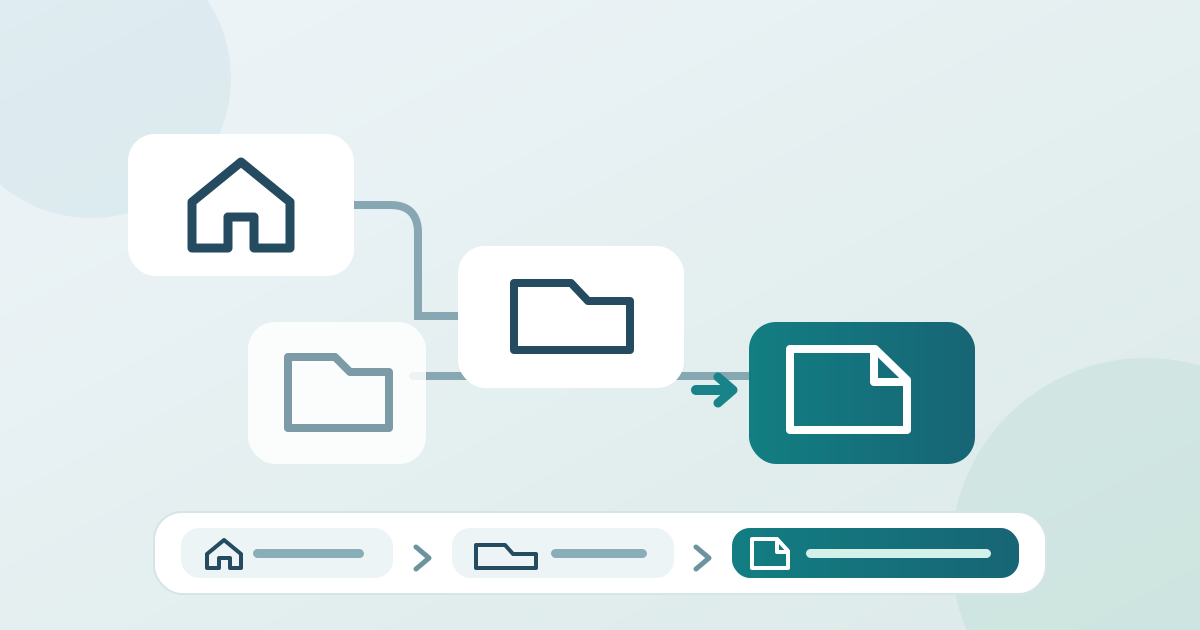
A breadcrumb is a list of links to parent pages in hierarchical order, usually before the main content. It answers “where is this page within this site?” and offers upward routes. It is especially useful when people arrive directly on a detail page from search or a shared link. It does not replace the main menu, page heading, search, or the page’s primary action. Start with one representative deep page and name the parent a visitor would genuinely want to open. If the site has only one level of pages, a decorative Home / Current trail may add little; record a reason to omit it instead of inventing a hierarchy.[1]
Do not turn click history into the path. A visitor might reach the same session from a speaker card, a topic filter or a schedule search, while the session still has one editorial home in the site structure. A stable trail should give the same parent route each time that URL loads. Likewise, a checkout hosted on another service is not automatically a child of the page where its button appeared. Decide where the website owns a meaningful hierarchy, and let other navigation controls handle “back to results” or recent visits. This distinction is an editorial rule, not a claim that browsers remember a particular route.[1]
Choose one truthful parent chain
Write the chain on paper before editing the template. For a hypothetical conference, one route could be Home → Programme → Accessibility session. The middle page must exist, be published and summarize or list relevant sessions; otherwise it is a false parent. A session that appears in both “Programme” and “Accessibility” still needs an approved primary parent for this component. Keep cross-listing as links or filters elsewhere. If a page has no trustworthy intermediate parent, a shorter Home → Session path is more honest than a four-level chain made from CMS tags.[1]
Separate the page’s parent decision from the URL string. A path segment, category slug or database nesting can help generate candidates, but may not express the editorial relationship a visitor expects. For every crumb, record the exact destination URL and its visible label; open that URL anonymously and confirm it is a relevant parent, not a redirect to a different topic or an empty listing. When a page moves, review the parent chain and child pages together. That makes a CMS migration or taxonomy change a controlled content decision rather than an automatic string split.[1][4]
Write labels that predict the destination
Write a short label that identifies the destination. “Programme” tells a visitor more than “Back”; “Venue information” is clearer than a truncated URL slug. W3C’s link-purpose guidance says a link’s purpose should be understandable from its text or programmatically determined context, and recommends meaningful text by itself when possible. The current page label can be a shortened version of its heading if it stays recognizable. If a title includes dates or edition names, retain enough to distinguish sibling pages; do not shorten three different pages to the same word.[4]
Check every language as content, not as a mechanical copy of the English trail. A translated page may have a different natural short title or may lack a translated intermediate page. Use the approved locale route and label for each crumb, and decide what to show when a parent does not exist in that language. A fallback link to an unrelated language or a parent that silently changes edition may surprise readers. W3C’s guidance on consistent navigation concerns the relative order of repeated navigation within a set of pages; a site can preserve a predictable component position while the actual crumb labels change with the page.[4][5]
Give the trail useful semantics
The W3C breadcrumb pattern places the trail in a navigation landmark with a label such as “Breadcrumb”, and describes parent links in hierarchical order. Its example uses an ordered list inside the labelled navigation region. A current-page link, if present, uses aria-current="page"; if the current item is plain text, that attribute is optional. Do not put aria-current on every ancestor or pretend a parent is the current page. A semantic list also exposes the set of items to assistive technology; the visual separators need not become extra spoken words.[1][2][3]
The current page need not be a link to itself. Choose either a plain-text final item or a linked final item with the current-page state, then test what the chosen CMS outputs. The W3C example adds separators through CSS rather than as spoken punctuation. Keep the breadcrumb landmark distinguishable from a separate primary navigation landmark; the label is for the region, not a substitute for visible link text. Translate that landmark label for each published language as well as the visible crumb labels. A single, simple trail is easier to maintain than two competing trails generated by a theme and an embedded widget.[1][2]
Keep the trail usable on a small screen
Long titles and narrow screens are where a visually neat desktop trail can fail. Let labels wrap or shorten them editorially without losing the destination meaning. Check a phone-sized viewport and browser zoom: no ancestor should disappear behind an ellipsis with no other usable route, and horizontal scrolling should not be required merely to reach the page content. W3C’s Reflow guidance addresses reading without two-dimensional scrolling at its specified viewport equivalents; it does not prescribe one breadcrumb truncation algorithm. Treat a collapsed trail as a design decision that must retain a route to the relevant parent.[6]
Follow the links with a keyboard as well as a pointer. Each linked crumb should be reachable and visibly focused, and the tab sequence should move through the DOM in the same meaningful order as the displayed path. If the design puts the trail under a sticky header, confirm focused links remain visible. Test a screen reader’s navigation-landmark list and the announced current item with the actual implementation; the W3C example explicitly cautions that code examples need testing with assistive technology. A static screenshot cannot prove any of these interactions.[7][8][9][10][2]
Make the CMS rule maintainable
A CMS often has several candidate sources for the trail: parent page field, content type, category, menu location or URL. Pick one approved source of truth and document its exceptions. For a session, the editor might choose a published “Programme” parent; for a venue update, the owner might choose “Visit”. Require the preview to show the resulting trail before release. If editors can change parentage, include that action in the review workflow because it changes navigation on the child page even when its body copy is untouched.[1][5]
Make change ownership explicit. The editor approves the relationship and labels; the site maintainer verifies generated markup and destinations; a reviewer checks the public result. When a parent is retired, renamed, translated or moved, search for children that still point to it. Keep a small exception log for cross-listed pages, archived editions and externally hosted steps. This is a narrow maintenance rule for breadcrumbs, not a redesign of the whole information architecture. The worksheet below provides one row per page so a broken parent is visible before visitors find it.[4][5]
Test a real page and record the handoff
Work one release example end to end. Suppose an old “Programme” page was replaced by a current-edition programme, while a session detail page kept its URL. The reviewer records the session URL, approved parent URL and labels in each published language; opens each ancestor anonymously; checks the session heading against the final item; and verifies the current-page state. If the old parent redirects to the new page, update the generated crumb to the intended destination rather than accepting the redirect as proof that the hierarchy is right. The public page, not the CMS preview alone, is the final evidence.[1][4]
Repeat the check on a sibling page and a page with a different parent. This catches a template that hardcodes “Programme” everywhere. Then inspect phone width, zoom, keyboard order and the announced landmark/current item. Record a pass only when the destinations, labels, hierarchy and interaction all agree. For a failure, capture the affected URL and locale, exact crumb, expected parent, observed destination and responsible owner; fix the source field or template once, then retest representative pages. The editable sheet turns that handoff into a finite review rather than a vague request to “add breadcrumbs”.[1][6][7]
Sources and further reading
- Breadcrumb PatternW3C WAI ARIA Authoring Practices · Accessed
- Breadcrumb ExampleW3C WAI ARIA Authoring Practices · Accessed
- Link Purpose (In Context)W3C WAI WCAG 2.2 Understanding · Accessed
- Consistent NavigationW3C WAI WCAG 2.2 Understanding · Accessed
- ReflowW3C WAI WCAG 2.2 Understanding · Accessed
- KeyboardW3C WAI WCAG 2.2 Understanding · Accessed
- Focus VisibleW3C WAI WCAG 2.2 Understanding · Accessed
- Focus OrderW3C WAI WCAG 2.2 Understanding · Accessed
- Focus Not Obscured (Minimum)W3C WAI WCAG 2.2 Understanding · Accessed