Audit website link text for accessibility and search
“Read more” can be clear beside one article and a guessing game in a list of links. Anchor text is the visible wording of a link; it should help people predict the destination, and it also gives search engines context. A useful audit checks the wording, the actual target and the name announced by assistive technology together.
Boletolibre editorial team
Published
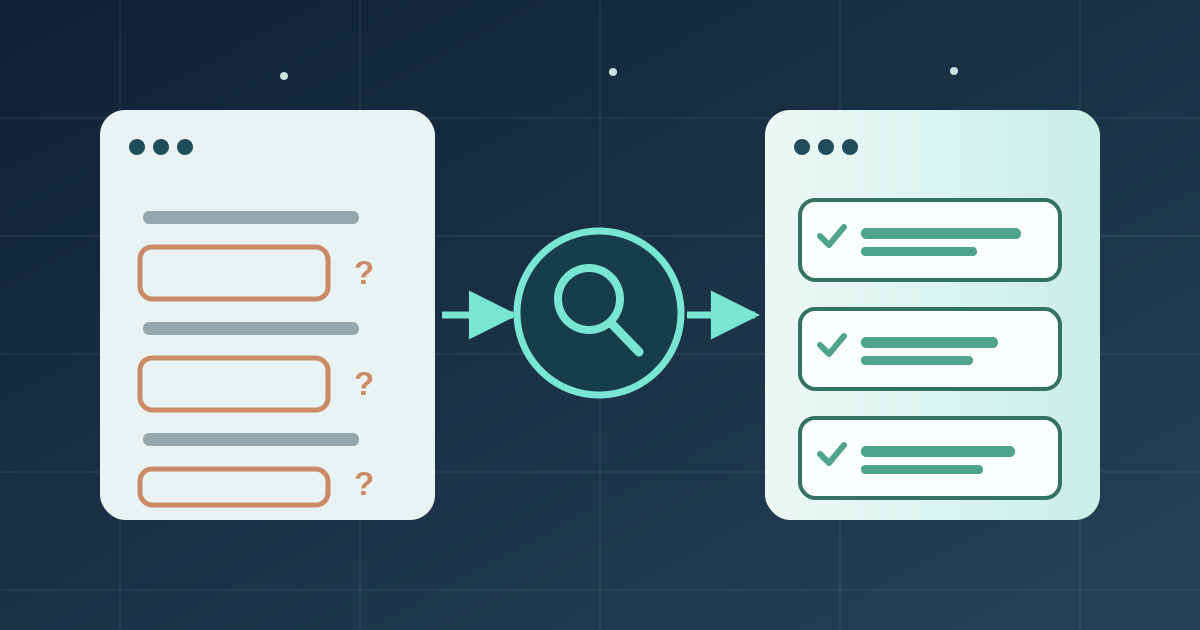
Inventory the links that matter first
Download the editable link-text audit worksheet (Markdown)
Choose a representative set: primary navigation, high-traffic landing pages, article cards, downloads and footer links. In the worksheet, capture the page URL, exact visible link text, destination URL, destination page title or file, surrounding sentence, and whether the link is text, an image or an icon. Include repeated templates once, then spot-check their rendered instances.[1][4]
Build the sample around decisions rather than an arbitrary page count. Include at least one repeated card group, one icon-only link, one link inside a sentence, and one link to a file or external site. If a template supplies dozens of links, record its component name and two rendered URLs. This separates a single copy mistake from a template rule that repeats across the site.[1][4]
Prioritize links whose wording can hide a consequential choice: two “Read more” cards leading to different pages, a vague “here” in instructions, or a download whose file type is not apparent. Open the target before editing the label. A clever phrase that misstates the destination is worse than a plain accurate one.[1][2]
Give each candidate a simple priority: high when a misleading label affects tickets, access, safety or an essential event detail; medium when similar labels point to different supporting pages; low for a clear label that only needs polish. Note traffic or user questions if available, but do not use an analytics number as proof that readers understand a link.[1][2]
Separate the standard from the stronger writing habit
WCAG 2.2 Success Criterion 2.4.4, Level A, allows a link’s purpose to be clear from its text or from programmatically determined context, such as its enclosing sentence or list item. A “Read more” link is therefore not automatically a failure. The stricter link-only criterion, 2.4.9, is Level AAA.[1][2]
For a contextual label, write down the exact sentence, list item or table cell that supplies its meaning. Then ask whether that context is programmatically associated with the link in the rendered page. A visually nearby heading in another component may not be the context a link-list user receives. If the relation is uncertain, improve the visible label and record the change as a quality fix rather than guessing at conformance.[1][2]
As an editorial habit, read just the links without their paragraphs. People may browse a screen reader’s link list, and a stand-alone label is usually easier to scan. Record whether surrounding context genuinely establishes the purpose, then prefer an independent label when the page can fit one. Do not call every contextual link a standards violation.[1][2]
Keep the test result separate from the editorial target. One row can say “2.4.4 purpose clear in paragraph; isolated label vague.” Another can say “purpose unclear even with context; revise before release.” This makes it possible to prioritize real failures without treating the stronger AAA link-only criterion as an AA rule. It also gives reviewers a reason for the decision, not just a pass/fail mark.[1][2]
Rewrite the visible label around the destination
Name the destination or outcome in the visible words: “View the speaker schedule” is more useful than “Click here”; “Download the venue map (PDF)” sets a clearer expectation than “Download.” Keep the label reasonably concise and relevant to both the source page and its target. Google recommends descriptive anchor text and warns against generic or oddly long labels.[4][1]
Try the proposed wording against the destination before publishing. On a fictional event site, “View accessibility details” should lead to the accessibility information, not to a generic venue homepage; “See ticket refund terms” should reach the current terms, not an expired event. If the target is wrong, first fix or hold the target. A precise label on an incorrect destination makes the mismatch more serious.[4][1]
Do not turn the label into a string of search keywords. Two links to different pages should not share a generic name if readers need to choose between them; links to the same destination should be described consistently. If the link opens a file or a new tab, decide whether the behavior needs a short visible cue. Check that a translated label describes the translated target, not the English page by accident.[4][1]
For a row of similar cards, say what distinguishes each target: “Meet the opening speaker,” “View the workshop timetable,” and “See transport options” are three different choices. Keep repeated links to the same destination consistent unless their surrounding task calls for a different description. Read the full page aloud or scan its link list after the rewrite; a set of individually clear labels can still become repetitive together.[4][1]
Check accessible names and image-only links
The accessible name is what assistive technology receives for a control. When a link has visible text, WCAG 2.5.3 requires that text to be included in its accessible name; an unrelated aria-label can make speech control harder. Review the computed name in the rendered page rather than assuming the visible words are what users hear.[3][5]
Inspect a few rendered cases, not only the CMS field. A card may combine an image alt, heading and button-like text into one link name; an added aria-label may replace or extend the visible text. Record what the browser computes as the accessible name, and compare it with the visible phrase and target. If they differ, ask the component owner to repair the markup and retest the shared component.[3][5]
For an image-only link, its alternative text should identify the destination or action, not merely the appearance of the icon. When an image accompanies descriptive link text, avoid repeating the same name twice. An icon-only destination also needs a clear name. Record the visible label, accessible name and destination side by side to catch mismatches.[3][5]
For a linked logo or social icon without adjacent words, name the destination in its accessible text. For an informative image inside the same link as a clear text label, check whether repeating the label in alt creates needless duplication. The right answer depends on what information the image adds. An empty alt is a deliberate choice for a redundant image, not a way to leave an icon-only link unnamed.[3][5]
Confirm the link works as a link
If clicking navigates to a page, file or section, use a real link with a reachable href. Google says it can generally crawl an HTML a element with href and cannot reliably extract destinations from click handlers on other elements. If the control changes the current interface rather than navigating, review whether a button is the correct element.[4][6][7]
Follow the link from the published page, including redirects. A link to an old event path may still load but land on a generic homepage, so “HTTP success” alone does not prove the promise was kept. For a same-page jump, check that the fragment target exists and the destination is perceptible after navigation. Record a wrong-language redirect, stale file or changed page title as a target problem, not a copy-only fix.[4][6][7]
Open the link in the rendered page. Verify that the promised destination loads, the title matches the label, and the label appears in the rendered HTML. Check image links as well: Google can use an image’s alt text as anchor text. A link-label edit cannot repair a broken target, so route broken links to the owner before approving the copy.[4][5]
Review the element role with the behavior. A navigation link should be reachable as a link with an href, while a control that expands details or submits a form normally needs button behavior. Avoid relying on a clickable span with a scripted destination. After an editor or developer changes markup, inspect the rendered result again; a correct label in source content does not guarantee a crawlable or operable link.[4][6][7]
Retest every language and record the change
Test the revised page with keyboard focus and, where available, a screen reader’s link list or accessible-name inspection. Ask someone unfamiliar with the page to predict each destination from the isolated label. For each locale, check that the link, accessible name, target language and file cue remain aligned after translation.[1][3]
Use a small review set before replacing a shared template everywhere: one desktop page, one narrow layout, one page with a long translated label, and one page with multiple cards. Check keyboard order, the link list or computed names, and the final destination on each. Ask a colleague to predict the target from the label alone; treat wrong predictions as evidence to revise wording even when the context might satisfy the minimum criterion.[1][3]
Log the original wording, replacement, target, owner and test result in the worksheet. Retest shared components on more than one page so a single template fix does not create duplicated labels elsewhere. A useful final check is simple: can a reader choose the right link before opening it, and does the destination match that choice?[4][1]
Close each row with a decision: approve, revise label, repair destination, repair markup, or hold pending evidence. Assign the person who owns that change and keep the published URL for retesting. After release, inspect at least one instance of each shared component and each affected locale. If a redirect, translation or file changes later, reopen the row instead of assuming the earlier pass still applies.[4][1]
Sources and further reading
- Understanding SC 2.4.4: Link Purpose (In Context)W3C WAI · Accessed
- Understanding SC 2.4.9: Link Purpose (Link Only)W3C WAI · Accessed
- Understanding SC 2.5.3: Label in NameW3C WAI · Accessed
- Link best practices for GoogleGoogle Search Central · Accessed
- Functional ImagesW3C WAI · Accessed
- Link PatternW3C WAI ARIA Authoring Practices · Accessed