Why do DNS resolvers show different answers for an event domain?
One attendee opens the ticket page while another sees an old site or an error. Different DNS answers can be part of that story, but a screenshot from a single checker does not identify the cause. The leading resolver-disagreement guide recommends comparing the same name and record type across authority and recursive resolvers. For an event, also record which visitor journey failed and keep DNS diagnosis separate from the HTTPS, application and hosted-checkout checks.
Boletolibre editorial team
Published
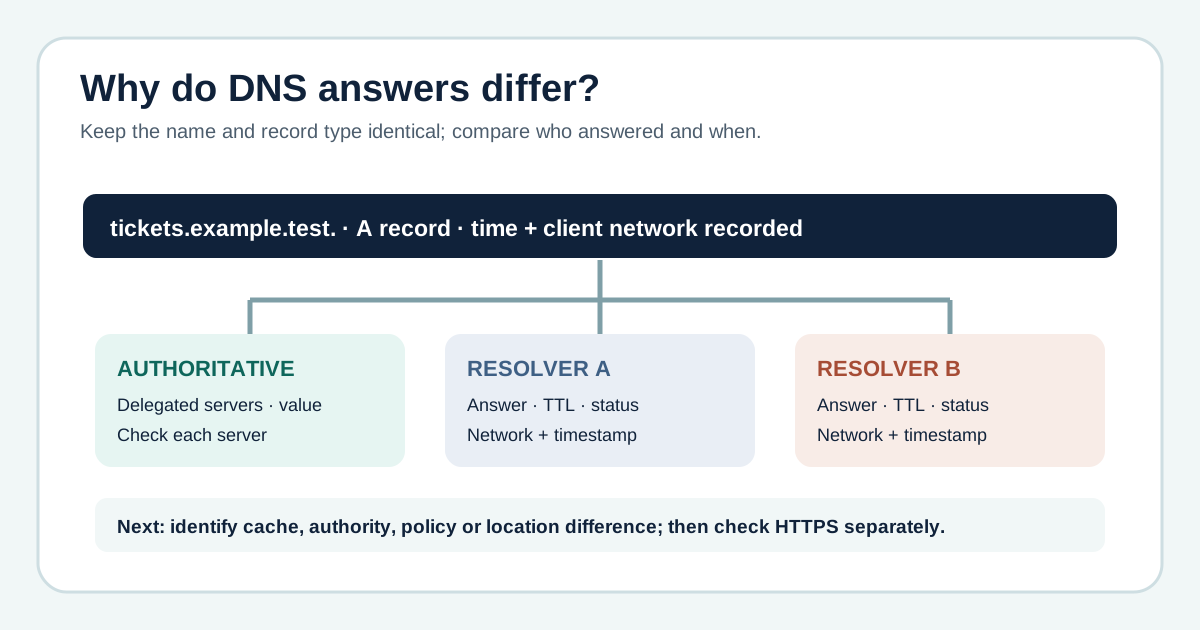
Capture one exact question before comparing answers
Download the original DNS answer comparison worksheet (Markdown)
Write the fully qualified hostname the attendee used, including whether it is the apex, www or a registration subdomain, and the record type being queried. Record response status, answer, time zone, network and resolver name for each observation. An A answer should not be compared with an AAAA answer, or a ticket subdomain with the home page. Note the last approved DNS change and the affected event task; otherwise an unrelated result can send the team toward the wrong fix.
Distinguish an old cache from an intentional or private answer
A resolver may still have a valid cached value; under some failure conditions it may serve stale data. Answers can also differ because of CDN geography, traffic routing, private DNS, filtering or client network policy. Do not label every different IP a broken zone. Compare the response status, authority, TTL, network and expected routing design. Where a resolver returns SERVFAIL, collect that evidence for the DNS operator instead of treating it as a simple old-record case.[2][4][1]
Assign the owner and verify the attendee route separately
Write a diagnosis with the evidence and what it cannot prove. Identify whether the next action belongs to the authoritative DNS provider, resolver or network operator, site team, or external ticketing provider. After an authorized change, repeat the named DNS observations and check the event page over HTTPS, registration entry and external checkout as separate steps. DNS agreement alone does not prove the purchase journey works. Keep times, results and attendee communications with the incident record.
Sources and further reading
- Diagnose different answers from DNS resolversClueDNS · Accessed
- Troubleshooting Public DNSGoogle Public DNS · Accessed
- DNS settings are not yet in effectAmazon Route 53 · Accessed
- Serving Stale Data to Improve DNS Resiliency (RFC 8767)IETF · Accessed