PDF download returns HTTP 416 after a file update? Compare the byte ranges
A PDF can open for one visitor and fail for another after the file is replaced. HTTP 416 concerns the byte range requested from the selected file representation; it does not, by itself, identify a bad CDN cache. This guide helps a site owner and an authorized file host compare the failing partial GET with the current PDF and repair only the layer the evidence identifies.
Boletolibre editorial team
Published
1. Capture the actual failing PDF request
Record the visitor action, time and time zone, browser or PDF viewer, and the final file URL after any redirects. In the failing GET, preserve the Range and optional If-Range request headers, response status, Content-Range, Content-Encoding and validator such as ETag. A HEAD response alone cannot reproduce a failed GET range. Redact signed URL tokens, cookies, authorization headers and private paths before sharing the evidence.[1][3]
First check that the observed status is 416 on the final PDF response. A link that ends at 404, an expired signed URL, or a wrong download filename is a different task. Ask the host for a redacted trace if the visitor cannot safely inspect the request.
2. Read the requested start against the current length
RFC 9110 says a 416 may reject a range that is unsatisfiable, or an excessive set of small or overlapping ranges. For a byte-range request, the server should report the selected representation length as Content-Range: bytes */N. If that header is missing, record the gap rather than inventing a size. If Content-Encoding is applied, byte offsets refer to the encoded representation, not the decoded PDF size.[1][2]
Fictional example: a download client already has 6,000 bytes of an older PDF, but the replacement PDF is 5,200 bytes. It sends Range: bytes=6000-. A response of 416 with Content-Range: bytes */5200 shows that this requested start is beyond the current representation. The numbers support a stale-resume hypothesis; they do not yet say whether the client, edge or origin selected the wrong version.[1]
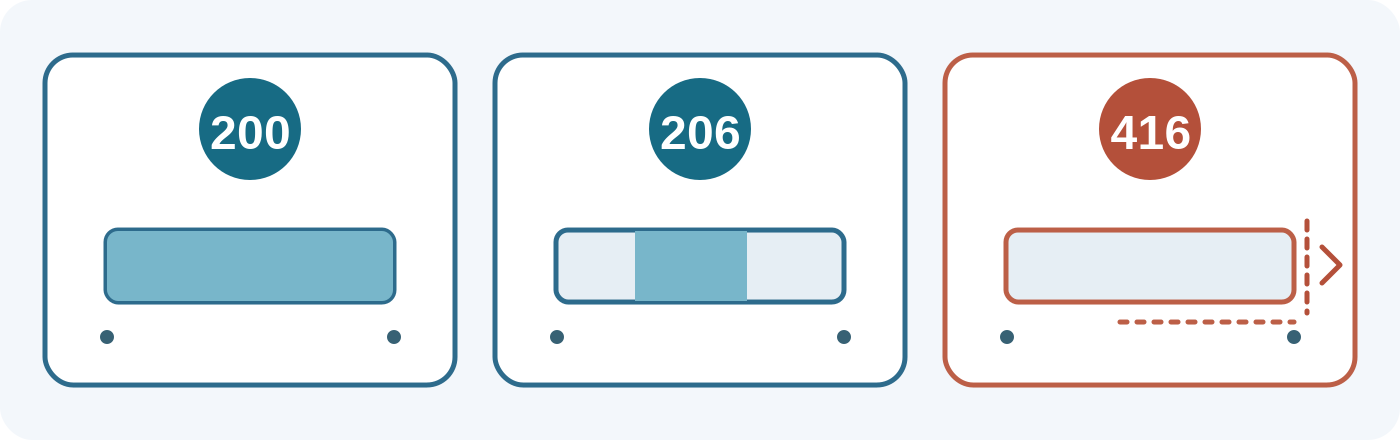
3. Compare 200, 206 and 416 for the same final file
With authorization, compare three GETs to the same final URL and credentials, keep content encoding consistent, and record which file version each response selects. An unconditional fresh GET without Range should return the complete representation selected at that endpoint; it does not establish that an edge copy matches the approved origin file. A small valid Range should return a matching 206 response where range delivery is supported. Finally inspect the original failing Range and its 416. A server may ignore Range and return the full file as 200, so that outcome is not automatically a fault.[1]
Compare file length, ETag or Last-Modified, and response dates across the observations. With If-Range, a nonmatching validator makes the recipient ignore Range and send the full selected representation; a client must not send a weak ETag in If-Range. A missing or weak validator does not prove a CDN error; record what the client sent and what the server returned.[1][3]
| Request | Expected useful observation | What it cannot prove |
|---|---|---|
| Fresh GET without Range | Complete PDF selected here, usually 200, with length and validator | Whether the failed partial GET was valid |
| Small valid Range GET | 206 with matching Content-Range, or a full 200 if Range is ignored | Why an older client requested a later offset |
| Original failing Range GET | 416 and, when supplied, bytes */current length | Which layer caused a version mismatch |
4. Locate a version mismatch only when the evidence supports it
If a CDN is in the path, ask its owner to compare the public edge response with an authorized origin response for the same selected PDF. A different current length or validator at edge and origin is a concrete lead. Cloudflare and CloudFront can answer range requests from cache or fetch ranges from origin; the origin-requested range can differ from the viewer request. Keep both layers labeled in the record.[4][5]
If edge and origin agree, investigate the client resume state or an origin range-handler error before touching cache. If they disagree, the owner can choose a scoped correction for the final file URL and cache key, or publish a versioned file path and update the link. A redirecting link may have a different cache entry from its final PDF. Avoid a broad purge based on one 416 screenshot.[6][7]
5. Change one cause, then retest both delivery paths
For a confirmed obsolete partial copy, have the visitor start a fresh download after the current full file is verified. For a proven edge/object mismatch or incorrect range response, the file or CDN owner should record the prior object and settings, approve one scoped correction, and define a rollback trigger. Do not disable range support or alter cache rules just to hide the status.
Retest the same final PDF with a fresh full GET and a valid partial GET, then repeat the originally failing client action. Check that the file opens, lengths and validators are consistent for the selected representation, and no new 416 appears at the comparable path. If the result changes with encoding or authentication, record that variant separately.[1]
6. Copy the 200/206/416 evidence card
Use the fillable worksheet to keep the request, file version, edge/origin comparison and owner decision in one place. Enter unknown when a private origin value is unavailable. Keep signed links and raw authorization data out of a shared copy.
Sources and further reading
- RFC 9110: HTTP Semantics, Range and 416IETF / RFC Editor · Accessed
- MDN: 416 Range Not SatisfiableMDN Web Docs · Accessed
- MDN: If-Range request headerMDN Web Docs · Accessed
- Cloudflare: Range request behaviorCloudflare · Accessed
- CloudFront: range GET processingAmazon Web Services · Accessed
- Cloudflare: purge by single fileCloudflare · Accessed
- CloudFront: use file versioning to update contentAmazon Web Services · Accessed