When /robots.txt serves HTML or a 5xx after a website move
A migration can move the home page successfully while the new host sends an HTML shell or server error from /robots.txt. That small route has its own URL, status, redirect chain and body. Use this guide to gather those facts, choose the right repair path and compare the result with the policy your site owner approved before cutover.
Boletolibre editorial team
Published
Start with the exact public authority
Write down the full URL that a crawler would request, including scheme, hostname and any nonstandard port, followed by the lowercase top-level path /robots.txt. An apex domain, www hostname, HTTP endpoint and HTTPS endpoint are separate scopes; a good response on one does not prove the others work. Check the public variants that the move actually changed, rather than every internal origin or preview hostname.[1][8]
Find the last owner-approved robots file or written policy. Record its date and which host it covered. That gives you a comparison target without inventing new Allow or Disallow rules during an incident. Robots rules guide cooperating crawlers; they do not protect a private page or substitute for access control.[1][8]
Capture a GET and every redirect
Request each public /robots.txt URL with GET through the normal visitor-facing path. Keep the request time in UTC, initial URL, each redirect status and sanitized Location, final URL, final status, Content-Type, Cache-Control and Age if supplied, and a short safe body excerpt or fingerprint. A browser's rendered page and a HEAD-only probe do not show the actual robots response body.[2][8]
A redirect is not itself a verdict. RFC 9309 says crawlers should follow at least five hops, including cross-host hops, and apply a reached file in the context of the initial authority; Google documents its own redirect handling. Count the hops and inspect the destination. A move that redirects /robots.txt to a homepage, login or long chain may end in a very different response than the first 301 suggests.[2][8]
Let the final status choose the diagnostic branch
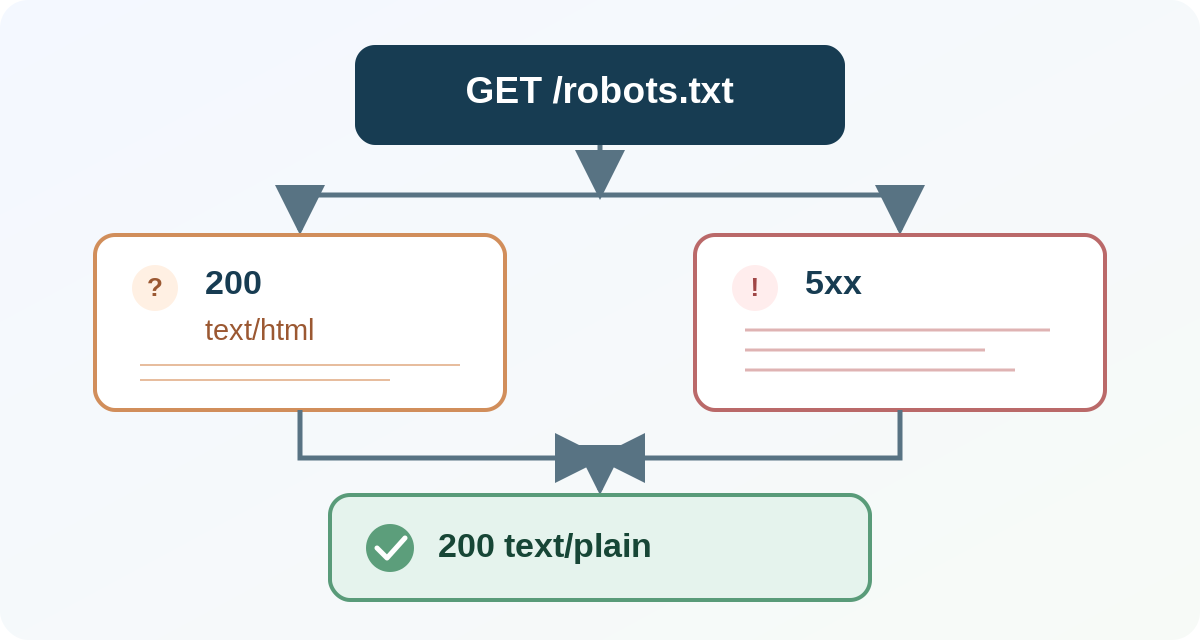
A 2xx response with intended plain-text rules is the expected branch. A 2xx text file can still carry an old staging `Disallow: /`; compare the actual rules with the approved production policy. A 2xx response with HTML is a routing or representation clue, so inspect the body before assuming a crawl block. A 5xx or network error is a server-reachability branch. A 4xx is separate: RFC 9309 calls it unavailable and says crawlers may access resources. A 404 is appropriate when no file was intended; using one as a quick repair for a failing route can silently change an approved restrictive policy.[3][4][8]
The RFC's general rule for an unreachable robots file is to assume complete disallow, with later caching and prolonged-failure provisions. Google's implementation is more specific: most 4xx responses except 429 mean no valid robots file, while a 5xx initially pauses crawling and triggers retries before its cached-file and longer-duration rules apply. These are crawler rules, not a prediction of indexing, rankings or traffic from one sampled request.[3][4][8]
| Final response | Meaning to investigate | Next evidence |
|---|---|---|
| 2xx text/plain | Candidate intended file | Compare parsed lines with approved policy |
| 2xx text/html | Possible fallback or error shell | Identify body and owning route |
| 3xx | Intermediate response | Follow every Location to final body |
| 4xx | Unavailable file; 429 needs separate Google handling | Confirm intended policy before changing status |
| 5xx / network | Unreachable file | Correlate edge, proxy and origin logs |
If you receive HTML, find who served it
Compare the first lines and response headers with the site's home-page shell, sign-in page, branded error page and reverse-proxy fallback. A single-page app rewrite, CMS catch-all, authentication redirect or edge rule may have swallowed /robots.txt; these are hypotheses until the route configuration and logs identify the owner. Keep unexpected page bodies and any token-bearing URLs out of a public worksheet.[5][8]
The intended file should be UTF-8 plain text served as text/plain at the top-level path. Do not claim that an HTML response is automatically total disallow: Google says it attempts to extract valid robots rules from downloaded HTML and ignores other content. That behavior makes the incident less predictable, not acceptable. Restore the explicit route and compare its parseable lines with the approved policy.[5][8]
Fix the serving path without changing policy by accident
For HTML, place or route the approved file ahead of fallback rewrites and login handling at the relevant public authority. For 5xx, correlate the UTC request and any request ID with CDN, proxy and origin logs and the migration release time; repair the layer that actually failed. If the edge and origin disagree, document both before changing a cache rule or rolling back a release.[1][7][8]
Ask the policy owner to approve any rule change. Do not insert Disallow: / merely to quiet a tool, delete restrictions to make a fetch green, or use robots.txt to hide staging, admin or personal data. RFC 9309 warns that robots paths are publicly visible and robots is not access authorization. Preserve the approved file as evidence and keep access controls separate.[1][7][8]
Retest the public response and record the handoff
Repeat GET on each affected public authority after the fix. Save the new redirect chain, final 2xx status, text/plain media type, a safe comparison of User-agent/Allow/Disallow lines with the approved version, and the same cache headers. If one host must redirect, verify its actual final body; do not infer it from a successful canonical-host test.[6][8]
Retest from the public path at a later time and note which result was observed live versus reported by a crawler tool. RFC 9309 and Google both allow robots caching, so the corrected response does not tell you what a crawler saw earlier or guarantee an immediate refresh. Hand over the evidence card, route owner and time of repair, then monitor dated fetch reports without promising a search-performance outcome.[6][8]
Sources and further reading
- RFC 9309 §2.3: Access MethodRFC Editor · Accessed
- RFC 9309 §2.3.1.2: RedirectsRFC Editor · Accessed
- RFC 9309 §2.3.1.4: Unreachable StatusRFC Editor · Accessed
- RFC 9309 §2.3.1.5: Parsing ErrorsRFC Editor · Accessed
- RFC 9309 §2.4: CachingRFC Editor · Accessed
- RFC 9309 §3: Security ConsiderationsRFC Editor · Accessed
- How Google interprets the robots.txt specificationGoogle Search Central · Accessed