Event email segmentation examples: send useful messages to the right attendees
A single event list can contain confirmed guests, waitlisted people, online attendees and people who need a different language or arrival instruction. Segmentation is a rule for sending the right message to each group, not a reason to collect every possible detail. The first organic Google result provides five general event email templates and briefly recommends segmenting invitations. This guide goes deeper into the recipient rules and provides an editable matrix for testing them before a send.
Boletolibre editorial team
Published
Download the attendee-segment rule worksheet
Download the editable event email segmentation worksheet (Markdown, English)
Map each message to a purpose, source field, eligibility rule, exclusions, owner and test record. The worksheet includes example rows for confirmed in-person guests, virtual participants, ticket-category instructions and language preference. Replace every example with the actual ticketing and mail-platform fields; do not paste attendee details into a shareable planning file.[2]
Start with the message, then choose the minimum rule
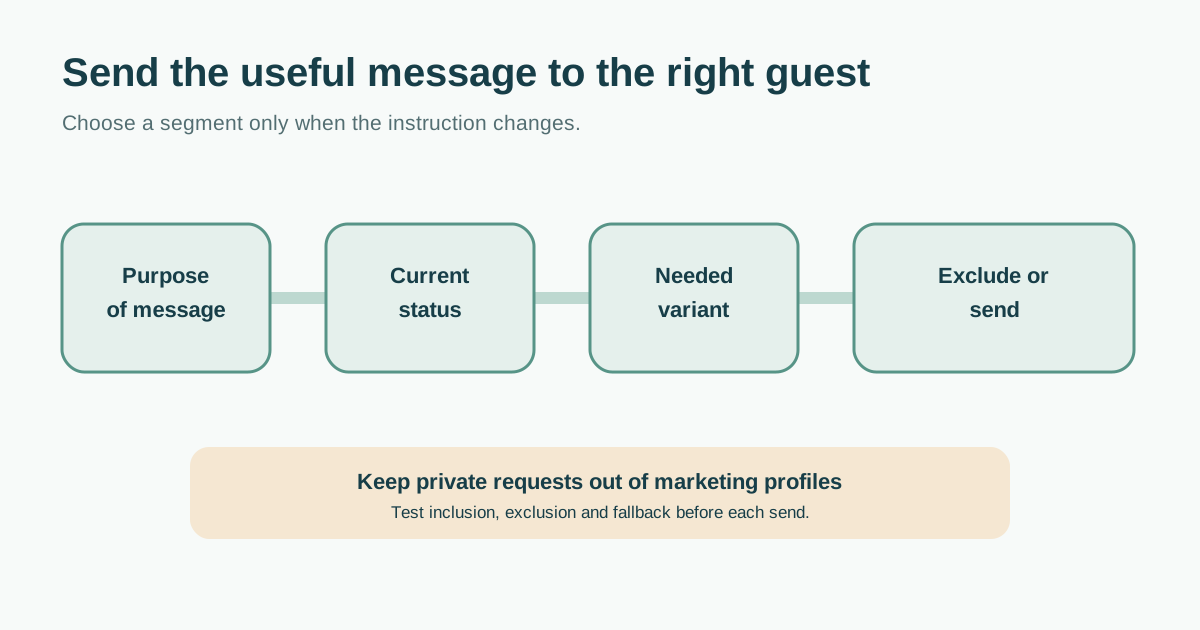
Ask what must change for the recipient. A virtual join link belongs only to virtual registrants; a gate instruction may vary by ticket category; a translated arrival guide can follow a declared language preference. If the copy and action are identical, one broad segment may be clearer and less error-prone. Livestorm’s leading guide uses declared role and previous attendance as invitation examples, but an event-specific operational send also needs current registration state and exclusions.[1]
| Message | Include when | Exclude or use another message |
|---|---|---|
| Virtual access | Confirmed virtual registration for this session | In-person only, cancelled or refunded |
| Door or entry instruction | Confirmed ticket category assigned to that entrance | Other ticket categories; publish a general route too |
| Language-specific arrival guide | Recipient chose that language and a current translation exists | Unknown preference: use the approved fallback language |
| Optional next-event invitation | Relevant, permitted marketing segment | Opt-outs and people without the required permission |
Choose data that serves the attendee
Use current event ID, registration status, ticket category, format, session selection and a language preference when these actually change the message. Prefer an explicit preference over guessing from a name, device or location. Keep a documented source of truth and a review date for each rule. Mailchimp describes segments as conditions combined with AND/OR logic and distinguishes subscribed from unsubscribed contacts; confirm how your own sending system applies those rules before relying on a saved segment.[2]
Keep accessibility, dietary and other potentially sensitive requests in the restricted service workflow that handles them. Do not export a diagnosis or detailed accommodation into marketing tags. If someone asked for a particular access instruction, the responsible team can deliver that practical information without making the person a promotional audience. The UK ICO’s minimisation guidance is a useful example of collecting and using only data needed for a specified purpose; have local rules reviewed for your event’s jurisdictions.[4]
Set precedence when groups overlap
One person may have a VIP ticket, a virtual add-on and a Spanish-language preference. Define which field selects the base message, which field selects a variant, and which status suppresses it. For example: confirmed registration selects the operational stream; online/in-person selects the access route; declared language selects approved copy; cancellation or refund removes the person from an arrival reminder. A changed registration should update segment membership before the next send, not wait for an old static export.
Separate requested or essential service messages from optional promotional mail. Gmail’s subscription guidance distinguishes mailing-list messages with unsubscribe from receipts and other messages tied to an explicit user action. That classification is provider guidance, not a substitute for legal review. An opt-out from marketing must not be silently ignored because an organizer renamed a promotion an “event update.”[3]
Test inclusion, exclusion and fallback
Before launch, create controlled test records for each intended segment and at least one record that must not receive it. Check the exact resolved audience, language, subject, links and event-time zone. Test a blank preference, changed ticket, cancellation and duplicate email across multiple orders. Preview the email and the destination as the recipient would see them. Record the approval owner and an export or count of the selected audience without exposing personal details in the worksheet.
When a category is small, review whether a special email is genuinely useful. Too many intersecting rules create missed messages and duplicate sends. Keep critical facts such as date, venue, access route and support contact current on the event page as well as in email.
Review rules when the event changes
Recheck the segments after ticket transfers, schedule changes, added sessions, refunds and language-copy updates. Assign an owner for the source field and another for the approved message. After sending, compare the intended audience with actual provider records and attendee replies. Fix a wrong rule at its source, identify affected people and send a corrected operational notice only when needed. An open or click metric alone cannot prove that the message was understood.
Sources and further reading
- 5 Event Email Templates & Examples to Boost Attendance & LeadsLivestorm · Accessed
- Getting Started with SegmentsMailchimp · Accessed
- Email subscription guidelines for sendersGmail Help · Accessed
- Principle (c): Data minimisationUK Information Commissioner’s Office · Accessed