Event email unsubscribe workflow: protect opt-outs and deliver ticket help
An attendee can unsubscribe from promotion and later register for another event. What if the email system then blocks their confirmation? The leading Google result for “event email unsubscribe management best practices” is a HubSpot Community discussion of exactly that webinar problem. This workflow separates the immediate marketing suppression from the later question of whether a genuine event-service message is due and how the configured provider can deliver it.
Boletolibre editorial team
Published
Honor the marketing opt-out everywhere
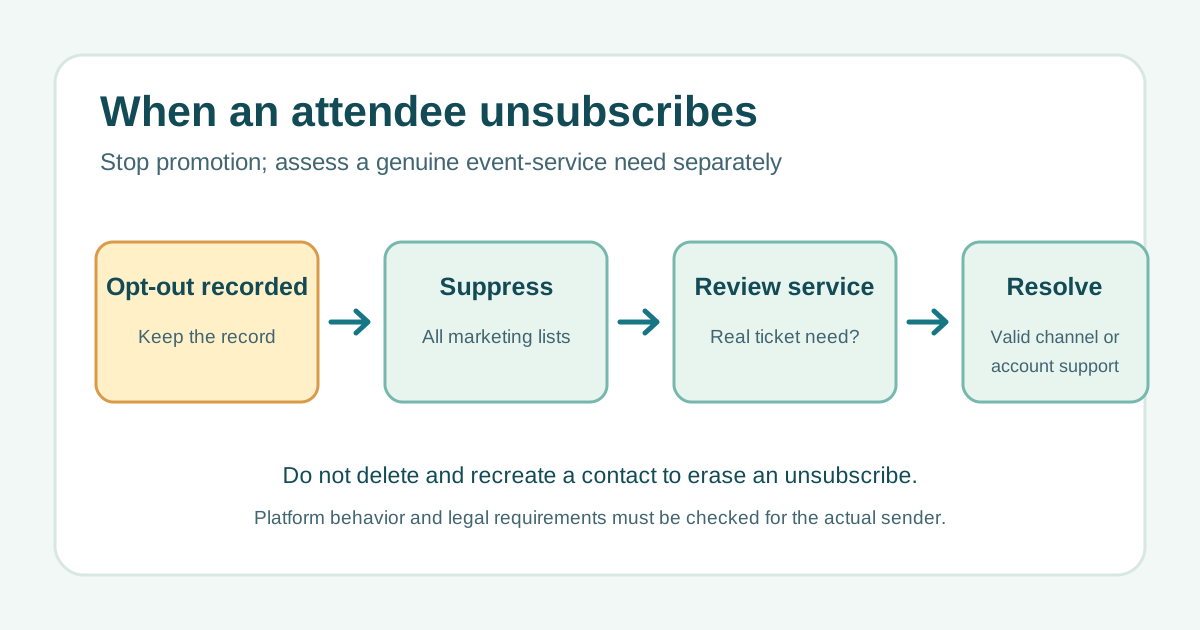
Record the address, subscription type, time and source of the unsubscribe in the sending system. Suppress promotional campaigns, imported lists and partner uploads before the next send. Do not delete and recreate the contact to erase the status: current HubSpot guidance says email subscription preferences are tied to the address and persist when a contact is recreated. Other providers vary, so verify your own system’s behavior.[2]
Assess event service separately from promotion
A ticket confirmation, material schedule change or access instruction may serve a different purpose from an offer for the next event. Classify the actual content and recipient state under the rules that apply to the sender and audience; do not relabel a sales message as “transactional” to bypass an opt-out. HubSpot’s current documentation says its global email opt-out blocks marketing and one-to-one messages while configured transactional messages can still be delivered. That describes HubSpot, not every email provider or every legal situation. The US FTC and UK ICO guidance distinguish commercial marketing from other messages in different ways, so local review matters.[3][4][5]
Resolve a missing confirmation through a verified route
First verify that the registration or payment actually exists; do not resend a confirmation for an unrecorded booking. Check delivery logs and the provider’s configured service channel. If a legitimate message cannot be delivered, offer the attendee a secure account or ticket retrieval route and a monitored support contact after identity checks. Record the failure and fix the system configuration. The older HubSpot Community thread is useful as a problem statement, but its suggested product workarounds are not current product documentation.[1]
Let the recipient control a new marketing choice
If the attendee wants future promotional email, use a documented recipient-initiated preference or signup flow and record the new choice. A fresh event registration is not by itself a reason to clear the earlier marketing opt-out. Keep service and marketing message types distinct in the event email map, and ensure imports cannot silently reverse suppression.
Use the decision log for unusual cases
The CSV provides six scenarios and asks for the marketing decision, service review, next action and evidence. Use case IDs rather than personal addresses in the planning file. Assign an owner to verify the relevant platform behavior, audience status and applicable rules. A confirmed failure should produce a support resolution and a system fix, not an improvised alternate mass mailing.
Download the original event email unsubscribe decision log (CSV, English)
Sources and further reading
- What is best practice for when people unsubscribe?HubSpot Community · Accessed
- Manage your contacts’ messaging subscriptionsHubSpot Knowledge Base · Accessed
- Unsubscribe an individual contact from receiving all emailHubSpot Knowledge Base · Accessed
- CAN-SPAM Act: A Compliance Guide for BusinessUS Federal Trade Commission · Accessed
- Guidance on direct marketing using electronic mailUK Information Commissioner’s Office · Accessed