Event domain inventory register template: know what the organizer owns and renews
An event may rely on more registered domains than the name on its home page: an older campaign redirect, an email-only domain or a name held for the next edition. The leading domain-and-certificate inventory template is built for IT service teams and covers a broad technical estate. This smaller organizer worksheet focuses on one decision: can your team identify every registered domain, its purpose, the person who can act in the registrar account, and the services that would be affected if it lapsed?
Boletolibre editorial team
Published
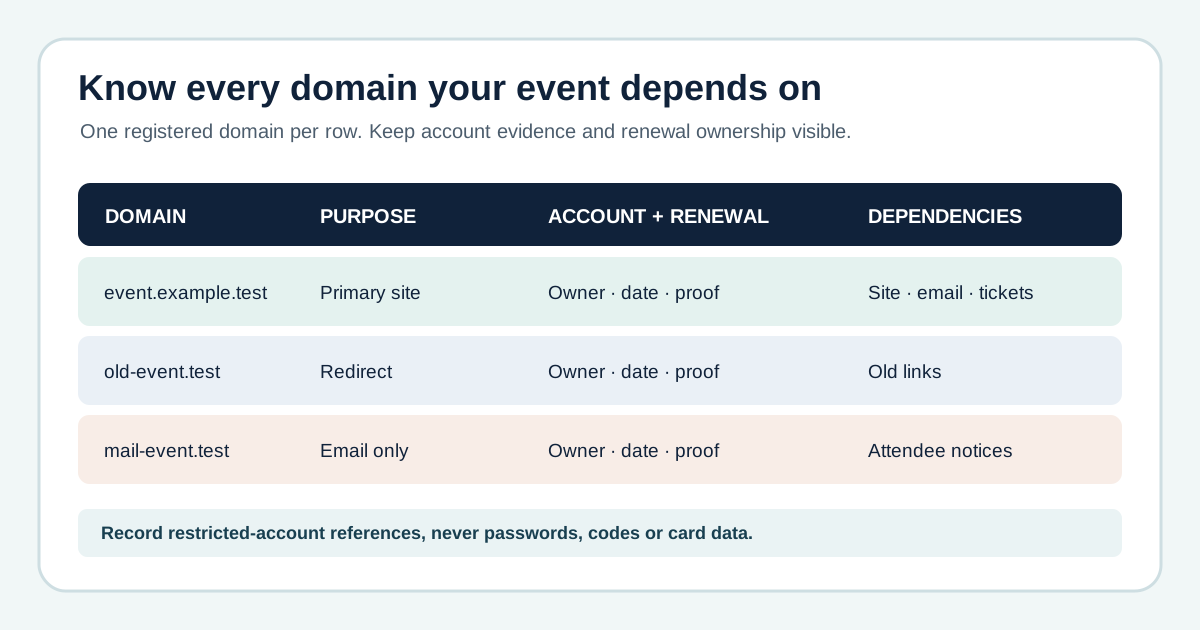
List registered domains, not every hostname
Download the original event-domain inventory register (Markdown)
Begin with the primary event domain, historical domains still receiving traffic, email-only domains and any separate registered name used by ticketing or campaigns. Give each registered domain one row. Add its website, mail, redirect, registration and supplier dependencies. A registration subdomain such as tickets.example.test belongs under its parent registered domain; record it as a dependent service or link a separate DNS inventory. Certificate endpoints likewise need their own technical record rather than an invented second registration.
Verify registration and account control separately
Record the registrar, restricted account reference, organization/registrant evidence, expiration date and date each item was checked. ICANN’s lookup can show public RDAP registration facts such as registrar, status, nameservers and dates when available. Public data may be incomplete or privacy-protected; it does not prove who has login, billing authority or the ability to renew. Confirm those operational facts in the registrar account with the authorized owner and flag any conflict for follow-up.[2]
Give renewal and billing named owners
For each domain, name the person or team that receives renewal notices, the person who approves spending and the person who can execute renewal. Record auto-renew state, when it was last checked, the payment reference in a restricted system and the next review or unresolved action. A checked box is not proof of successful renewal. ICANN notes that renewal options and fees vary by registrar; use your registrar’s current account and terms for the exact process. Do not import another organization’s reminder timetable as a universal rule.[3]
Connect every name to DNS and attendee-facing services
Record the DNS host and the nameservers actually delegated, plus mail, registration, redirects and ticket links that depend on the domain. The registrar and DNS host can be different services. Give an old redirect name an explicit keep-or-retire decision; deleting it from a spreadsheet does not remove its impact on old links or email. An event-specific register is most useful when each gap has a decision owner and due date.[1]
Keep secrets and legal conclusions out of the register
Store only a reference to the restricted account or vault record. Do not paste passwords, MFA recovery codes, transfer authorization codes, payment card details or certificate private keys into a shareable worksheet. Treat registrant and organization fields as items to verify with the appropriate owner, not as a legal title determination. Reconcile the register after an account, vendor, DNS or billing change and keep the evidence date visible.
Sources and further reading
- Domain Registrar & SSL Inventory TemplateIT Dock · Accessed
- Registration data lookup tool FAQICANN · Accessed
- Domain name renewals and expiration FAQICANN · Accessed