Event registration confirmation email templates for four real statuses
A confirmation should answer one question immediately: what happened to my registration? The answer may be “you're registered,” “payment is still needed,” “you're on the waitlist,” or “your ticket is ready.” These are different states. The message on the success screen and in the email must tell the same truth.
Boletolibre editorial team
Published
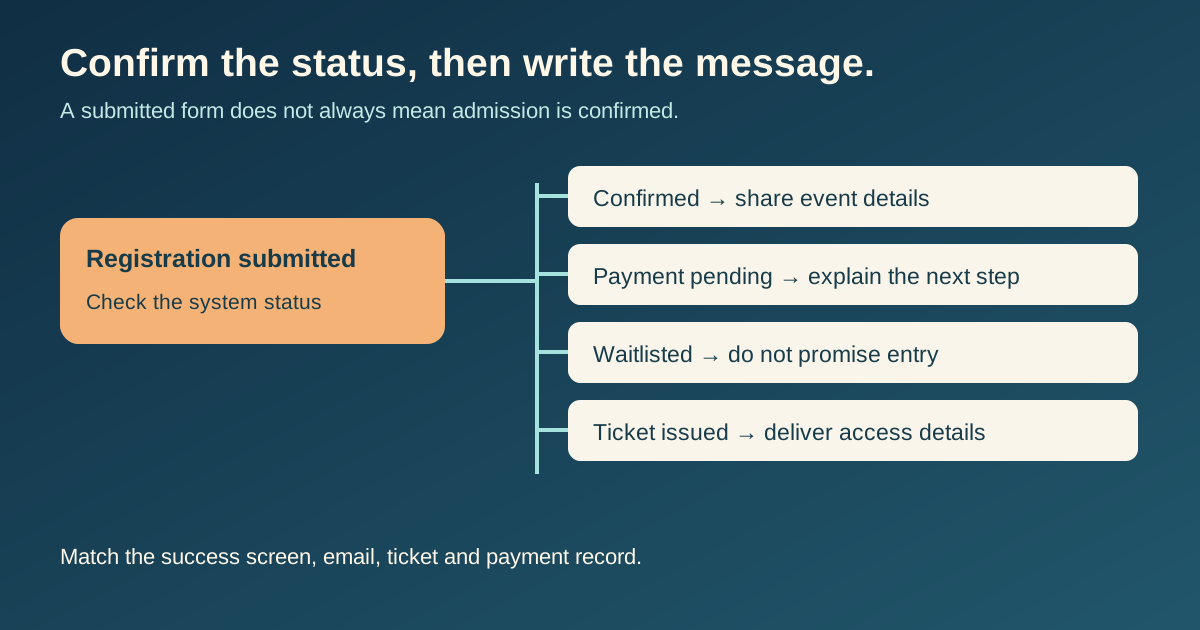
Say exactly what the system has confirmed
Before writing a subject line, define the status that triggers the message. A submitted form is evidence that details were received, not necessarily that payment cleared or admission was allocated. A waitlist acknowledgement must not say “see you there.” A payment-pending message must not attach or promise a ticket unless the ticket was actually issued.
| Actual status | Honest first line | Next action |
|---|---|---|
| Registration confirmed | You're registered for [event] | Save details; explain arrival |
| Payment pending | We received your details; payment is still required | Give amount, deadline if any, and secure payment route |
| Waitlisted | You're on the waitlist; entry is not confirmed | Explain how an offer will arrive |
| Ticket issued | Your ticket is ready | Give a secure ticket route and entry instructions |
A service may combine states differently—for example, a free registration can be confirmed without a payment step. Map these sample states to the actual product workflow before sending.
Put the answer and essential event facts first
The leading Google result for this query uses copyable email examples and prioritizes event name, date, time, place and next steps. Keep that helpful order, but make each field conditional on the state. A confirmed attendee needs the actual venue or online access path; a waitlisted person first needs an honest status and response process. Do not include a calendar link that represents unconfirmed admission as a booked place.[1]
- Subject: name the event and the real status; avoid a generic “Registration confirmation” if nothing is confirmed.
- When: full written date, start time and named event time zone; match the event page.
- Where: address and arrival point, or a secure access link delivered only when appropriate.
- Reference: an identifier the support team can locate without exposing unnecessary attendee data.
- Next step: one specific action with a working link, deadline and contact route if needed.
Keep payment receipts, ticket delivery and registration acknowledgement distinct when the system issues them at different moments. The email and on-screen success state should use the same status language.
Adapt an original message to the status
A ticket-issued message is a fourth variant: say the ticket is ready only after it exists, then provide the secure ticket link and entry instructions. The downloadable file includes all four editable drafts; replace every bracketed field and remove any line that does not apply.
Check delivery as an attendee would
Send each status to a test address from the actual workflow, then compare the on-screen message, email subject/body, payment state and ticket record. Open every link; inspect a narrow mobile preview; check the date and named time zone; and confirm that the right person can get help. If the event schedule changes, update all message variants before the next send.
A confirmation message is a record of a real state. It is not a place to hide uncertainty behind enthusiastic copy.
Sources and further reading
- 5 great Event Confirmation Email Templates to copy & pasteFlodesk · Accessed