Why your event page is not showing in Google Search: an evidence-first diagnostic
An event can have a public page and still be hard to find in Google Search. The useful first question is not “Which SEO trick is missing?” but “Which URL and which search surface are we checking?” A normal web result, Google's event experience and a Business Profile post are different things. This guide starts with evidence for one exact event URL, assigns the right owner to each fix and keeps the attendee page accurate while Google processes changes.
Boletolibre editorial team
Published
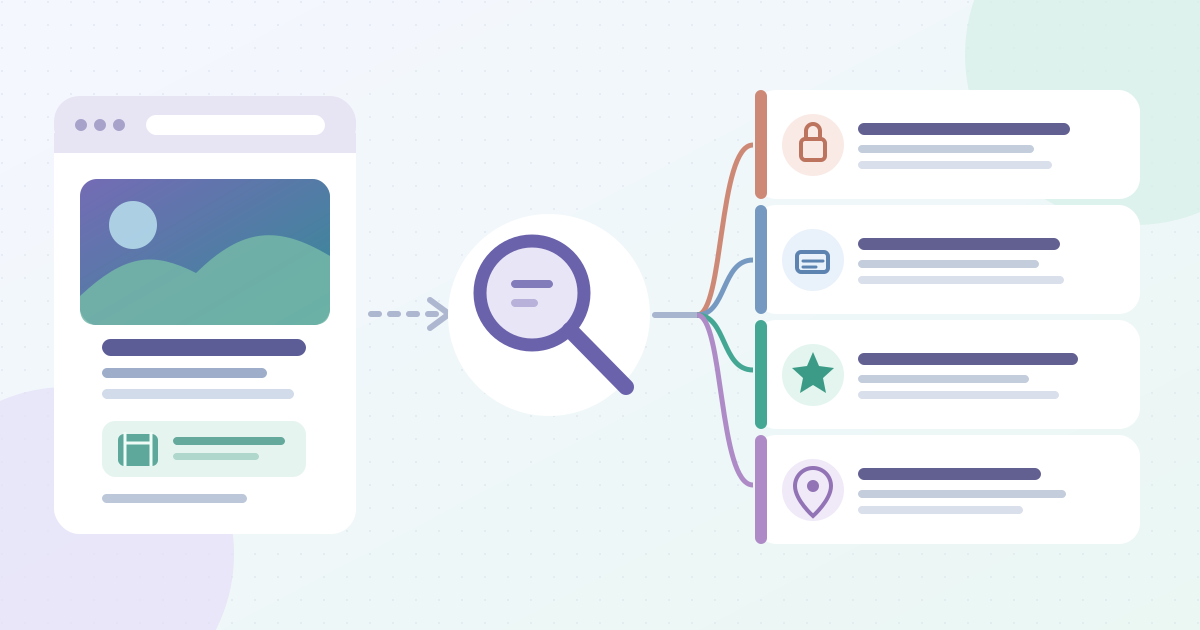
1. Define the missing result before changing the page
Download the event-page Search diagnosis worksheet (English Markdown)
Copy the final public URL for this event edition from a signed-out browser. Note the event name, locality, date, language and where the organizer expects it to appear. A search for an event name is a query check; a Google event card is an enhanced search experience; a Business Profile Event post belongs to a managed business profile. Do not treat absence from one query, device or location as proof that a page was never indexed. Search results can vary with relevance, language, location and device.[3][4][8]
Write down the exact question in the worksheet: “Is this URL indexed?”, “Does it appear for this query?”, or “Why is there no event enhancement?” If the organizer is pointing to a shortened ticket link, an old edition or a social post, follow it and record the destination URL first. A diagnosis of the wrong page can lead a team to change perfectly good metadata while the live attendee link still points elsewhere. Preserve a screenshot of the reported search view with its date and locale, but use Search Console to investigate the page itself.[1]
Keep the public page useful during the investigation. Confirm that a visitor can read the current date, time, venue or online access, ticket or registration path and event status without an editor login. Fix any factual mismatch through the event owner even if it is unrelated to indexing. A page with the wrong attendee facts should not wait for a search report before correction.
2. Establish who controls the URL
Open Search Console for the property containing the exact final URL. Google’s URL Inspection tool only accepts a URL in the currently opened property. If the event is published on a third-party ticketing or event host, the organizer’s separate domain property will not inspect that host’s URL. Ask the host or page owner for the relevant status rather than assuming that access to your own domain covers another site. The public Rich Results Test can help examine eligible markup on a URL you do not own, but it is not a substitute for the host’s indexed Search Console state.[1]
Record the page owner, technical owner and the person allowed to request indexing. Check whether the expected URL redirects to a newer edition, a locale variant or a ticket checkout. Use the destination that should answer the attendee’s question as the subject of the investigation. If there are several public copies, list them; do not choose a canonical by deleting pages on a hunch. Other campaign and ticket links may have valid roles even when one event detail URL is the intended search landing page.[5]
For a page on a site you manage, verify its public state in a fresh browser session. If a reviewer sees it only while signed in, the visitor page and Googlebot may receive different responses. Record the final address and the actual response after redirects. The next steps concern that public address, not a draft preview or CMS editor URL.[1]
3. Read the indexed record, not just the live page
Inspect the fully qualified URL in Search Console and save the status, reason, last crawl date, page-fetch result, crawl permission, indexing permission, user-declared canonical and Google-selected canonical. “URL is on Google” means the indexed page is eligible to appear, not that it will show for every query. “URL is not on Google” directs you to the Page indexing reason. An alternate URL may correctly yield to another canonical. If the record is old, label it as the indexed snapshot rather than describing it as the current website.[1]
The Page indexing report groups reasons, but the exact URL Inspection record is more useful for one event page. Read its explanation before deciding a gray “Not indexed” status is a fault: an old redirect, a removed event page or a duplicate edition can be intentionally excluded. Conversely, a current public event detail page marked noindex, blocked behind authentication or returning an error deserves investigation. Search Console may not show every referring page or sitemap that Google knows, so an empty field alone is not proof of zero discovery paths.[2][1]
Make a single diagnosis row: inspected URL, indexed status, cited reason, last crawl, selected canonical and desired public destination. If the status is “Discovered – currently not indexed,” Google has found but not yet crawled it. “Crawled – currently not indexed” means a crawl occurred but inclusion did not; a repeated request is not a reliable fix. Avoid putting all nonindexed pages into a generic “submit again” bucket.[2][6]
4. Compare that snapshot with a live inspection
Run Test live URL if the site or page was recently corrected. Compare the live result with the indexed record: fetch status, crawl and indexing permissions, rendered page, and visible event facts. The live test can show what Google’s inspection tool can reach now; it cannot promise that the page will be indexed or predict which canonical Google will select. Its results can differ because a fix has not yet been recrawled, or because the live test does not evaluate every indexing condition.[1]
Open the rendered screenshot or inspected HTML when the page seems empty to Google even though it looks complete in an editor. Check that the event title, date, location and attendee action actually appear in the public result rather than only after an interaction or login. If the public page itself is outdated, route the content correction to the publisher. If the live result fetches a different URL or a template without the event facts, route that to the web owner with the exact URL and captured response.[1]
For example, a postponed event may display its new date in a visitor browser while Search Console’s last crawl still shows the prior version. Record both dates and the page release time. That is a version difference to monitor after publication; it does not by itself prove an Event markup error. Keep the event’s public update accurate while waiting for a new crawl.[1]
5. Fix the reported blocker, not every SEO setting
If inspection reports noindex, verify the rule on the live page or response headers and ask the site owner whether it was intentional. Drafts and invite-only pages can be excluded on purpose; a public attendee page that should be discoverable needs a deliberate change to its published rule. If inspection reports a robots.txt block, a 401 or 403, or a server error, document the specific access failure and have the site or hosting owner correct that response. Do not remove a site-wide rule or login gate because of one event URL without checking which other pages it protects.[2][1]
If the URL returns a 404 or redirects, decide whether the old address should disappear, lead to a genuinely matching current event, or remain a historical page. A redirect URL itself is not indexed as the destination page. Inspect the destination separately, and make sure internal event links and campaign assets no longer promise a page that resolves elsewhere. If a live page is fetched successfully but remains unindexed, review whether it offers distinct, current event information for visitors; a successful fetch is not an indexing guarantee.[2][3]
Record the precise action and who can make it: publish the current page, remove an unintended noindex on that page, repair a broken response, or correct a mistaken redirect. Re-run the live test only after the fix is on the public URL. If the cause is uncertain, keep the report’s wording in the issue ticket instead of claiming a single technical cause from a search screenshot.[1]
6. Resolve editions, duplicates and discovery paths
When the inspected event URL is marked alternate or duplicate, compare its Google-selected canonical with the organizer’s intended page. Yearly editions, multiple ticket providers, language variants and tracking parameters can create several similar URLs. The declared canonical is a signal, not a command to Google. The live test cannot predict the selected canonical; read that field from indexed data. If Google chose a different URL, compare actual page content, internal links, redirects and canonical signals before changing the template.[1][5]
Choose one attendee destination for the current edition, then ensure navigation and relevant internal pages link to it. Add it to the site’s sitemap if the site owner maintains one, but do not mistake a submitted sitemap for proof of indexing. Google can discover URLs through links and sitemaps; Search Console’s referring fields are partial evidence. The aim is an unambiguous, reachable current page that answers attendee questions, not a collection of near-identical campaign URLs competing for the same task.[1][6]
If the event page is on Boletolibre.com and the organizer also has its own event website, keep the public ticket destination and event facts consistent across the two URLs. The owner of each host should inspect and maintain its own page. Do not claim that one property’s Search Console status describes the other host’s URL, or that a canonical setting can substitute for a working public ticket link.[1]
7. If indexed, separate query visibility from the event experience
An indexed event page may not appear for the particular words, device or city used in a manual search. Google selects results for each query; indexing and ranking are different stages. In Search Console’s Search results Performance report, filter by the event page and a relevant date range, then examine impressions, clicks and queries that are available. A report with impressions supports that the page has appeared in some searches, even if one person did not see it in one test. Small or anonymized query data and report timing limit what a zero row can prove.[3][7]
Review the public page for a clear event title, edition, dates, venue, audience and attendee action that match what people are actually seeking. Make changes because the page would answer a visitor’s question better, not to force a promised position. If the reported problem is a missing Event card or enhanced display, use Google’s Event documentation and Rich Results Test separately. Required Event properties and eligibility rules concern that enhancement; Event markup is not a prerequisite for every ordinary indexed web result, and a valid test does not guarantee the enhanced display.[4][3]
A managed Business Profile Event post is another publication with its own status and owner. Its absence should be checked in that profile’s posting interface, not “fixed” by changing the event page’s canonical or requesting a crawl. Keep these work queues separate in the worksheet so a missing profile post does not become a false indexing incident.[8]
8. Recheck after one controlled change
After the owner publishes a correction, record the release time, exact URL, change made and evidence from the public page. Run a live inspection to see whether the current page is accessible. An owner or full user may request indexing for a managed URL, but Google says a request does not guarantee inclusion and repeated requests do not accelerate crawling. For many URLs, a maintained sitemap is a discovery route. Leave the follow-up date open to the actual Search Console state; do not promise a fixed number of days.[1][6]
On the next review, compare the indexed record’s last crawl and canonical with the saved baseline, then check the event enhancement only if that was the original issue. Revisit the same intended destination on a phone without an editor session and follow the ticket or registration link. If the event changes again, update the public facts first and reopen the diagnosis row. Close the issue with the observed state—indexed, still pending, correctly redirected or intentionally excluded—not with “ranked” unless the measured query evidence supports that narrower statement.[1][7]
Sources and further reading
- URL Inspection toolGoogle Search Console Help · Accessed
- Page indexing reportGoogle Search Console Help · Accessed
- In-depth guide to how Google Search worksGoogle Search Central · Accessed
- Event structured dataGoogle Search Central · Accessed
- How to specify a canonical URLGoogle Search Central · Accessed
- Ask Google to recrawl your URLsGoogle Search Central · Accessed
- Performance report: common tasks and use casesGoogle Search Console Help · Accessed
- Create & manage posts on your Business ProfileGoogle Business Profile Help · Accessed