Event registration error messages: examples and recovery checklist
A guest who sees “Something went wrong” cannot tell whether to correct an email address, choose another ticket or wait for a payment result. Good registration copy identifies the problem, names the next safe action and keeps valid work where the system permits. The first Google result for this query is a broad registration-form guide from Tickera; this guide focuses on the error states and recovery paths that need their own decisions.
Boletolibre editorial team
Published
Classify the failure before writing copy
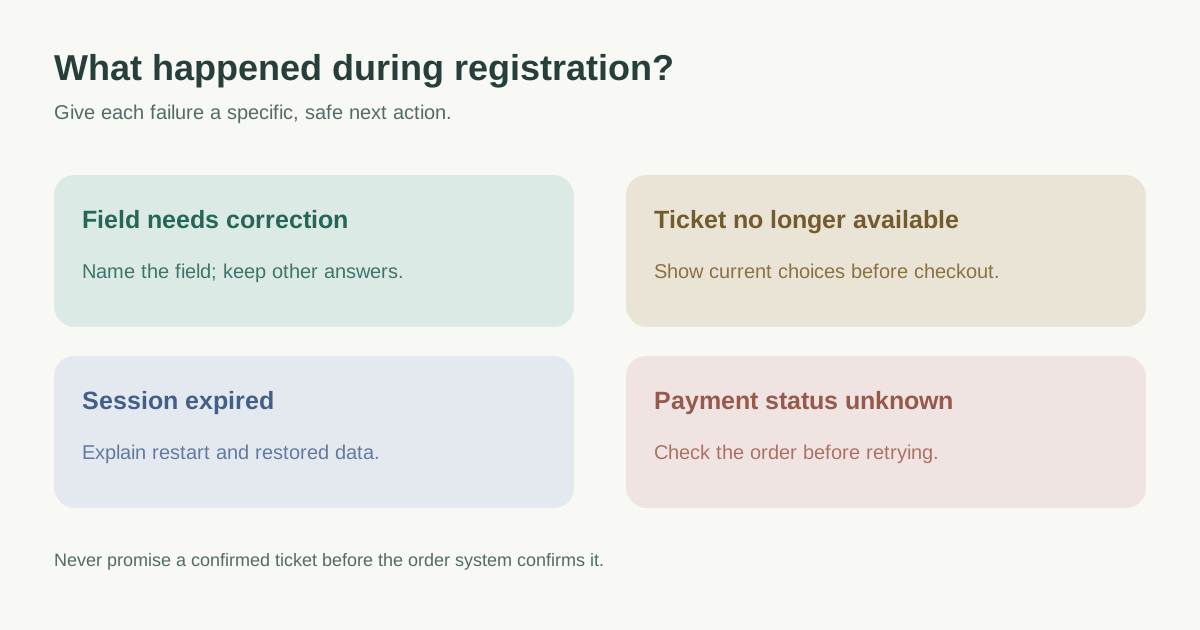
Separate input validation from changes in ticket inventory, expired sessions, provider outages and uncertain payment outcomes. An invalid email is something a guest can fix in the form. A sold-out ticket is not their mistake. A payment timeout may have created an order or charge, so telling the guest to retry immediately can create duplicates. For each state, record the system owner, how to detect it, what information is known, and the safe next action.
| State | Useful message pattern | Next action |
|---|---|---|
| Required email missing | Enter an email address for your confirmation. | Focus email; preserve other fields |
| Email format rejected | Enter an email address such as name@example.com. | Correct only that field |
| Selected ticket no longer available | This ticket is no longer available. Choose another option or return later. | Refresh availability without erasing attendee details |
| Session expired | Your registration session expired. Review availability and restart checkout. | Explain what data can be restored |
| Payment result unknown | We could not confirm the payment yet. Check your order status before trying again. | Provide a status route and support reference |
Put each input error beside the affected field
Name the field in text and explain what is wrong. Where a correction is known, state it in plain language: “Choose a date after 1 June” is more useful than “Invalid date.” Show a visible label and any format rule before submission; keep the error near the control and connect it programmatically. W3C WCAG 2.2 SC 3.3.1 requires an automatically detected input error to identify the item and describe the error in text; color alone does not do that. The W3C forms tutorial describes field-level feedback and a summary when several errors must be found.[2][3][4]
Avoid blaming the attendee or revealing internal implementation details. “This email is already linked to an order; sign in or use the support link” can be useful when account policy allows it, but expose no private account state in a public flow without a privacy review. Do not ask users to retype unrelated data merely because one field failed.
Keep the attendee oriented through resubmission
After a failed submit, keep correct entries and selected options if they are still valid. For a multi-step form, return the guest to the affected step, state what was retained, and let them review changed price or availability before payment. When multiple fields fail, a short summary with links to the fields can help. Move focus or announce the result in a way that works with keyboard and screen reader use, then verify it in the actual form. W3C describes both inline and summary approaches; neither is a universal substitute for user testing.[2][3]
If inventory changes, do not silently replace the ticket. If checkout or payment status is uncertain, show a status-check route and a support reference; do not imply a confirmed ticket until the order system confirms it. A success page and confirmation email are separate from error recovery.
Use the copy matrix to test real outcomes
Write one row per error state: trigger, guest-facing message, corrective action, retained data, focus/announcement, owner and support fallback. Test blank required fields, realistic invalid values, a ticket selling out between selection and submission, session expiry, and an ambiguous payment response using safe test orders. Check the same journey on narrow screens and in every published language. Tickera’s first-result article also recommends actionable inline errors and retaining entered data, but its broad conversion claims and field-count prescription are not necessary to make these states usable.[1][3]
Download the registration error-copy and QA matrix (Markdown, English)
Sources and further reading
- Event Registration Form Best Practices: Fields That ConvertTickera · Accessed
- Understanding SC 3.3.1: Error IdentificationW3C WAI · Accessed
- User Notification: Forms TutorialW3C WAI · Accessed
- Validating Input: Forms TutorialW3C WAI · Accessed