Event supplier delivery tracker template: milestones, evidence and approvals
A vendor contact list tells you who is hired; it does not tell you whether the lighting plot was approved, the caterer confirmed final counts, or the load-in access plan reached the right crew. The leading free event vendor tracker for this search organizes contacts, quotes, deposits and next steps in one row per vendor. This original spreadsheet begins after selection and tracks each promised deliverable or dependency as its own row, so an overdue drawing or missing approval cannot hide behind an “approved vendor” label.
Boletolibre editorial team
Published
Download the event supplier delivery tracker
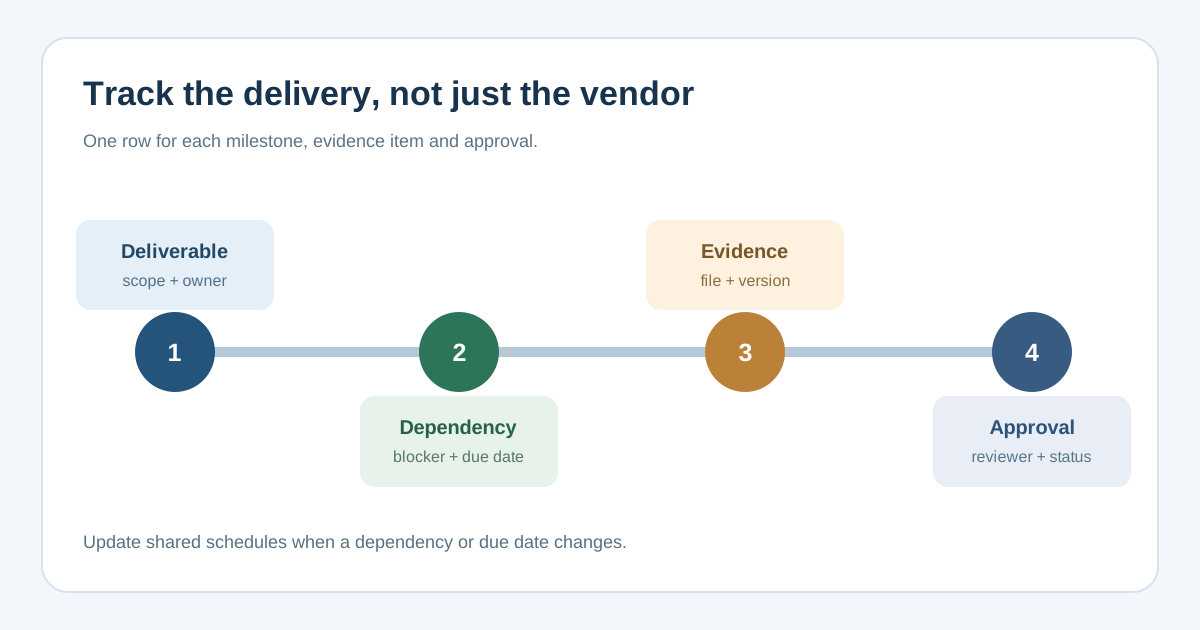
The editable XLSX has 25 milestone rows and an input-driven summary of entered, done and still-open items. Use one row for each specific supplier output or cross-team dependency. Fill in supplier, agreed deliverable, acceptance evidence, dependency, internal owner, due date, status, approver and evidence link or next action. Replace the example suggestions in the footer with the actual agreement; no sample tasks are counted as real progress.
Download the event supplier delivery tracker (XLSX)
The sheet is a coordination record. A “Done” status should mean the named approver accepted the agreed evidence, not merely that the supplier said the task is finished. Keep the current contract or statement of work and approved changes alongside it.
Turn the signed scope into milestones
Start with the contracted output and work backward from when it is needed onsite. For audiovisual work this might include a final equipment list, plot, power requirements, crew call and test record. For catering it might include a confirmed menu, dietary count, access time and service handover. Use the contract or agreed statement of work to decide what is truly required; do not turn a generic template row into a new legal obligation.
| Tracker field | Meaning | Example |
|---|---|---|
| Deliverable | One verifiable output | Final stage plot version 3 |
| Evidence | What the reviewer needs to accept it | Approved file link or signed check |
| Dependency | Another action needed first | Venue confirms power point |
| Owner / approver | Who follows up and who accepts | Production lead / technical director |
| Due / status | When required and current state | Before load-in / Awaiting approval |
Plan Event’s public vendor tracker covers contact, service, quote, deposit, final payment and next follow-up. Keep that procurement and payment view if useful, but use a separate milestone row where a single supplier has several deliverables and approvals.[1]
Make blockers visible before the venue opens
A supplier may be ready to deliver but blocked by a venue access slot, power specification, final guest count or another contractor. Name the dependency and its owner in the same row as the affected milestone. If a due date slips, write the next action and date, then update the run of show, load-in plan or other shared schedule where needed. Do not assume the tracker alone alerts everyone affected.
The UK Health and Safety Executive advises event organizers to coordinate with venues and contractors, assign responsibilities and monitor site operations. Apply its guidance in the relevant jurisdiction and to the event’s scale; the spreadsheet is not a safety plan or sign-off for technical work. Where a deliverable affects safety, route the evidence to the competent person specified by your event arrangements before calling it accepted.[2][3]
Review status and close the loop
At each supplier check-in, filter or scan “Blocked,” “Waiting on supplier” and “Awaiting approval.” Ask for the exact file, confirmation or site action still needed. Link the approved version, record who accepted it and when, and leave unresolved items open even if the delivery date has passed. When a supplier proposes a different scope, equipment or timing, use a separate change approval before treating the new output as the baseline.
- Keep one internal owner for every row, even when the supplier is responsible for doing the work.
- Use a dated evidence link or document version, rather than “sent by email” with no location.
- Review dependencies with the venue and other suppliers before load-in, then use live operational monitoring onsite.
- After the event, retain accepted deliverables and open-issue outcomes for reconciliation and debrief.
The workbook counts “Done” rows and remaining entered milestones, but it does not judge quality or automatically approve work. The approving person and the underlying evidence are the decision record.
Sources and further reading
- Free Event Vendor Tracker TemplatePlan Event · Accessed
- Getting started: event safetyUK Health and Safety Executive · Accessed
- Managing an eventUK Health and Safety Executive · Accessed