Event website asset register template: images, rights and versions
A sponsor sends a new logo while last year’s file remains on three language pages; a photographer delivers images without an obvious reuse note. This event website guide adds a working register and publication gate so the team can find what is live and what evidence supports each use. It is an operating record, not a legal licence or automated rights clearance.
Boletolibre editorial team
Published
Give the source asset a stable identity
Download the original event website asset register (Markdown)
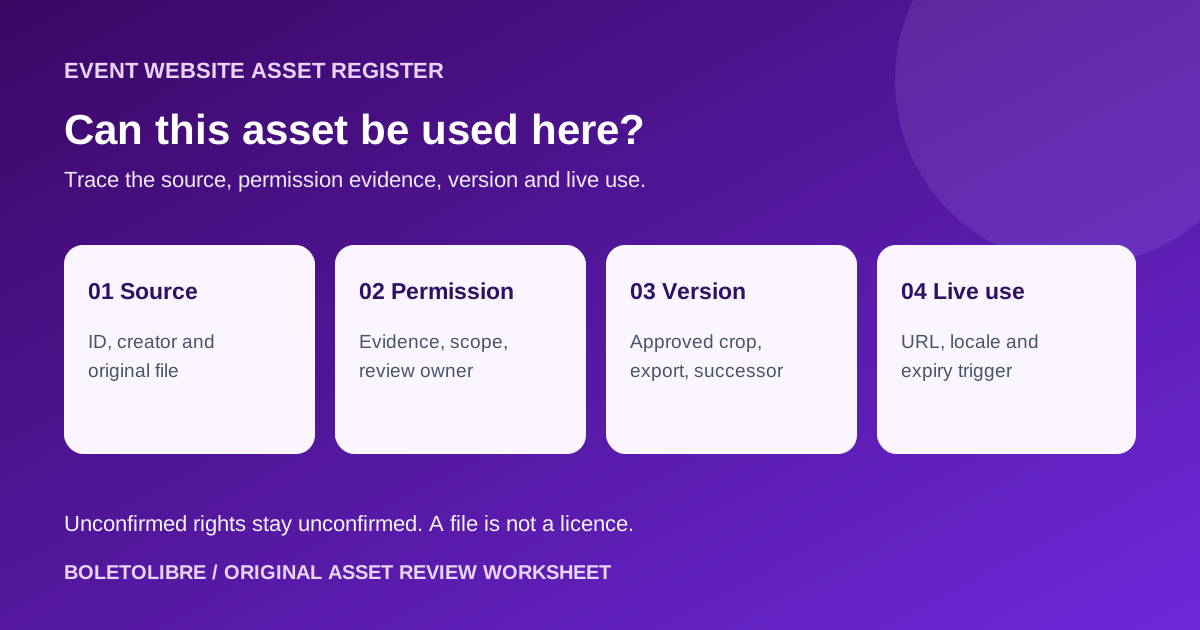
Create one record for each master photo, logo, poster, map or other published asset. Record source file, creator or supplier, event, internal owner and stable ID. Keep crops, sizes and format exports linked to that master so an old web JPEG cannot masquerade as a separate approved source.[1]
Link evidence of permitted use; mark unknowns openly
Record the actual agreement, licence or permission evidence, plus intended channel, territory, duration, attribution and modification or crop conditions as reviewed by the responsible person. A sponsor’s logo, speaker portrait and attendee photograph can have different permission paths; separate people or property questions may also need review. If evidence is missing, set status to unconfirmed and hold proposed reuse. IPTC metadata can describe creator and usage terms, but an embedded label or spreadsheet row does not itself grant rights. Escalate ambiguous terms to the rights owner or qualified reviewer rather than inferring legal permission.[2][3]
Connect approved revisions and derivatives
Link the current master, approved web exports, superseded version and replacement instructions. When a sponsor sends a revised logo or a speaker changes a headshot, identify the old files and every affected page, not merely the asset folder. Keep an agreed expiration or review trigger, even when there is no fixed date. File metadata may travel with an image or be stored externally, but check the managed record and evidence before publication.[1][2]
Record where the asset is actually public
For every approved use, list live URL, language version, page placement, visible credit, alt text owner and publication date. A page and its social crop may be separate approved uses. During a reuse request, compare the new channel and time period to the recorded permission; do not treat a prior approval as blanket approval. When the use ends, assign replacement or removal and verify all derivatives and locales were addressed.[1][3]
Use a short publication and reuse gate
The downloadable register has columns for source, evidence, permitted scope, consent question, revision, derivatives, URLs, owner, review trigger and action. Its intake checklist asks whether the team can identify the creator, substantiate the intended use, find the current version and locate every live placement. If a field is unknown, the outcome can be hold or replace rather than a false green tick. This workflow differs from a content-ownership matrix: it records a specific asset’s permission and use trail, not simply who maintains a page.[1][2]
Sources and further reading
- Manage brand assets, rights and versionsBrandHex · Accessed
- What Is Photo Metadata?International Press Telecommunications Council · Accessed
- IPTC Photo Metadata User GuideInternational Press Telecommunications Council · Accessed