Alt text for event images: examples for posters, venues and schedules
The same event photo may need different alt text on a venue page and in an artist announcement. The first Google result for “alt text for event images examples” is Harvard’s guidance, which asks authors to consider the image’s purpose and surrounding content. This event-specific guide applies that decision to posters, routes, people, logos and schedules. The downloadable example bank is a drafting aid: edit it for the actual image and page rather than copying a generic sentence.
Boletolibre editorial team
Published
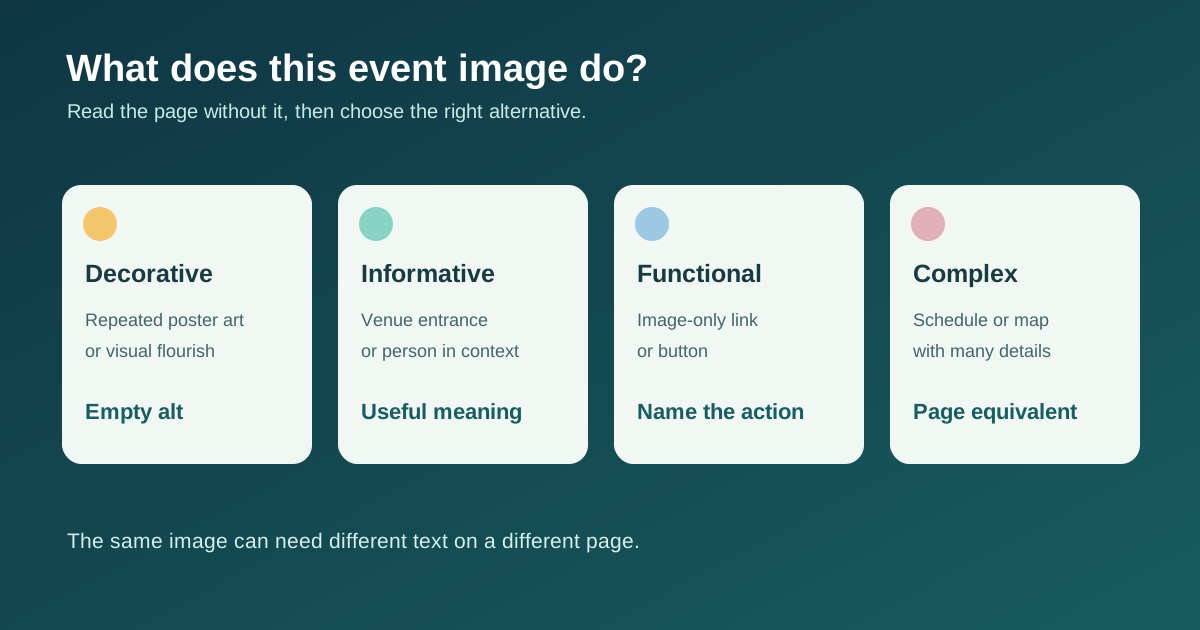
Decide what the image does on this page
Read the page without the image. Is any information or action missing? If the image is only decorative or repeats adjacent text, an empty alt attribute can avoid needless repetition. If it communicates unique information, describe that information in context. If it is the only content of a link or button, name the destination or action rather than its shape. Harvard shows that identical photos can need different descriptions depending on the article topic; W3C’s decision tree similarly separates decorative, informative and functional uses.[1][2]
- Decorative stage-light flourish next to a complete event title: empty alt.
- Venue entrance photo used to explain where to arrive: concise description of the visible identifying features.
- Image-only ticket button: action such as “Choose tickets for [Event]”.
Do not make the poster the only source of event facts
A poster may contain the title, date, time, venue, ticket price and sponsor names. Publish essential facts as real text on the page so they remain readable, selectable and adaptable. If the same information is immediately adjacent, the poster can be redundant and use empty alt; if unique text remains inside the image, include it in the text alternative or provide an equivalent text version. Avoid a long string of graphic styling and keyword variations. W3C prefers real text over images of text and requires an equivalent when the image text is otherwise unavailable.[2][3]
Write only what helps this event task
For a venue arrival page, a useful draft might be “Entrance under the blue canopy on the east side of [Venue]”, but only if that is actually visible and verified. On a speaker page, a portrait might need the person’s name if it is not adjacent; otherwise the portrait may add little information. For a sponsor logo, use the verified organization name when the logo conveys identity. For an image-only link, write the link’s purpose. Avoid guessing disability status, identity, mood or relationships from a photograph. The example bank prompts authors to check both visual evidence and the surrounding page before choosing alt.[1][2]
Give schedules and maps an accessible equivalent
A timetable image with many sessions needs the actual sessions, times and locations as structured page text or a usable table; one short alt string cannot carry the whole schedule. A site map may need a text route to entrances, ticket pickup, accessible facilities and assistance, verified against the current venue plan. Use short alt to identify the image and point to the equivalent nearby. W3C’s guidance for complex images says to provide the information elsewhere on the page. Update both image and text when plans change.[4]
Review in context and across locales
Ask someone unfamiliar with the image to read the page with images hidden or a screen reader. Can they complete the same event task without hearing duplicated titles or missing ticket details? Check the alt text in each published language and after replacing a poster, schedule or photo. The example bank records context, function, draft alt, real-text equivalent and fact-check owner. It is not an automated generator; good alternatives require editorial judgment.[1][2]
Download the original event image alt-text example bank (CSV)
Sources and further reading
- Write helpful Alt Text to describe imagesHarvard University Digital Accessibility Services · Accessed
- An alt Decision TreeW3C Web Accessibility Initiative · Accessed
- Images of TextW3C Web Accessibility Initiative · Accessed
- Complex ImagesW3C Web Accessibility Initiative · Accessed