Static website deep link works until refresh: diagnose the 404
A static site may show a page when someone clicks through its menu, yet return 404 when the same URL is pasted into a new tab. The two actions do not necessarily request the same document. Before adding a catch-all rewrite, record the document response and decide whether the route should be a generated file, a client-side route with a host fallback, or a genuinely missing URL.
Boletolibre editorial team
Published
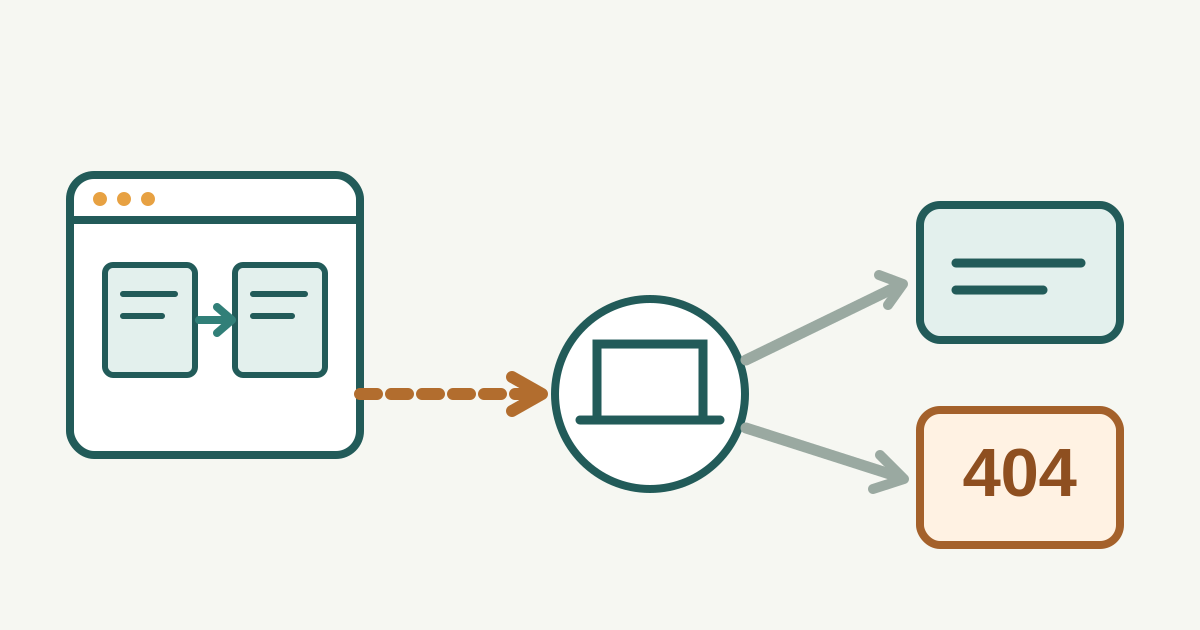
Reproduce one URL in four ways
Download the deep-link response audit sheet
Choose a public path that fails, such as /app/sessions/42, and capture the exact scheme, host, path and trailing slash. Reach it by clicking from the site's home page, then refresh at that path, paste it into a fresh browser session, and request it as a document in the Network panel. Record the document's HTTP status, final URL and response body. A visible 404 message is not enough: a client-rendered error screen can be delivered with HTTP 200.[2][5]
Test a known working sibling path, an intentionally nonexistent path and a missing static asset too. If the failing route returns 200 HTML but renders blank, this is a rendering or asset problem rather than the same server-side 404. If it redirects to the home URL, record the redirect status and Location; a redirect changes the requested address, while a rewrite can keep it. Do not change routing until the response types are separated.[3][5]
Understand why an internal click can work
A client-side router can intercept a link, update content and change the address with the History API without loading a new HTML document. The browser still shows a clean URL. On a refresh or pasted link, the browser asks the host for that exact path as a new document; the running router is not there yet to handle the request. Angular's deployment guide documents this direct-link failure for routed static applications.[1][2]
Map the site before deciding on a fix: is this path a generated HTML file, a server-rendered route, a client-only route, or an old path that was removed? Inspect the deployment artifact and the active host/CDN rules, not only the source folder. A file missing from the published output points to a build or publish boundary; a published client route without a host fallback points to request routing.[2][4]
Choose the document contract for each route family
If each public route is supposed to have its own generated HTML, publish the expected file and use the host's path matching. Cloudflare Pages, for example, serves a matching HTML file for a requested path. A shell rewrite is not a substitute for an omitted generated page if the page requires distinct server-produced content or an actual HTTP status.[4][2]
If a route exists only in a static single-page application, the host needs to serve the app's HTML shell for a direct document request, then the client router can read the URL. Scope the fallback to the intended app area where the host permits it; preserve existing files, API paths and static assets. A broad fallback may make an unknown path return the shell with HTTP 200, so record which layer can decide that a route truly does not exist.[2][3][5]
Use the host's documented behavior, not a universal snippet
Netlify documents `/* /index.html 200` as a single-page-app rewrite: the address remains unchanged while the host serves the shell. It normally does not shadow a file that actually exists. That example is suitable only after checking the site's route space and the provider's rule order; a broad rule can also serve the shell for unknown paths. If the application lives under one prefix, design and verify the provider-specific scoped rule with its owner.[3]
Cloudflare Pages has a different default: when the project has no top-level 404.html, Pages assumes an SPA and serves the root for incoming paths that are not static assets. A top-level 404.html therefore changes the routing decision. Check the actual deployed files and Pages configuration before removing a 404 page or adding a rule. These are provider examples, not instructions for an unrelated host.[4]
Keep real missing pages distinguishable
HTTP 404 means the origin did not find a current representation for the requested resource, or is unwilling to disclose one. A client router can show a helpful 'not found' view after a 200 shell response, but that screen alone does not turn the document response into HTTP 404. Test both the visible message and the document status for an invented route. Do not call a universal 200 shell fallback a complete 404 fix.[5][3]
For a finite collection of known routes, generated documents plus a real host 404 can preserve the distinction. For dynamic client routes, a server or edge handler that knows whether the requested route exists can return an actual 404; otherwise disclose the limitation in the release decision and avoid pretending the browser UI changed the HTTP status. Keep missing asset and API requests out of an HTML fallback where the host allows, because returning HTML to a script, image or API client creates a different failure.[5][2][3]
Verify the release as a route matrix
After one change, repeat internal click, direct paste, refresh and Back/Forward on the known route. Confirm the requested URL remains correct, the document status matches the route contract, the expected content appears, and CSS/JS assets load from the right paths. Netlify notes that rewritten pages can expose incorrectly relative asset paths; an apparent routing fix can therefore reveal a broken asset base.[3][2]
Also request one unknown page path and one nonexistent asset, plus an API path if the site has one. Record whether each receives the intended status and content type. Put the host rule or generated-output change, owner, deployment identifier and rollback in the worksheet. Recheck the public deployment rather than trusting a local development server, whose fallback may differ from the published host.[5][3]
| Observed document response | Interpretation | Next check |
|---|---|---|
| Known client route: internal click works; direct GET 404 | Host has no document/fallback for the path | Confirm route type and scoped shell policy |
| Known route: direct GET 200; screen blank | Document reached browser; rendering may fail | Inspect script and asset requests |
| Known generated page: direct GET 404 | Published file/path matching may be wrong | Compare build output and host path rules |
| Unknown page: direct GET 200 shell | Fallback masks HTTP not-found status | Decide if server/edge route validation is needed |
| Missing .js or image: GET 200 HTML | Fallback catches an asset request | Constrain route fallback and retest asset paths |
Worked example: a schedule link breaks only when shared
A static app under /app opens /app/sessions/42 after a menu click. Pasting that URL into a fresh tab yields a document 404, while /app/index.html returns 200 and the route is in the client router. The team records the deployed files and adds a host-specific fallback only for the app's route space. It then tests the known session, an unknown session, /assets/missing.js and the site's real 404 page. If the host can only return a 200 shell for every unknown /app path, the team records that limitation and chooses a route-aware server or generated pages if genuine HTTP 404 status is required.[2][3][5]
Sources and further reading
- Working with the History APIMDN Web Docs · Accessed
- Deployment: routed apps must fall back to index.htmlAngular · Accessed
- Rewrites and proxiesNetlify Docs · Accessed
- Serving PagesCloudflare Pages Docs · Accessed
- RFC 9110 Section 15.5.5: 404 Not FoundIETF / RFC Editor · Accessed