Make a long event FAQ easier to navigate with section links
A long event FAQ can contain useful answers and still be hard to use. A visitor looking for refunds should not have to scroll past travel, access, and volunteering questions to find the right section. A small contents list can link to the major question groups, but only if its labels, targets, and reading order stay accurate. This guide shows how to plan that list, check the published jumps, and keep it working when the FAQ changes. The downloadable audit sheet records each link and its destination.
Boletolibre editorial team
Published
Decide whether one long FAQ is still the right page
Download the FAQ section-link audit (English Markdown)
Start with the questions visitors actually ask before, during, and after the event. If the page is only a handful of questions, a contents list adds another choice without saving much effort. If it has many unrelated subjects, split permanent venue facts, ticket terms, and day-of-arrival instructions into purposeful pages. Keep the links between those pages clear. Section links work best when the FAQ remains one coherent resource but is long enough that a visitor benefits from jumping among groups.[1]
Treat this contents list as navigation within one page. It is different from the site-wide ‘Skip to main content’ link used to bypass a repeated header. WCAG 2.4.1 requires a way to bypass blocks repeated across pages; a skip link is one sufficient technique, not the only possible one. An FAQ's in-page list does not by itself solve repeated-header navigation. Both paths should be tested if the website uses them.[1][4][5]
Group questions under real headings
Choose a few labels that match attendee tasks: ‘Tickets and refunds,’ ‘Getting to the venue,’ and ‘Accessibility and support’ are more useful than ‘General’ or ‘Other.’ Put a visible heading above each group, followed by the questions and answers that belong there. Use the heading levels in a logical outline; a visual font change alone does not create a heading for people navigating by structure. W3C's page-structure tutorial explains how headings convey organization and how their hierarchy can be checked.[2][3]
Do not create a contents entry for every single question unless the page structure truly needs it. A list of thirty jumps may be as hard to scan as the FAQ itself. Begin with broad groups, then add a narrower sublink only when a visitor has a concrete reason to seek it. Make the wording of the top link closely match its destination heading; that reduces the moment of ‘Did I land in the right place?’ after a jump.[2][3]
Write a clear contents link for each group
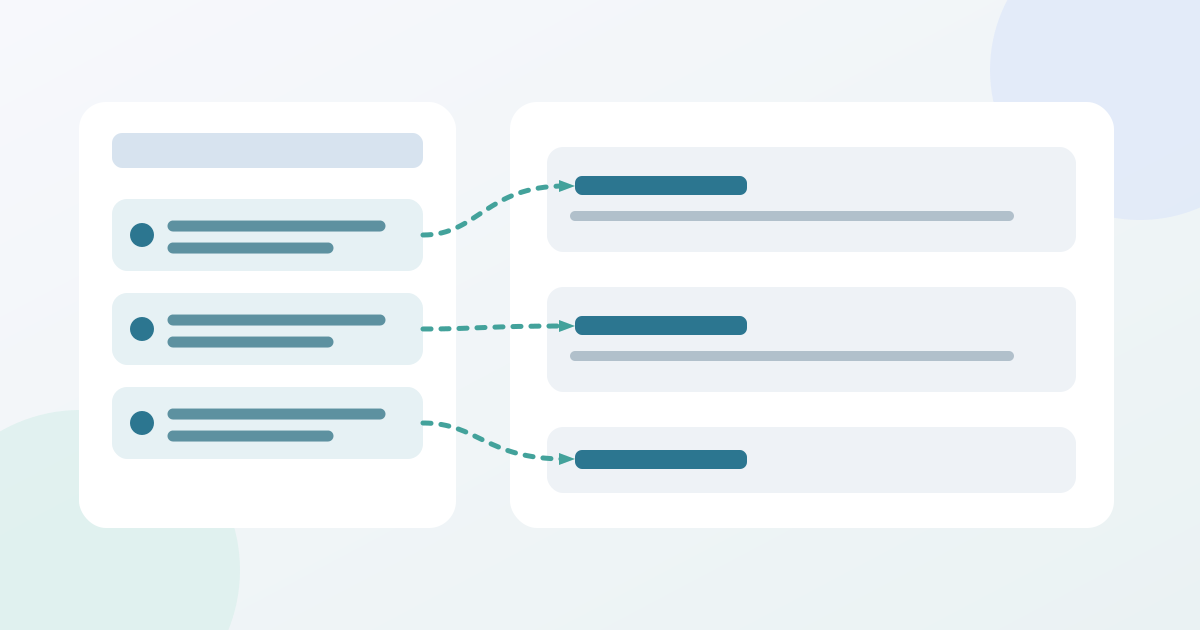
An in-page link uses a fragment such as `#tickets`, matched to an element with `id='tickets'`. For example, `Tickets and refunds` can link to the heading with that ID. The visible link should describe the section it reaches. Avoid ‘More,’ ‘Jump,’ or an icon alone when several sections follow. W3C's Link Purpose criterion allows some programmatic context, but a distinct group name is easier to scan and is still useful when links are read apart from the surrounding page.[6][3]
Place the contents list near the start of the FAQ, after a short explanation of what the page covers. If the design labels it ‘On this page,’ keep it visually and structurally grouped as navigation, not scattered across cards. Do not imply that a section link opens a new page; it changes location in the current document. If a question needs its own durable URL for sharing, the fragment URL can provide one, provided the target remains stable.[6][3]
Give each target a stable, unique ID
Attach the ID to the visible section heading or an appropriate wrapper at its start, then verify the matching `href` uses the same fragment. IDs must be unique in the whole document. Two headings both using `id='tickets'` may send a visitor to the first match instead of the intended group. Avoid IDs that depend on the order of cards, such as `section-3`, because an inserted group can change their meaning. A short, descriptive ID is easier to review and maintain.[6][7]
Content editors and developers should agree on who owns the ID. Some CMS editors regenerate heading IDs when text changes, translations are imported, or blocks are copied. After a title edit or page duplication, inspect the published HTML or test the exact fragment URL rather than assuming the old destination survived. If external messages link to a specific FAQ answer, preserving its fragment is part of preserving that public route.[6][7]
Follow the jump with keyboard and browser navigation
Open the published page at its normal URL. Tab to the first contents link, activate it with Enter, and confirm the intended heading is visible and the URL fragment identifies it. Continue with Tab: the next meaningful control should be in or after that section, rather than starting again in the header. Repeat in reverse with Shift+Tab, and use the browser Back action after following a fragment to see whether the expected location returns in the browsers you support. Record what actually happened; fragment scrolling and focus handling can differ across implementations.[6][3]
Also open the full URL with a fragment directly in a new tab, as a visitor might from an email. Do this for first, middle, and last sections. If the CMS uses client-side rendering, confirm the target exists when the browser resolves the fragment; a jump that works only after clicking within the loaded page is not a reliable shared link. Test links with a screen reader if available, but do not infer behavior from a visual scroll alone.[6][3]
Keep the landed heading out from under sticky UI
A fixed or sticky event header can cover the destination heading after the browser scrolls to it. Test with the real header at desktop width, a narrow phone layout, and enlarged text or zoom. If the section title is hidden, the component owner can reserve space for the scroll target, for example with a suitable `scroll-margin-top` on heading targets. The right offset depends on the actual header height and may change when navigation wraps.[8]
Check more than the first jump. A long translated heading may wrap, a mobile header may collapse, and a banner may appear only after scrolling. Confirm the heading, first answer, and any focused control remain readable after the jump. Do not hide overflow to mask a covered target. Record viewport size, zoom, header state, fragment, and observed position so the layout owner can reproduce the failure.[8]
Handle accordions and filtered answers explicitly
If each FAQ group is an accordion, test whether a link to a question inside a closed panel actually reveals it. A URL fragment that scrolls near a hidden answer without opening the panel leaves the visitor stranded. Choose a stable target on the visible group heading or make the page reveal the intended panel when the fragment is loaded, then test the behavior with JavaScript enabled as the site publishes it. The contents link should still indicate the section, not merely the presence of a disclosure widget.[6]
If filters, search, or pagination alter which answers are mounted, repeat the direct-fragment test after applying a filter and after clearing it. Do not let a contents link point to a target that disappears in the current state without an explanation or recovery path. If the page grows into a mini search application, reconsider whether separate topic pages would give visitors more stable destinations than a single changing FAQ.[6]
Recheck links whenever the FAQ changes
A frequent failure is editorial drift: the contents list still says ‘Travel and parking’ while the section becomes ‘Arrival and accessibility,’ or a moved question remains under the wrong group. Include link labels, target IDs, heading text, and direct URL tests in the FAQ's publication review. The worksheet has one row per jump so the editor can compare the promise at the top with the destination below. Keep an owner for questions that change close to the event date.[7]
When deleting a group, remove its contents link and consider whether outside pages or emails still use its fragment. If a target needs a new name, decide whether the old fragment can remain as a stable alias or whether linking pages need updating; do not silently reuse it for an unrelated answer. Finish by testing the public FAQ from the top and from an inbound fragment on both desktop and phone.[7]
Sources and further reading
- Accessible Anchor LinksUniversity of Colorado Boulder Web Express Support · Accessed
- Headings: Page Structure TutorialW3C WAI · Accessed
- Understanding SC 2.4.4: Link Purpose (In Context)W3C WAI · Accessed
- Understanding SC 2.4.1: Bypass BlocksW3C WAI · Accessed
- G1: Adding a link at the top of each page that goes directly to the main content areaW3C WAI · Accessed
- The HTML anchor elementMDN Web Docs · Accessed
- The HTML id global attributeMDN Web Docs · Accessed
- The CSS scroll-margin-top propertyMDN Web Docs · Accessed