Write event FAQs around real attendee decisions
An event FAQ can help a visitor decide whether to attend, what to bring and how to solve a registration problem. It can also become a long list of questions nobody asked, repeating dates and prices that should be prominent on the main page. Start with observed attendee uncertainty, give each answer a verified source, and decide whether the answer belongs in the FAQ at all.
Boletolibre editorial team
Published
Collect questions from real attendee friction
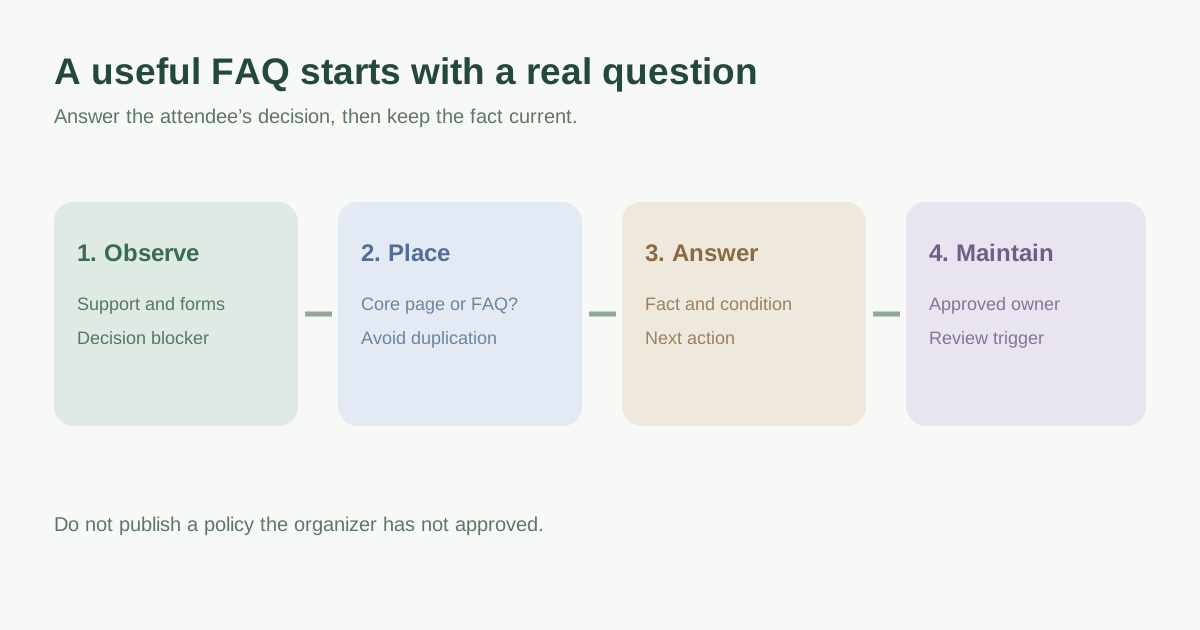
Review support inboxes, chat logs, ticketing and registration errors, venue calls, social messages and questions from previous editions. Remove personal information before turning a message into a candidate. Record the attendee task behind each question: buying a ticket, getting to the venue, requesting accessibility support, changing a booking or entering the site. The leading Google result lists common topics such as parking, transport, food and weather, but its example list is a prompt for discovery, not evidence that your event has each policy or facility.[1]
| Observed question | What the visitor needs to decide |
|---|---|
| Where do I enter with this ticket? | Whether this ticket works at this entrance |
| Can I arrive after doors open? | Whether admission is still possible and what to do |
| How do I request an access accommodation? | Who to contact, by when, and what information is needed |
| What happens if weather changes the plan? | Where the official status and attendee action will appear |
Put essential facts where they are needed
Date, time, venue, ticket price and the main purchase action should not be hidden inside an accordion. If the same question keeps arriving, first inspect the page or form where the visitor needed the answer. The UK Government Digital Service warns that FAQs often duplicate content and make basic information slower to scan. Fix that source page, then use an FAQ only for a remaining decision or edge case. Link to the canonical policy or logistics page instead of maintaining two copies that can drift.[2]
Group remaining questions by attendee task, such as tickets, travel, accessibility and on-site experience. Do not pad categories to reach a target number of questions. A short, direct answer with a useful next step serves the visitor better than promotional copy. If the answer changes by ticket type, date or venue zone, make that condition explicit rather than saying “it depends.”[1][2]
Write an answer that can be acted on
Lead with the answer, then the condition and next action. For example, “The north entrance accepts general-admission tickets from the published opening time; use the accessible entrance shown on the venue map if you need step-free access.” This is a writing pattern, not a claim about any particular event. Give a link or contact when a visitor must do something. If the organizer has not decided a refund, weather, bag or age policy, leave the question in an owner queue instead of inventing a confident answer.[2]
For each answer, record who confirmed it and when it must be reviewed. Ticket rules may change at an on-sale, venue directions when a gate changes, and weather instructions near show day. Publish updates across the main page, confirmation email, FAQ and staff briefing from the same approved source. Make uncertainty visible: “We will publish the final entrance map here by [confirmed date]” is more useful than an invented route. Do not promise that FAQ markup will create a Google rich result.[2]
Make the answers findable and accessible
Use clear task labels that make sense out of context. On a long page, a contents list or task grouping can help. If answers are collapsible, the question control must work with keyboard and expose its expanded state; the W3C WAI disclosure example demonstrates a button with an answer panel and cautions that the example code needs testing before production use. Check on mobile and with keyboard that readers can find and open the answer, and that a critical update is not hidden behind a closed panel.[3]
Ask someone unfamiliar with the event to complete a few realistic tasks using the page: find a transport option, understand a ticket restriction, and locate an accessibility contact. Note where they hesitate and revise the page structure or answer. The best evidence for a useful FAQ is whether it resolves actual attendee questions without requiring a support request, not the number of questions published.[1][2]
Download the attendee-question editorial worksheet (Markdown, English)
Sources and further reading
- Writing great FAQs for event websitesForms-Wizard · Accessed
- FAQs: why we don’t have themUK Government Digital Service · Accessed
- Example Disclosure for Answers to Frequently Asked QuestionsW3C WAI · Accessed