One-page or multipage event website? Decide by attendee task
A one-page event site can be enough for a focused event. A larger programme may need separate pages that people can open and share directly. The useful choice comes from the attendee questions you must answer, not from a promised search ranking or conversion lift.
Boletolibre editorial team
Published
Define the page-count choice
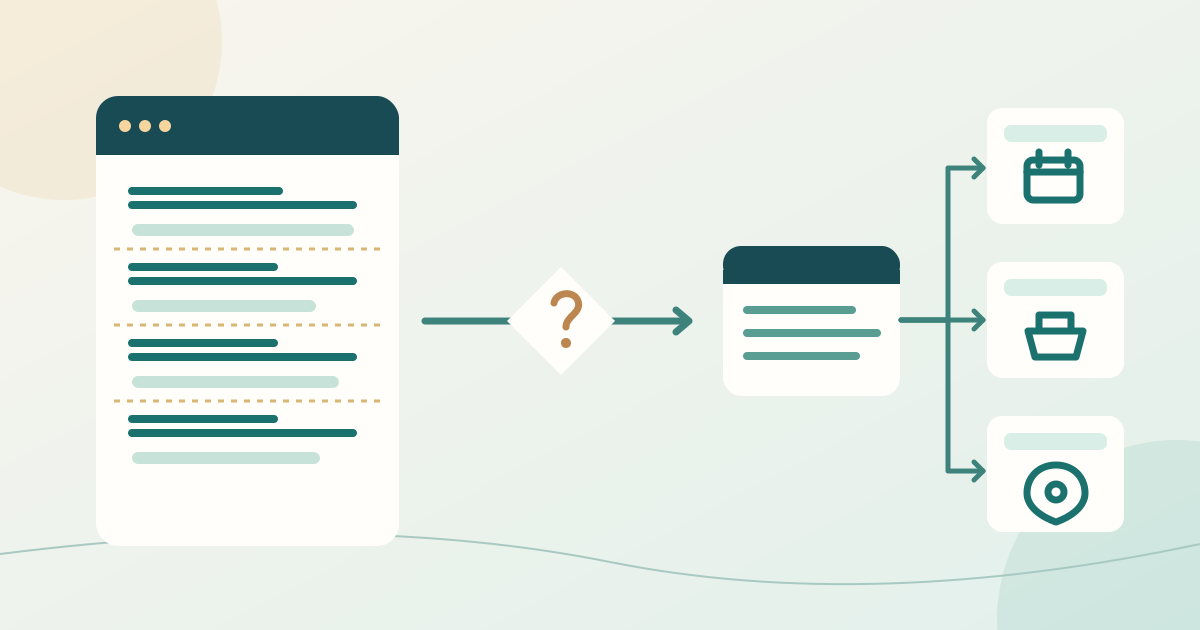
Here “one page” means one public event URL with sections for essentials such as date, venue, programme summary and ticket link. “Multipage” means a central event page plus separate URLs for distinct tasks. This is separate from deciding whether the event lives on an organizer site or a new microsite; either home can use one or several pages.
Start with the actual audience: a first-time attendee may need date, location and ticket entry quickly, while a returning participant may seek one session or an accessibility detail. List those questions before choosing a layout.
A fragment address such as /event#venue still loads one page. It works when directions need a direct jump but depend on the surrounding event context. A separate /event/venue page can carry its own title, description, review cycle and inbound links. Use that extra surface only if those differences help a real attendee task.[4]
Keep one page when the event fits one reading path
One page is a plausible fit for a single lecture, open day or small meetup with a short programme and one venue. Put essential facts and the real registration destination near the top; use clear headings for schedule, travel, accessibility and contact. An in-page link can take someone to a section without creating a new public page.[1]
A long page is not automatically simpler. If a person must scroll through unrelated material to find one answer, or if the page becomes hard to review before each update, stop adding sections. Test the page on a phone rather than assuming that scrolling alone solves navigation.
Draft the short version first. A useful single page should answer the first five questions without hiding ticket terms, access instructions or timing behind vague buttons. If it gets long, add a compact menu of section links and check where each link lands on a phone. An external checkout destination does not replace an explanation of what the attendee is buying.
| Attendee need | One-page section is enough when… | Separate page helps when… |
|---|---|---|
| Tickets | One route and concise terms | Several ticket paths require explanation |
| Programme | Short schedule with few changes | Multi-track sessions need direct links |
| Venue and access | A few essential arrival facts | Travel, access and maps need depth |
| Past editions | No archive is required | Each edition has durable facts and links |
Work the choice for a one-evening event
Imagine a Friday studio evening: one 90-minute talk, one venue, one registration destination and no session directory. A workable one-page route is /studio-night, with headings and links to /studio-night#when, #programme, #visit, #access and #tickets. Someone sent the access link reaches the same public event page at the relevant heading; the event identity and ticket context stay close by. These are illustrative paths, not a claim about a website builder.[4]
A multipage alternative would add /studio-night/programme and /studio-night/visit. Each new page would need the current date, event name, a route back to registration and a person who checks those shared facts after a change. For a short talk and a few arrival notes, those pages would mostly repeat the hub. Start with the one-page version if the actual mobile page remains readable and each anchor lands on a visible heading; a new URL is not earned merely because an anchor can be shared.[5]
Give the event editor the approved event brief as the source for date, venue and ticket wording. Before publishing a change, that editor checks the top summary, the relevant section and the external registration destination. If another team controls that destination, record its owner rather than implying that editing the event page updates checkout. This is a maintenance decision: one page still needs a named reviewer and an update trigger.
Reverse the decision if the access answer grows into a transport map, entrance photographs and separate mobility instructions, or if a second room and parallel activities make the programme hard to scan. Create /studio-night/visit or /studio-night/programme for the task that gained independent depth; keep a concise answer and a descriptive link at the old section so shared anchors still lead to useful context. If testers merely miss #access under a sticky header, fix the target or label first: a page split would not repair that navigation defect.
Split pages when a task needs its own address
Give a task its own page URL when its answer needs to stand alone, has substantial detail, or changes on a different schedule; a section anchor can already be shared directly. A multi-track agenda, detailed venue guide, speaker directory and current-year archive may each earn a page. A short paragraph does not need a new URL solely to make the site appear larger.
For a recurring series, keep a stable series hub and decide separately whether each edition needs a dated page. Do not hide last year’s details inside this year’s main page. Assign an editor and review trigger to each separate page so more URLs do not create more stale facts.[2]
Before adding pages, choose one source of truth for shared facts such as date, venue and ticket availability. Keep a concise current summary on the hub; send readers to a detail page for the full schedule or access instructions. If the same fact appears in both places, name who updates both after a change.
Work the choice for a two-day, multi-track event
Now imagine a two-day summit with three parallel tracks, changing room assignments, a venue-access guide and detailed session descriptions. A single /summit page could have #friday, #saturday and #visit sections, but a person sent one session detail would have to locate it inside a long mixed page. That is an editorial and route problem to test, not proof that long pages inherently rank or load worse.
Try a hub at /summit with current dates, venue, a short programme summary and the official ticket route. Put the schedule at /summit/programme, visitor instructions at /summit/visit and only sessions with meaningful standalone details at paths such as /summit/sessions/accessible-design. Link to those pages from the hub and from relevant programme entries. A direct session visitor should still see the summit name, day or time, venue context and next action without first opening the hub.[3]
Choose this split only if the programme editor can own time and room changes, the venue lead can own access instructions, and someone checks shared date, venue and ticket facts on the hub and detail pages. Record the approved schedule as the source of truth. A room move is not complete when only the programme grid changes: the session detail, any hub highlight and the visitor route must agree before the announcement goes out.
Reverse or simplify the split if the final programme becomes one short track, the detail pages contain little beyond repeated summaries, or the team repeatedly misses cross-page updates. Fold thin details into /summit#programme and keep only independently useful URLs. If a detail URL is already public, plan its closest useful destination rather than leaving a broken link. Conversely, if shared-link testers cannot find a specific session or arrival instruction in a one-page prototype, add the focused page and retest the direct entry.[2]
Rehearse a late change before deciding which structure is maintainable
Choose a realistic change two days before publication or doors opening, not a vague promise to “keep content updated.” The useful rehearsal has a verified source, an owner who may edit, a list of public places that repeat the fact, and a second person who checks the published result. Do it for both proposed structures. A page-count choice that looks tidy in a wireframe can fail when a venue or schedule update must be corrected across several routes in one hour.
For the studio evening, suppose the accessible entrance moves from the front door to a side gate. On the one-page version, the venue lead confirms the new instruction; the event editor updates /studio-night#access, checks the short arrival sentence near the top if it mentions the old entrance, and opens the shared anchor on a phone. The editor also checks the actual map or registration message only if those are in scope and has an owner for them. One URL simplifies the website change, but it does not make an external message or map update automatic.
For the summit, suppose a Saturday session moves from Room A to Room C. The approved schedule changes first. The programme editor checks /summit/programme and the session detail; the event editor checks any highlighted card on /summit; the venue lead confirms that the room label matches wayfinding on /summit/visit. Only then is the public correction ready to announce. If the site uses a shared content source, confirm its output on each public page rather than assuming that one CMS edit propagated everywhere.
A ticket status change is a separate rehearsal. An external checkout may show “sold out” while the event hub still promises availability. Record which system owns the status, who can change the website text, and every action link visible from a hub or session page. The site must send visitors to the current official destination and describe the next step accurately; an extra page is not inherently the cause of a stale button. Do not assert that the website controls checkout inventory.
Interpret the rehearsal carefully. If the one-page design forces unrelated editors to edit the same dense document and creates conflicting changes, a separately owned programme or visit page may help. If the multipage design repeatedly leaves stale copies of a shared fact, first reduce duplication and name a source of truth; merging every page is not the only remedy. Choose the structure whose real update path can be completed and verified by the team that will run the event.
| Change to rehearse | One-page public check | Multipage public check |
|---|---|---|
| Entrance changes | Top summary, #access and shared anchor | Hub summary, /visit and direct visit link |
| Session room moves | Programme section and any featured session | /programme, session detail and hub highlight |
| Tickets become unavailable | Current CTA text and external destination | Hub and detail CTAs plus external destination |
Make the choice reversible in the publishing workflow
Page count is not a maintenance budget by itself. One long page can have several editors and fragile repeated facts; several pages can draw from one approved schedule. Write down the actual publishing steps before choosing. For each fact that can change, identify its source, every displayed location and who verifies the public result. The table is an example handoff, not a universal staffing model.
Run the same attendee tasks against both route sketches: open the shared access link on a phone, find the current start time, locate a named session and reach the official ticket destination. Start some trials at a section or detail URL rather than always at the hub. Record the link chosen, wrong turn and final answer; do not turn a small informal trial into a conversion or ranking claim. If both versions work, prefer the one the named editors can keep accurate.
Write the reversal rule on the worksheet before launch. A one-page choice should be revisited when one task gains durable, separately owned detail or repeated route trials fail after labels and anchors are repaired. A multipage choice should be revisited when detail pages stay thin, direct entry lacks context or shared facts drift across URLs. Check after the programme and venue are final, and again after a material change; the right structure may change as the event does.
| Changing fact | Primary owner/source | Publish check |
|---|---|---|
| Session time or room | Programme editor / approved schedule | Programme entry, session detail and any hub highlight agree |
| Accessible entrance | Venue lead / confirmed access note | Visit guidance and hub summary agree from a direct link |
| Ticket status or destination | Sales owner / official ticket source | Hub action and any detail-page action reach the current route |
Compare the same attendee route in both drafts
Make two rough prototypes with the same approved facts, not a polished multipage design against an unfinished single page. Give both the same ticket destination, headings and plain-language labels. A section link such as /studio-night#access and a page such as /studio-night/visit are two ways to answer the same question; test whether the answer is findable and remains correct. Otherwise a preference for visual polish can masquerade as a structural finding.[5][3]
For the studio evening, send a tester the exact link that a guest might receive in a message and ask: “Which entrance can you use, and where do you register?” Let the first run start at /studio-night#access; on the other draft, start at /studio-night/visit. Observe whether the heading is visible beneath the mobile header, whether the current instruction is identifiable, and whether a route to tickets is evident. Do not coach or reveal the desired page name during the task.
For the summit, give another tester a direct session link and ask for its day, room and registration route. A single-page prototype might use /summit#accessible-design; the split version uses /summit/sessions/accessible-design. If the person finds the details in both but cannot tell what event the session belongs to on the separate page, add identity and context there. If they repeatedly search through unrelated sessions in the single-page version despite clear labels, the session may warrant its own URL.
Classify the failure before changing page count. A vague “More” link is a labeling problem; an anchor hidden behind a fixed header is a target-placement problem; an obsolete time is an editorial-source problem. A task that needs substantial independently updated detail, or a direct-entry page that can stand alone, is stronger evidence for a split. A detail page with two repeated sentences and no distinct task is stronger evidence for a merge. The first repair should address the observed cause, then the same tester task should be rerun.
Write what happened rather than scoring the structures with a universal conversion threshold. Note the start URL, device, first link chosen, wrong turn, final answer and whether the participant needed help. If both versions succeed, the tie-breaker is the maintenance rehearsal: choose the one whose owners can publish correct facts reliably. If either fails, revise that route and test again before declaring an entire page model unsuitable. Informal task trials support a local editorial decision; they are not a search-ranking experiment.
| Observed behavior | First repair | Possible structure implication |
|---|---|---|
| Correct section is hidden under sticky header | Fix anchor landing and retest | No page split yet |
| Guest cannot identify the event on a direct session page | Add event context and next step | Keep the page only if it has independent value |
| Guest repeatedly loses one detailed answer in a long programme | Improve label and heading, then retest | Split if the task still needs its own durable route |
| Editors miss the same changed fact on several pages | Use one source and a release checklist | Merge thin pages if upkeep remains unreliable |
Run a small content and link trial
Put the five most common attendee questions in the worksheet. For each, note the exact answer, proposed section or page URL, content owner, change frequency and where visitors will see the link. Sketch both a one-page and a multipage route for one concrete task, such as finding a changed session room.
Ask a few people unfamiliar with the draft to find tickets, venue access and one programme detail from a shared link. Observe wrong turns and missing information, revise the structure, then retest the direct URLs. A page-count choice is useful only when the resulting site stays accurate and findable.
Set a pass condition before watching the trial: each person should find the correct current answer and identify the official ticket destination without coaching. Record where they started and each wrong turn. If both structures pass, prefer the one editors can update reliably; revisit the choice if the programme or venue guidance grows.
Plan the split or merge without breaking established routes
A first page-count decision is not permanent. Record the trigger for changing it before public links spread: programme growth, new venue guidance, an independently maintained session detail, or repeated failures on a direct-link trial. Keep the event hub useful in either structure. A new detail page should not make the main event URL a blank menu, and a merged page should not bury the answer that used to have a direct address. Change the content structure for an attendee task, not for an assumed SEO or speed gain.
When splitting /studio-night#access into /studio-night/visit, leave a concise access summary at the old section and add a descriptive link to the complete guide. Update the hub menu, footer or related links that pointed to the old section if their labels now imply full instructions. Check a shared old anchor in a real browser; it should still land on a useful heading and offer the new route. Assign the venue lead the detailed guide and the event editor the summary so a future entrance change has two named checks.
When merging thin /summit/programme and session pages back into /summit#programme, inventory the already public page URLs from emails, partner links, QR codes and the site menu. Map each retired page path to the closest useful remaining content and update internal links; do not send every old session address to an unrelated home page. Google Search Central recommends an old-to-new URL map, redirects for changed paths and a check of both old and new URLs during a move. Test the attendee destination first; search handling does not replace that check.[7]
Treat published page paths and section anchors separately in the handoff. A path such as /summit/visit can be included in an old-to-new URL map. A shared anchor such as /summit#visit refers to content on the same page, so keep that target meaningful when reorganizing the page. If implementation details make a proposed redirect or fragment target unreliable, retain a short human-readable bridge until links can be updated. Do not claim that moving content instantly updates search results or all third-party links.[4]
Before release, start from each old and new direct link on a phone and desktop. Confirm the right event edition, current date, named session or venue answer, and official ticket destination. Check the hub menu and one path back; ask the owners to approve the public result. Record the old path, intended destination, change date and rollback owner in the worksheet. After launch, use reports or feedback only to look for broken or confusing routes, not to invent a performance win from the number of pages.
Sources and further reading
- How to Design a Beautiful One Page Website — With ExamplesMailchimp · Accessed
- SEO Starter GuideGoogle Search Central · Accessed
- SEO Link Best Practices for GoogleGoogle Search Central · Accessed
- URL Structure Best Practices for Google SearchGoogle Search Central · Accessed
- HeadingsW3C Web Accessibility Initiative · Accessed
- How to move a siteGoogle Search Central · Accessed