Annual event pages: reuse one URL or create a page for each year?
An organizer asks: should next year’s event overwrite last year’s page, or should every edition get a new URL? A stable series page helps people find the event year after year, but an attendee looking for a particular date, ticket, speaker or recap needs the right edition. The useful answer is often a two-level structure, with a permanent series hub and distinct edition pages where the facts differ.
Boletolibre editorial team
Published
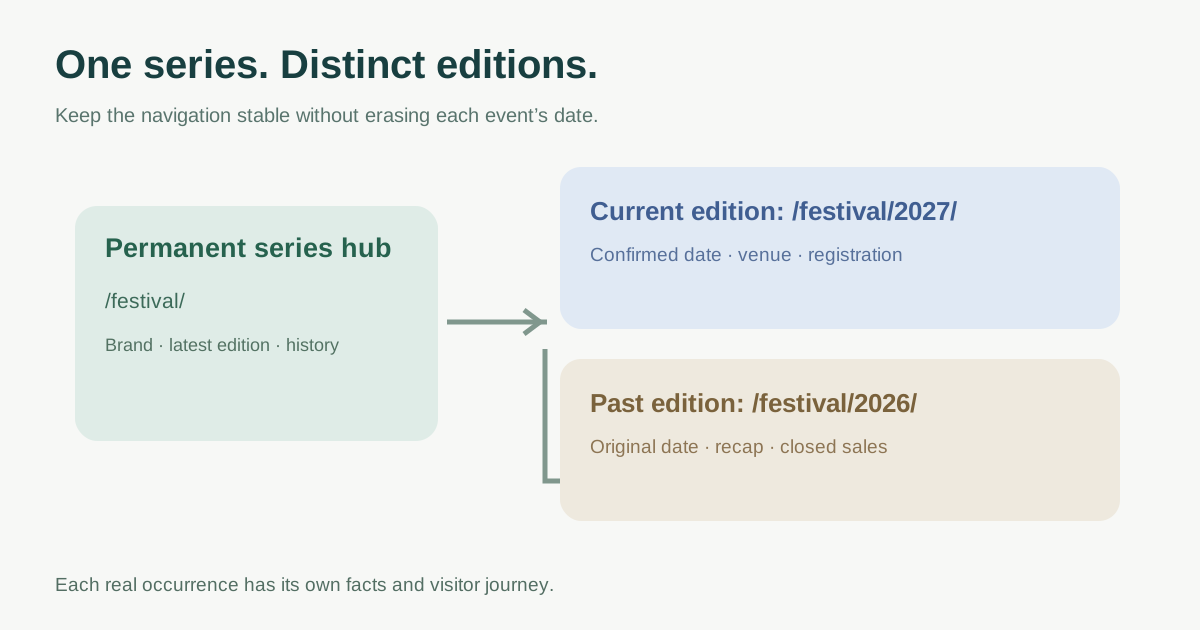
Separate the event series from each occurrence
Use a stable hub such as /festival/ for the enduring brand: what the event is, who it serves, the latest confirmed edition and links to past editions. Use /festival/2027/ or another durable leaf URL for the actual 2027 event when its date, venue, program, ticket terms or registration path are specific. An annual conference and each of its yearly occurrences are related, but they are not interchangeable documents. The leading Google result debates an evergreen URL versus yearly pages; it does not settle how to preserve each occurrence for attendees.[1]
| Page | Primary visitor question | Content that belongs there |
|---|---|---|
| Series hub | What is this recurring event and which edition is next? | Enduring overview, current status and links by year |
| Current edition | What are this year’s confirmed details and how do I attend? | Date, venue, program, access and current ticket path |
| Past edition | What happened in that year? | Original date, recap, approved media, results or program |
Use Event data on the actual event page
Google’s event experience requires a unique URL for each event and recommends a leaf page focused on a single event. Mark up the current occurrence where its visible date, location and offers match the structured data; do not mark a series hub containing multiple years as if it were one current occurrence. Individually ticketed performances across days may need separate Event items. Eligibility does not guarantee a rich result.[2]
Do not replace an old edition’s date with the new one merely to retain one URL. If the next edition is not confirmed, say so on the series hub instead of publishing invented dates or a premature checkout.
Decide what to reuse and what to archive
Reuse components, design, evergreen venue guidance and series-level explanations only after checking they remain accurate. Review edition-specific sponsors, speakers, pricing, policies, times, accessibility arrangements and ticket links as new facts. Keep a useful old edition page labeled with its original year, then link it to the new edition. Content that has no enduring value gets a separate page-level keep, noindex, redirect or remove decision.
Give each substantively different annual page a self-referential canonical URL when it should stand on its own. Canonicalization is for duplicate or very similar URLs; pointing last year’s genuinely distinct recap at this year’s sale page hides the distinction from search systems. A permanent redirect belongs to a real URL move with a close replacement, not every annual rollover.[3][4]
Run a yearly rollover check
Before launch, capture the current edition URL and old ticket path. Create or update the new edition page only with confirmed facts, link it from the series hub, and remove outdated sales prompts from the past page. Then open both pages on mobile: the old year should still answer old-year questions, while the current page should lead to current registration. Check navigation, sitemap, canonical, Event markup, email and QR destinations, and the actual external checkout.
Sources and further reading
- SEO value of Event Page: Evergreen or Unique each year?HubSpot Community · Accessed
- Event structured dataGoogle Search Central · Accessed
- How to specify a canonical URLGoogle Search Central · Accessed
- Redirects and Google SearchGoogle Search Central · Accessed