Plan contact pressure across overlapping email campaigns
Three approved campaigns can each have a valid audience and still converge on one person's inbox during the same planning window. The question is not whether one message was accidentally sent twice; it is which different messages that person should receive, in what order, and who will change the plan. This guide gives a small team a decision record. It does not impose a daily or weekly send limit: relevance, urgency, promised preferences and real feedback matter more than an arbitrary number.
Boletolibre editorial team
Published
Download the contact-priority worksheet
Download the contact-priority worksheet
Copy the worksheet for one team-chosen planning window. It has a campaign register and a second table for affected contacts or representative cases. Use opaque test keys in any shared example; keep real email addresses, consent records and subscriber exports in the authorized sender. A worksheet records decisions. It does not enforce them or prove that a campaign was delivered.
Choose the window and list the distinct sends
List each separately approved marketing message with its purpose, planned local send time and time zone, audience rule, deadline, owner and primary action. Include newsletters, invitations and partner promotions from all teams that use the same audience. Mailchimp's marketing calendar shows scheduled and completed messages; a calendar view helps reveal date collisions but does not by itself decide recipient priority.[3]
Set a review window that matches this decision: perhaps a launch week or the days surrounding an event deadline. Write its boundaries in the worksheet. The window is a lens for finding competing sends, not a universal safe interval between emails. Keep essential service or transactional notices in a separate coordination lane; do not delay them merely to improve a marketing-pressure count.
Check who is actually eligible for each campaign
For each campaign, record the actual inclusion rule, exclusions, marketing eligibility and preference evidence. A person can appear in two broad segments yet be eligible for only one message once topic choices or current state are applied. Mailchimp's regular-email checklist lets its users target segments and exclude segments or tags; equivalent controls differ by provider and plan.[1][4]
Use the sending system as the source of truth for consent and current recipient status. Do not copy a raw address list into a widely shared spreadsheet. If eligibility, identity across audiences or preference evidence is unknown, mark the case unresolved. A missing row is not evidence that the person cannot receive another campaign.
Find intersections at the person level
Compare the planned recipient sets for different campaigns within the window. For each real contact or a privacy-safe sample, mark which messages would currently include that person. Count candidate sends only as a forecast. Segment membership, exclusions and scheduling rules can change before send time, so do not label that count as delivered mail.[2]
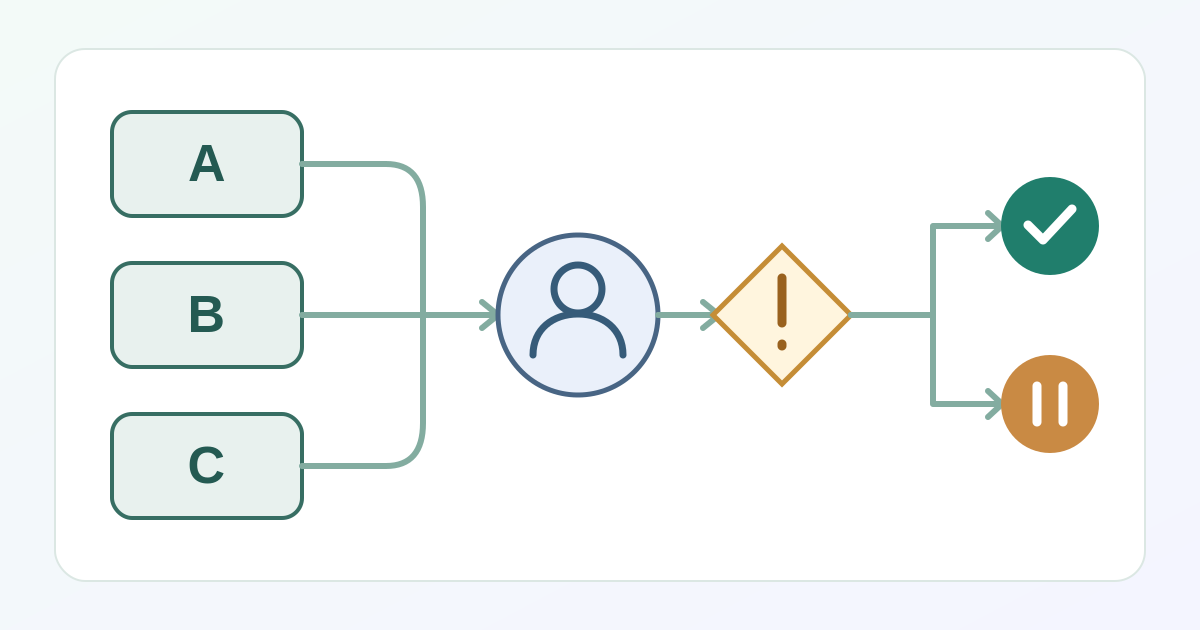
Start with the contacts or scenarios that have two or more candidate marketing messages. Name the collision in plain language: two invitations to related events, a newsletter followed by a time-limited offer, or a partner promotion during a registration reminder. Group-level totals can show scale, but a sum of segment sizes cannot tell you what one person will see.
Choose priority for a reason, not a magic number
Choose which message has priority by comparing its usefulness to this recipient, real deadline, novelty, promised topics, and whether the other message repeats the same action. Document the reason. A deadline-driven invitation may outrank a routine newsletter for one interested person; for another person the newsletter may be the only relevant send. A team may also decide both messages are distinct and worth sending.
Avoid a blanket 'one email per week' rule presented as industry fact. Mailchimp's fatigue guidance points to subscriber feedback, topic interest and campaign data rather than a universal cap. If a preference explicitly promises a cadence or topic, honor that promise; if the evidence is thin, mark the decision for review instead of asserting certainty.[5]
Turn the decision into sender settings
Record a concrete action for every lower-priority candidate: keep, move, combine content, exclude from this send, or defer the campaign. State which campaign, owner, recipient rule and planned time will change. Mailchimp documents recipient exclusions and scheduled-recipient behavior, but the worksheet cannot update a sender. Someone must implement the chosen rule and inspect the resulting recipient preview.[1][2]
Some providers offer recent-message gates. Klaviyo's Smart Sending, when enabled, can skip a later marketing message, and its documentation says skipped messages are not rescheduled automatically. That gate follows provider rules and send order; it does not know your editorial priority. Do not assume Mailchimp, Klaviyo or any other service automatically selects the more valuable campaign, and verify the actual control and plan in use.[6]
A fictional collision with two valid outcomes
Suppose fictional contact sample-17 is eligible for a general newsletter on Tuesday and a relevant registration invitation on Wednesday, before a real deadline. The team chooses the invitation, records the deadline as its reason, and excludes sample-17 from Tuesday's newsletter because its event call to action repeats the invitation and its other content is less timely for this contact. The owner checks that exclusion in the sender and reviews the invitation's final audience. This is one editorial choice, not a rule that everybody gets one message.
Fictional sample-42 is also eligible for both, but the newsletter is a distinct promised update and the invitation serves a different timely decision. The team keeps both after checking the person's preferences and records that reason. An unresolved preference or changed audience status would put either case back into review. The worksheet holds these sample cases and blank rows for local decisions.
Recheck at release and learn from actual delivery
Before release, re-open the planned sends in the sender and verify exclusions, send order, local time, and any recent-message setting. Mailchimp notes that recipient counts or segments for scheduled mail can be finalized again at send time, with behavior varying by plan and setting. Its help also says that if a segment is edited before a scheduled send, you must re-add it to that email to capture the intended recipients. Treat yesterday's intersection snapshot as provisional; recheck the person-level decision when rules or timing change.[2]
After sending, compare the chosen plan with available sent and skipped evidence. Record whether a message was sent to the intended recipient, the person was excluded, or the provider skipped the send; do not call a preview delivered. Review replies, unsubscribe and complaint signals alongside the content and audience context before changing the next window. Keep the decision history short enough that the next owner can understand why a message was moved.
Sources and further reading
- Create a Regular EmailMailchimp Help · Accessed
- Schedule or Pause a Regular EmailMailchimp Help · Accessed
- About the Marketing CalendarMailchimp Help · Accessed
- How to Segment Your Email ListMailchimp · Accessed
- Overcoming Email Fatigue in MarketingMailchimp · Accessed
- Understanding Smart Sending in KlaviyoKlaviyo Help Center · Accessed