Pre-event attendee email templates: four useful messages for registered guests
A registered attendee needs to know how to arrive or join, what changed, and where to get help. The leading Google result for “pre event attendee email template” offers ten messages spanning promotion through reminders. These four original templates focus on the later, practical part of that journey. They serve people with an actual registration; the promotional sequence and initial registration confirmation are separate jobs.
Boletolibre editorial team
Published
Download the editable message templates
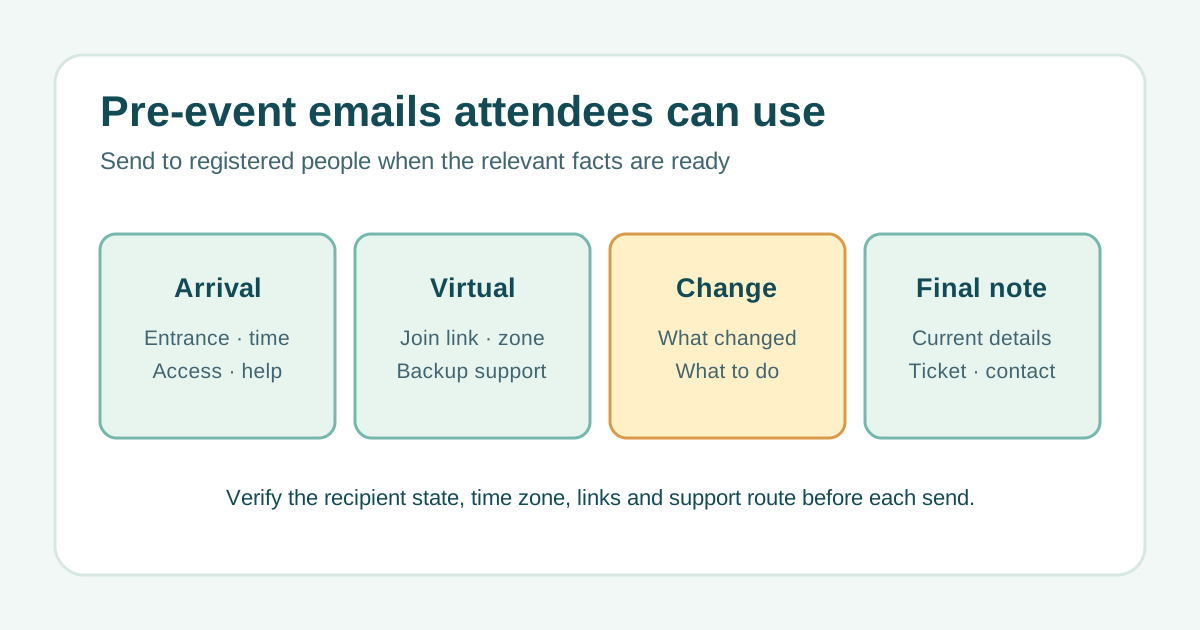
The text file contains four copy-ready drafts: in-person arrival, virtual join, material change and final practical note. Replace every bracketed field with an approved fact. Delete any line that does not apply; do not leave a sample placeholder in a live message. The six article languages each have their own localized file.
Download four pre-event attendee email templates (English TXT)
Write the arrival message around decisions at the door
Give date, start and end time with a time zone, full venue address, the correct entrance, check-in opening, transport and accessible arrival information. Link to the current event page and a monitored support channel. The leading example collection also includes practical logistics, but its fixed send timing is only a suggestion: send when the facts are confirmed and useful to this audience.[1]
- Subject example: “Your arrival details for [event name] on [date]”.
- Body action: open the verified arrival page or ticket account.
- Stop condition: do not send to a cancelled registration.
Make online joining possible without guesswork
State the exact date, time zone, verified join route and any device or accessibility instructions. If the link is personal, explain that it should not be forwarded. Provide a fallback contact if access fails. Avoid embedding a stale meeting link copied from last year; follow the destination yourself before the send. For hybrid events, route in-person and remote attendees to their own instructions.
Explain material changes plainly
When the venue, time, entry route or programme changes, say what changed, what was true before if useful, what is true now, and whether the attendee needs to act. Send to the affected group after the decision is approved, and update the source event page first. Do not disguise a material change as a cheerful reminder or leave a conflicting older email uncorrected. Give the real support and policy path for options.
Run a pre-send check for every version
Confirm current registration state, segment, local time zone, approved facts, accessibility details, ticket or join link, and support availability. If an item is still undecided, hold the email or state honestly when it will be confirmed. Keep the message short enough to scan but never remove information needed to attend. Record the approved version and delivery evidence in the event email communication map; send count and timing should follow the event, not a universal sequence.
Sources and further reading
- 10 pre-event email templates that boost attendanceArtisan · Accessed