How to recover an expired event domain: status, registrar and service checks
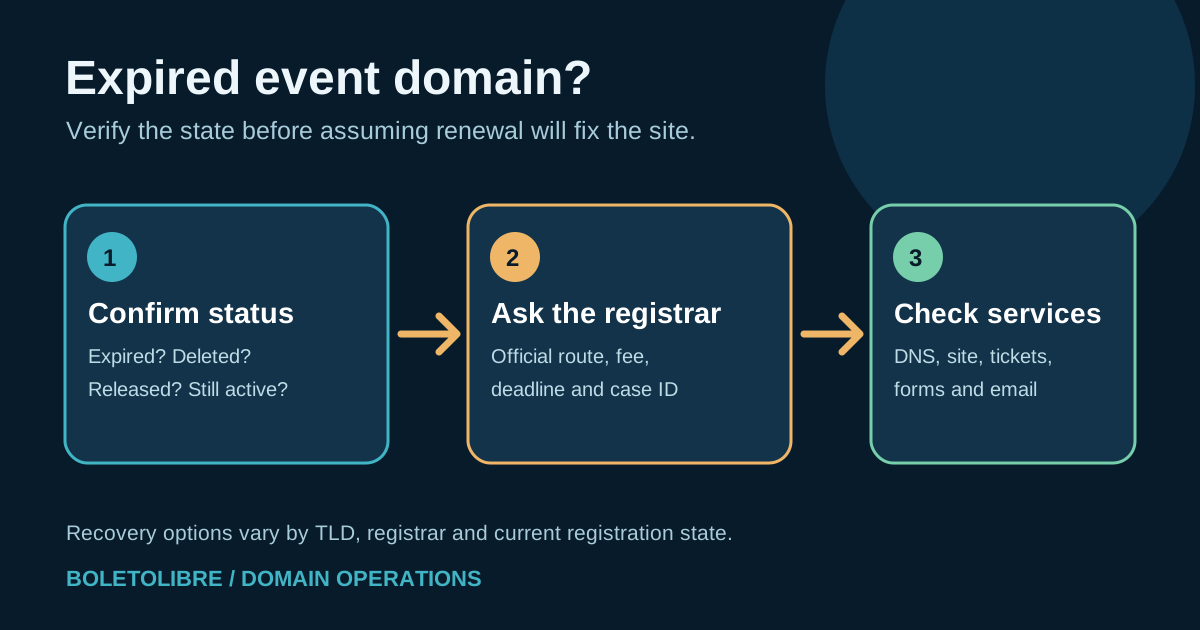
If an event domain has lapsed, time matters, but the right next step depends on its exact registration state. Start with the registrar rather than guessing from a broken website. ICANN’s first-ranked guidance is brief: contact the registrar or reseller promptly. This guide turns that advice into an event-specific triage record without promising a universal grace period or guaranteed recovery.
Boletolibre editorial team
Published
Download the expired-domain recovery worksheet
Download the recovery triage and action log (Markdown, English)
Record the exact domain, registrar, registration status, support case and next decision. Keep credentials, payment details and private registrant data out of the shared copy. The worksheet is a coordination aid, not proof that a name can still be restored.
First, identify what actually failed
An event website disappearing does not prove its domain registration expired. Check the registrar account or official registrar support for the name's current status and expiry date. Separately check whether DNS, hosting, the certificate or a payment failure explains the outage. Capture the time, affected website and email services, and the current public registration data before anyone changes records. If the event is live, appoint one incident owner and use an existing independent channel to tell staff where attendee support has moved.
ICANN advises the registrant to contact the registrar or reseller immediately about an expired domain. Its lookup can help identify the registrar of record when the team no longer knows who manages the name. Do not assume that an invoice, renewal email or search-result advertisement identifies the real provider; open the account from a known bookmark or type its known address.[1]
Match the next action to the registration stage
| Observed state | Next question to ask the registrar | Do not assume |
|---|---|---|
| Expired but still renewable | Can the registrant renew now, by what verified account path and at what fee? | That the website or mail will recover instantly |
| Deleted, in a restore/redemption period | Is this exact TLD and name eligible for restoration, who may request it, and what is the fee? | That every TLD has the same grace period |
| Released or registered to someone else | Is it actually available, or owned by another registrant? What legitimate options exist? | That a backorder or request guarantees return |
| Account access lost | What is the registrar's verified account-recovery process for the current registrant? | That changing DNS or paying a third party restores ownership |
| Registration active | Which DNS, hosting, certificate or mail dependency failed? | That purchasing a second registration fixes the outage |
For gTLD registrations covered by ICANN's policy, a redemption grace period follows deletion for most gTLD registries, with specific exceptions. That policy is not a universal countdown from the expiration date. Registrar deletion timing, the TLD and the exact registration state matter; ask the provider to confirm the name's actual options and deadlines in writing.[2]
Use the registrar's verified recovery route
Have the authorized registrant or account administrator contact the registrar or reseller through its official support channel. Provide the domain, account or order reference, and observed status; follow its identity checks privately. Ask for the renewal or restoration path, total charges, last actionable date, expected DNS behavior, and a written case number. Get approval from the organization's domain owner before accepting a cost or changing the registered holder.
If restoration is offered, confirm the name and TLD before paying through the verified provider. ICANN requires covered registrars to make renewal, post-expiration and redemption fees available; the actual amount is provider-specific. If another party already registered the released name, do not present a standard renewal as possible. Escalate any ownership or dispute question to the appropriate specialist rather than promising a recoverable name.[2]
After the registration is restored, check every dependent service
A successful renewal is a registration event, not proof that all services work. Check the authoritative nameservers and zone, then the public event page, ticket links, registration form, payment handoff, branded email, and any redirects. Record what was observed, by whom and when. If the registrar temporarily changed DNS during expiry, compare the restored settings with the last approved record inventory before editing anything.
Avoid using a newly bought lookalike domain as an unreviewed quick fix: it can confuse attendees, alter mail authentication and break old links. If a temporary communication channel is needed, publish one verified support route through established social or ticketing accounts. Keep the incident record separate from attendee personal data.
Close the gap that allowed expiration
Once services are stable, name the organizational registrant, registrar account owner, billing owner and backup contact. Store the expiry date, renewal method and support route in the domain register; use an independent contact address that does not depend on the expiring domain. Review auto-renew and payment method status without assuming either is a guarantee. Schedule a future check of the registrar account and receipts.
This guide concerns a lapsed registration. For a still-active name approaching renewal, use the planned renewal checklist; for a valid registration in an inaccessible account, use account recovery. Keep those tracks separate so the team does not waste the remaining recovery window.[1]
Sources and further reading
- About Renewing an Expired DomainICANN · Accessed
- Expired Registration Recovery PolicyICANN · Accessed