How to send a correction email after a campaign mistake
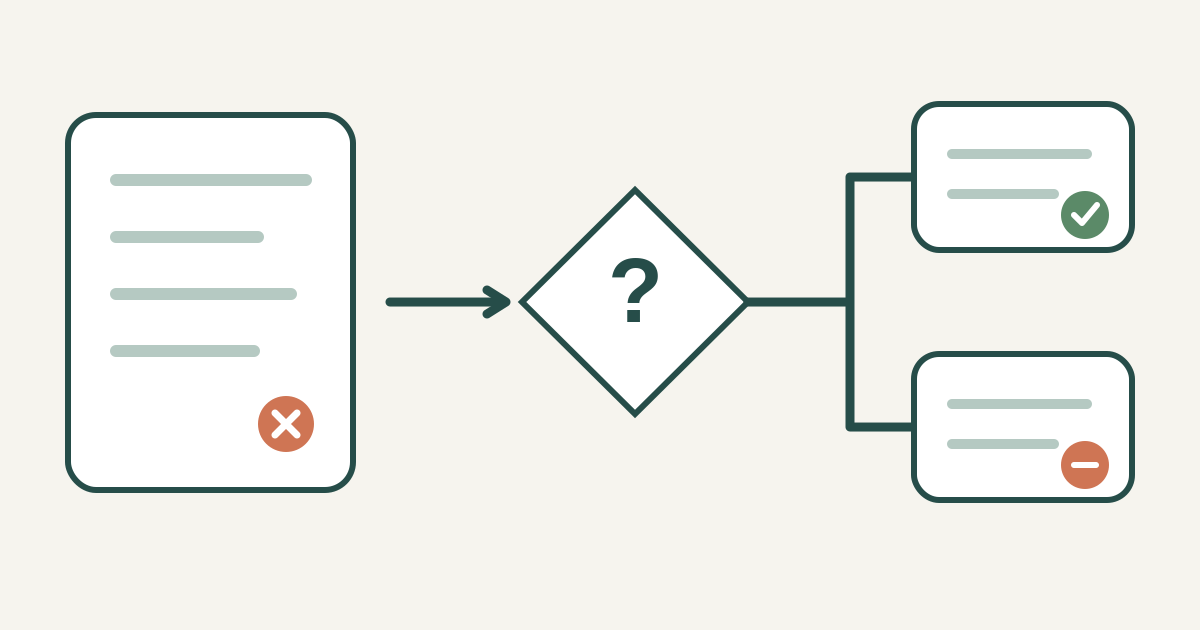
You spot a wrong link or date after a marketing email has gone out. The first useful question is not ‘How fast can we resend?’ It is ‘What decision did the error change for the recipient?’ A correction earns its place in the inbox when it gives people information they need to act, prevents wasted effort, or repairs a material misunderstanding. This guide gives you a decision path, two adaptable examples, and a worksheet for the facts, audience and review before you send.
Boletolibre editorial team
Published
Confirm the fact before choosing a response
Pause the urge to copy the original campaign and edit it. Capture the exact campaign ID, send time, audience, subject and the incorrect sentence or destination. Open the message as a recipient would, including its links and any hosted page. Confirm the correct fact with the owner of that fact: the page editor for a URL, the event team for a date, or the commercial owner for a price. Write down the source and its verification time. A correction based on an unconfirmed replacement can create a second mistake.
A sent message usually cannot be revised in a recipient's inbox. Mailchimp says content already delivered cannot be edited. Its Premium Stop Delivery option can halt remaining delivery of an eligible regular or plain-text campaign with at least 10,000 recipients while that campaign is still sending; it cannot retract what recipients already received. A sent campaign page has separate URL-management behavior, which also does not rewrite the received email. Check the exact controls of your own sending platform. If a destination page can safely be fixed, do it and test the live page, but do not assume that changing a webpage corrects a wrong date or promise already visible in the email.[1][2]
- Save the original as evidence; do not replace it with a silently edited draft.
- Record the approved correct wording, link and effective time.
- Name one decision owner and one independent reviewer.
Decide whether another email helps the reader
Classify the error by what a reasonable recipient might do with it. A cosmetic typo that does not alter the meaning often needs a note in the campaign log, not another campaign. A broken primary link, incorrect meeting time, unusable code or materially wrong price can block action or mislead someone. Twilio's correction guide makes the same practical distinction between minor errors and consequential ones. This is a decision aid, not a fixed severity rule; an apparently small typo in an address or date can matter a great deal.[4]
| Finding | Likely response | Check before deciding |
|---|---|---|
| Formatting or harmless spelling | Document and fix the next version | Can a reader still understand and act? |
| Broken button, correct destination exists | Repair the destination if possible; consider a short correction | Does the old link fail, misdirect or create risk? |
| Wrong date, time, price or condition | Send a focused correction to affected recipients | Who relied on the earlier fact, and is there a deadline? |
| Internal preference changed after sending | Use a future campaign, unless the original is now materially false | Is this a new decision or an actual error? |
If an error involves personal data, an unauthorized recipient, payment handling or a safety-critical instruction, use your organization's incident and specialist review process. A routine marketing correction template is not enough for that situation. For the ordinary link, schedule or offer cases in this article, note why a no-send decision is defensible; that record keeps a later teammate from reviving the error as if nobody noticed it.
Define the affected audience and the useful deadline
Do not automatically send a correction to today's entire list. Start with recipients of the specific original campaign, then ask which of them saw or could act on the faulty detail. Avoid claiming that opens or clicks perfectly identify everyone who read a message: tracking may be incomplete, and people may forward or return to an email later. If you narrow the correction, document the rule, exclusions and count. If you cannot confidently isolate the affected group, choose the broader original-recipient cohort over an arbitrary click-only segment, subject to current permission and suppression checks.
Record the latest time a correction can still help. A wrong start time needs a response before people travel; an expired offer may need a different remedy rather than a late ‘corrected’ link. Check what is still true on the landing page, in any scheduled follow-up, and in support scripts. Correct those surfaces as part of the same response so the new email does not point to an old contradiction. Assign someone to monitor replies, especially when people might have already acted on the first message.
- Original campaign and exact recipient cohort
- Current eligibility and suppression status
- Deadline, time zone and who handles people who already acted
Write a correction that can be understood alone
Use a subject that identifies the earlier message and the changed fact without turning the error into a joke. In the first screen of the email, state the correct information in plain text. Then identify the earlier campaign, acknowledge the mistake in one sentence, explain what the recipient should do now, and provide one tested destination or contact route. Keep the previous wrong value out of the new subject and main action line unless comparison is necessary to remove ambiguity. Twilio recommends a short message with the amended information and an apology; the worksheet below adds a fact owner and send boundary.[4]
For a broken link, a draft might read: ‘Correction to yesterday's resource email: the guide is at [tested URL]. The main button in our earlier email did not open the guide. We are sorry for the extra step. You can open it here: [clear link text]. If you already received the guide, no further action is needed.’ For a wrong event time: ‘Correction to our [name] invitation: the session begins at [verified date, time and time zone]. Our earlier message showed an incorrect start time. We are sorry for the confusion. The current details are at [tested page].’ These are original examples; replace every bracket with a verified fact before use.
If a price or eligibility rule was wrong, do not improvise a remedy in the email. Get the commercial decision approved first, state exactly which terms apply, and give a monitored route for people who acted on the earlier information. Avoid marketing extras, new offers or multiple calls to action in the correction: they compete with the fix and make the audience question which detail matters.
Review the correction as a new campaign
A correction is a new send, so run a fresh preview and test. Have someone who did not write it verify the fact against its source, audience rule, time zone, visible link text, actual destination, sender identity, mobile layout and plain-text version. Mailchimp's preview-and-test guidance covers desktop/mobile preview and test sends; use equivalent checks for your provider. A test message proves rendering and links for the test case, not that the selected production audience is correct.[3]
- Proofread the correct fact against the approved source, not against the faulty campaign.
- Open each link from an actual test message and confirm the destination's content.
- Review the selected cohort and exclusions immediately before approval.
- Confirm who is allowed to press Send and who will watch the first responses.
If the original send is still in progress or another scheduled message repeats the error, follow the provider's documented controls for that exact send type. Do not promise recipients a recall or silently assume that pausing a draft changes a message already delivered. Record the correction's final subject, version, approvers and send time so support staff can distinguish it from the first campaign.[1][2]
Close the loop after sending—or after deciding not to
After a correction, check delivery status, the corrected destination and incoming replies. Compare the actual recipient count with the approved cohort, and investigate mismatches before sending a second follow-up. Give support a one-line explanation of the true fact and a link to the authoritative page. If people already acted on the earlier information, identify their cases for a human response rather than assuming the correction email reverses what happened.
Keep a compact record: what was wrong, when it was found, who confirmed the fix, the audience decision, what was changed outside email, the new send ID or no-send rationale, and the observed result. Feed one concrete prevention step into the next campaign's checklist, such as checking a live destination after publication or requiring the date owner to approve the final preview. The aim is a reliable process, not a promise that mistakes will never occur.
Download the correction decision and email copy worksheet (Markdown)
Sources and further reading
- Why We Can't Stop or Edit Sent CampaignsMailchimp Help Center · Accessed
- Cancel a CampaignMailchimp Help Center · Accessed
- Preview and Test Your EmailMailchimp Help Center · Accessed
- Email corrections: when (and how) to send a correction emailTwilio Blog · Accessed