Static or dynamic event agenda? Choose an update path that stays accurate
A session moves rooms after the public agenda is already being shared. The important question is not whether a site is called “static” or “dynamic”; it is how the correction reaches an attendee, how long an old copy may remain, and what appears if a data service fails. Use one realistic agenda change to choose and test the publishing path.
Boletolibre editorial team
Published
Start with the job the agenda must do
List the facts an attendee must trust: session title, day, local start and end time, room, access information, speaker status and registration link. Mark which facts change weekly, during the final day, or while attendees are on site. An agenda with occasional pre-event edits can use a prebuilt page if the team can publish quickly and verify the result. A live room-change board may need a faster update path. Frequency alone does not pick an architecture; the required time from approved correction to a readable public page does.[1]
Separate the public agenda from ticket availability or personalized schedules. A static HTML page can link to a separate live booking service; a server-generated agenda can still contain a third-party registration widget. Draw the boundaries before comparing options. If the agenda repeats information from a ticketing system, name which record is authoritative and how an editor notices a mismatch. Do not promise that connecting two systems automatically makes their facts consistent.
Write a measurable requirement: “After the program owner approves a room change, the public page must show it within [team-selected interval], including on a phone and a repeat visit.” Leave the interval blank until the organizers agree on its operational need. Include what the page should say if a room is not yet confirmed. A trustworthy “room to be announced” is better than a plausible but unapproved room number.
Compare three delivery paths
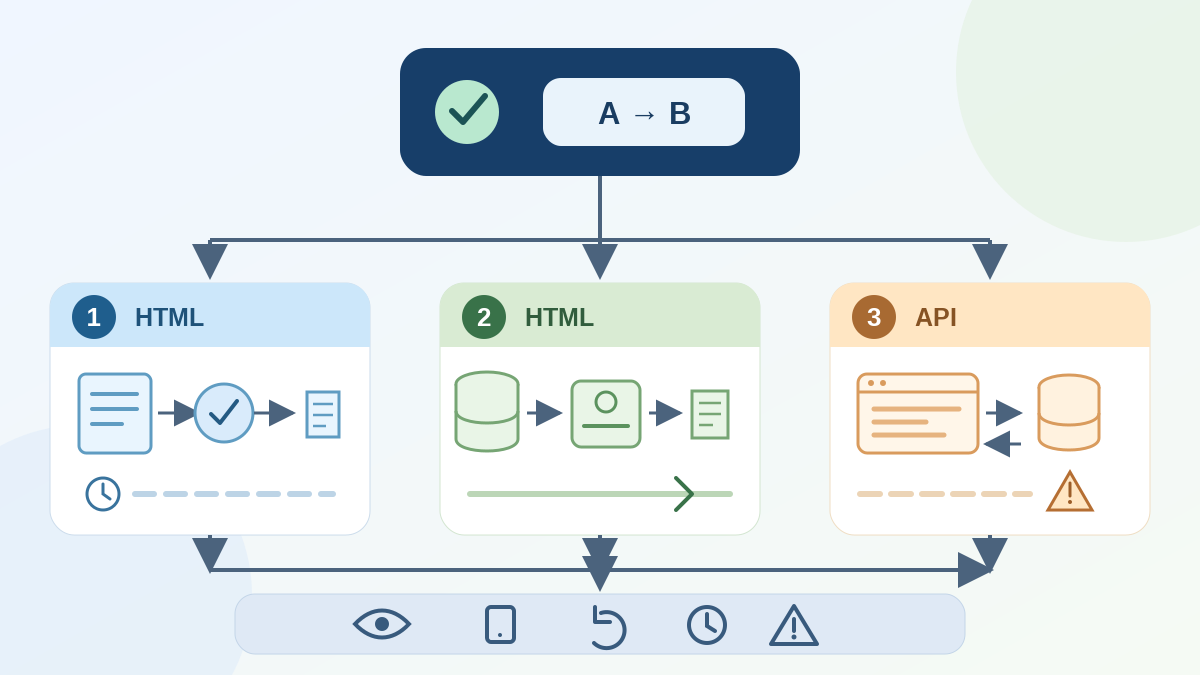
Prebuilt HTML is generated and published before a visitor asks for it. It is straightforward to serve and does not need an agenda database to answer each view. Its limitation is the release path: a CMS edit may trigger a build, approval and deployment, and an old page may remain in a browser or shared cache. “Static” does not mean impossible to edit; it means the HTML served for that version was prepared earlier. Record the observed edit-to-public time for your actual setup.[1][3]
On-demand server rendering builds the response when a visitor requests the page, often from a content store. That can show approved updates without rebuilding the whole site, but the result still depends on the server, data source and any HTML cache. A slow data source can slow the agenda. A server-rendered page is not automatically current, nor is every static page automatically fast. Test the full path with realistic traffic and the cache rules used in production.[2][4]
A browser-loaded agenda sends a page shell and retrieves session data with JavaScript. It can refresh a live section without replacing the whole document, but the vital schedule should not remain an empty spinner if scripts, requests or an embed fail. Keep the event name, date, location, support route and a useful schedule summary in initial HTML when practical. Google documents a separate rendering phase for JavaScript content, so check what the initial response and rendered page each contain if discovery matters.[2][5]
| Delivery path | Where the session fact comes from | Main update check | Failure question |
|---|---|---|---|
| Prebuilt HTML | Approved content at publish time | Did deployment and cache refresh reach the public URL? | What notice works if publishing is delayed? |
| On-demand HTML | Content store read by the server | Did the next public response and any HTML cache change? | What appears if the store or server fails? |
| Browser-loaded data | Initial page plus a data request | Did the request and rendered card change? | What remains readable if JavaScript or data fails? |
Define a single correction route
Choose one place where the approved session fact changes. Then list every representation that can retain an old value: agenda page, detail page, calendar file, map, emailed reminder, app, venue display and ticket listing. A page architecture cannot repair a conflicting source of truth. Give an editor permission to change the source, a reviewer authority to approve it, and a named person responsibility for public verification. Make the correction path usable when the usual editor is away.
For a prebuilt route, rehearse the complete publish: edit, review, build or export, deployment, cache behavior and live URL check. For on-demand output, inspect the public response and any cache duration after approval. For browser-loaded data, inspect the data response, the rendered schedule and the state shown when the request fails. In every model, check an ordinary browser tab, a fresh private window and a phone on a different network when a high-stakes change is made.[4]
Keep a compact change log with the old fact, new approved fact, approval time, public verification time and URLs checked. If a session is cancelled, define whether the page marks it cancelled, removes it, or redirects visitors to a replacement. Preserve enough context that someone following an old link can understand what happened. Confirm that every language version shows the same status and local time meaning; translating a label is not the same as synchronizing the underlying facts.
Design for delay and failure
Decide what an attendee sees during the gap between approval and publication. If a static deployment is delayed, an owner may need a separate prominent correction notice on a stable page. If live agenda data is unavailable, show the last verified program only when its date and age are clear and it is safe to rely on; otherwise show an explicit unavailable state and a human support route. Never present an unknown room or unconfirmed schedule as current simply because a cached card still renders.
Set cache behavior according to how quickly a fact must change, not by the word “dynamic.” Browser and shared caches can reuse a fresh response until its freshness period ends; `Cache-Control` describes this behavior. Ask who can publish or invalidate the public agenda, what caches are involved, and how a repeat visitor receives a correction. Avoid a blanket purge of unrelated assets just to fix one page. Test the correction with the actual production headers and CDN configuration.[4]
Give the critical schedule a readable fallback. A text list with session, time and room can be more useful than an elaborate grid when a phone is narrow, scripts are blocked or a screen reader is used. If real-time updates are valuable, let them enhance this baseline rather than replace all information with a loading indicator. A fallback is an editorial commitment: someone must maintain it or clearly mark it as an earlier snapshot.[2][5]
Rehearse one real change before launch
Before choosing a platform, simulate a session moving from Room A to Room B shortly before doors open. Record the editor’s steps, reviewer approval, publish or data-update action, first public observation, repeat-visit result and a failed-data scenario. Test one long session title and the longest locale, not only a tidy English sample. Measure what the attendee actually reads, not just whether an admin screen says “saved.” The downloadable worksheet gives each observation its own field.
Use the results to make a bounded choice. A prebuilt agenda may be enough when updates are infrequent and the measured release path meets the agreed interval. On-demand output can help when approved facts change often and the server plus cache can meet that interval. A browser-loaded live layer may suit changing status, provided the initial page and failure state still answer core questions. Mixing them is legitimate: a stable event guide, a frequently revised agenda and a live availability link can be separate services.
After launch, re-run the same scenario when the publishing system, cache rules, data provider or approval team changes. Keep the verified URL and last reviewed time in the runbook. The useful outcome is not a technology label; it is a repeatable answer to “What room and time should this attendee trust right now?”
Download the agenda update rehearsal worksheet (Markdown, English)
Sources and further reading
- Introduction to the server sideMDN Web Docs · Accessed
- Rendering on the Webweb.dev · Accessed
- On-demand renderingAstro Docs · Accessed
- Cache-Control headerMDN Web Docs · Accessed
- Understand the JavaScript SEO basicsGoogle Search Central · Accessed