Event appointment booking form template: meetings, hosts and confirmations
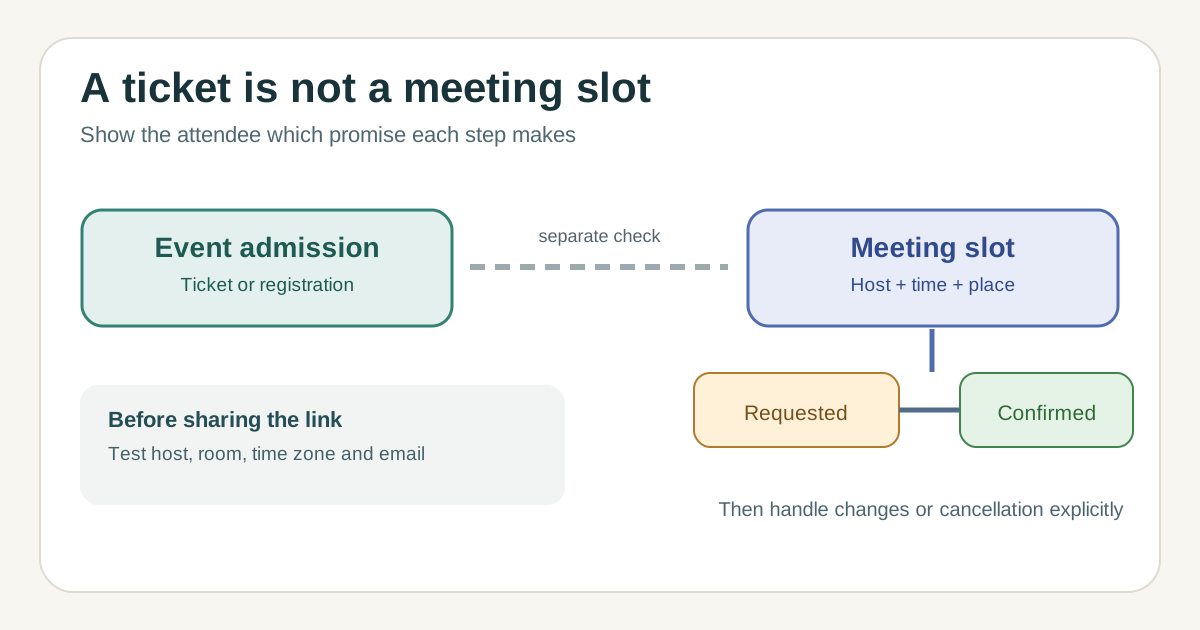
An event registration and a booked appointment are different promises. A guest may hold a ticket to enter the event while still needing a particular time with a speaker, exhibitor or adviser. This original form template helps you collect only the booking details needed, set host and room availability, and tell guests whether a slot is requested or confirmed. It is designed for scheduled conversations, not timed-entry admission or a general RSVP.
Boletolibre editorial team
Published
Download the editable appointment form
Download the event appointment booking form and status worksheet (Markdown)
The template includes a field map, slot/host inventory, confirmation wording and a change log. Replace its placeholders with the event’s actual meeting types, booking owner and support route. A static form that merely asks for a preferred time does not reserve that time; state whether an organizer will confirm it later.
Define the appointment separately from admission
Start with the meeting purpose, duration, host, location or call link, and who may book. State whether the person also needs an event ticket, exhibitor credential or application approval. If a meeting is included in an event ticket, say so; if it is a separate reservation, do not imply the event ticket guarantees the appointment.
For each meeting type, decide whether one person or several can book a slot, whether a room or specialist must also be free, how breaks and turnaround are represented, and who can resolve a conflict. Google Calendar and Microsoft Bookings document configurable availability and scheduling policies, but their behavior depends on the selected settings and plan.[1][3]
Ask for fields that make the booking usable
Collect a name, reply address, meeting type and selected available slot. Include the event time zone in the selector and confirmation. Ask for organization or role only if needed for matching; keep optional context separate from a sensitive access or accommodation request. Provide a clear contact route if the booking page or a requested format is inaccessible.
If attendees can request rather than directly reserve a slot, label the field “preferred time” and explain when they will hear back. If the system immediately reserves inventory, show the exact start, end, host and meeting place after submission. Avoid asking for an attendee’s full ticket record merely to book a short meeting.
Make requested, confirmed and changed states explicit
Use a small status set: requested, confirmed, reschedule offered, cancelled. The success page and email should use the same status. A request receipt should never read like a confirmed meeting. A confirmation should include local date, time zone, duration, location or joining instructions, host or team, event-admission requirement, and a human support route.
Name who may move or cancel a slot, how the guest is told and who owns a replacement. Google Calendar describes confirmation and cancellation emails for its appointment schedules; Microsoft Bookings can notify staff when a booking is created or changed. Check the chosen service’s actual notification settings rather than assuming every recipient is informed automatically.[2][3]
Test the full handoff before sharing the link
Submit a test booking, try a second request for the same host/time, change the host’s availability, cancel or reschedule, and inspect every email and calendar entry. Test the event-day time zone and the mobile view. Where a host, room or co-host has a separate calendar, verify it is included in the availability rule; Google notes that co-host calendars are not checked by default in some appointment-schedule setups.[1]
If the event page is on Boletolibre.com, place the appointment link beside the meeting description and state whether event admission is a separate step. Follow the link as an attendee to check that the destination, status and support contact agree.
Sources and further reading
- Create an appointment scheduleGoogle Calendar Help · Accessed
- Edit your appointment scheduleGoogle Calendar Help · Accessed
- Customize your booking pageMicrosoft Support · Accessed