Exhibitor registration form template for event organizers
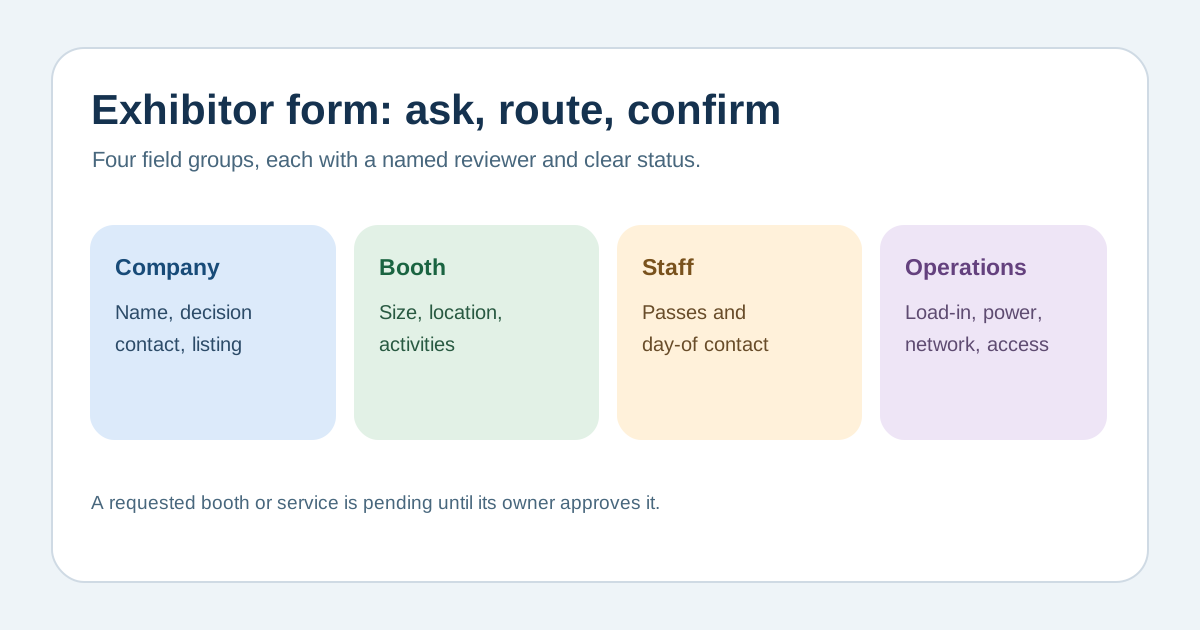
An exhibitor registration form is an operations intake, not just a ticket order. The leading Google result is an editable form template built around company details, booth preferences and logistics. Use this original field map to decide what to ask, who reviews it, and what becomes a confirmed booth assignment.
Boletolibre editorial team
Published
Separate application, allocation and admission
Download the editable exhibitor form field map (Markdown, English)
State whether the form is an application, a confirmed booth purchase, or an operational questionnaire for an already contracted exhibitor. Identify the company contact who can make decisions and a day-of contact who can answer setup questions. Keep the exhibitor record distinct from each staff member’s admission credential and from a sponsor’s promised benefits. A submitted preference is not a booth allocation until the responsible owner confirms it.[1][2][3]
Ask for the fields that route real work
Collect the legal or trading name and public display name only when needed, contact details, booth type or size preference, products or activities relevant to placement, and the number of staff passes requested. Add operational fields only if the venue team will use them: load-in window, power or network request, equipment, access needs and a description of anything requiring separate review. Explain units, limits and deadlines beside each field. Avoid an open-ended request for sensitive documents.[1][2][3]
Send each answer to its owner
Map company and invoice questions to the commercial owner, booth location to floor planning, utilities to production, public listing copy to editorial review, and staff credentials to registration. Mark which answers are requests, which are approved, and which still need a quote or assessment. If a field can change after submission, record who can amend it and how the revised answer reaches every affected team. Do not silently convert a request into a promised service.[1][2][3]
Preview the complete exhibitor journey
Test a new application, incomplete required field, changed booth request, declined request, confirmed space and late staff change. Check form labels, keyboard navigation, clear errors and confirmation wording. The receipt should say what was received, what remains under review, the next response owner and expected update point. Rehearse a handoff to the venue and check-in teams using a sample record; delete or restrict sample personal data after the exercise.[1][2][3]
Sources and further reading
- Exhibitor Registration Form TemplateJotform · Accessed
- Event Registration Form Template for ExhibitorsWhova · Accessed
- Forms TutorialW3C Web Accessibility Initiative · Accessed