Google Search ads for event registration: keyword plan
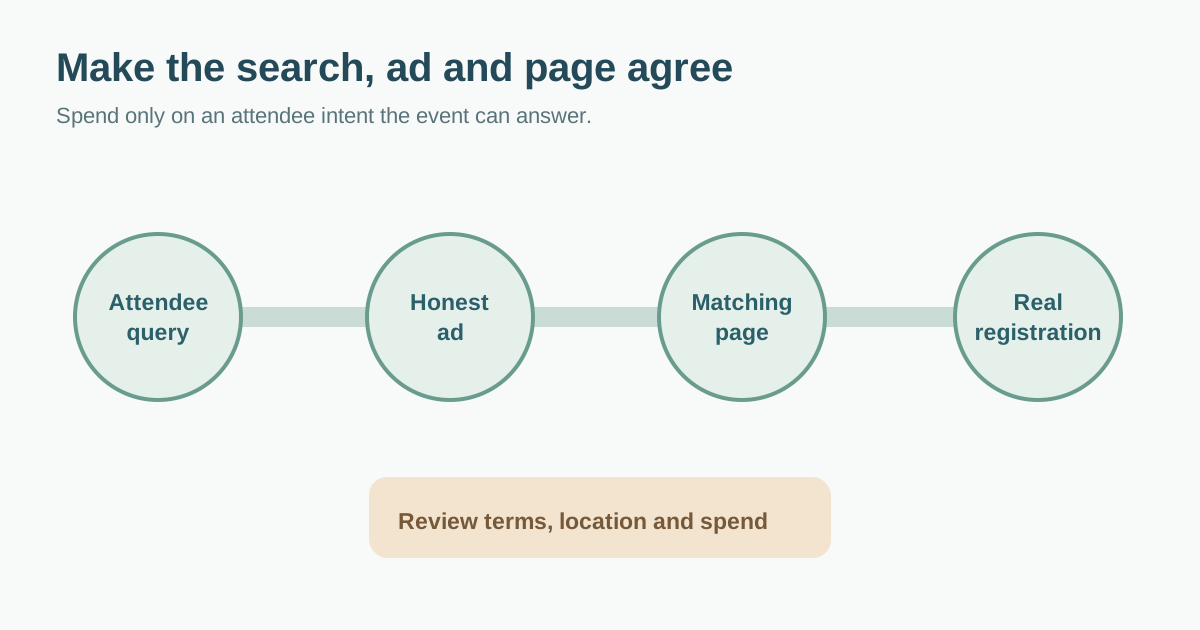
Search ads can reach someone already looking for an event, but the search term, ad and registration page must tell the same story. This guide is an organizer’s planning worksheet for a focused Google Search campaign. It does not prescribe a bid, budget or return. Verify current Google Ads controls and the event’s economics before spending, and keep registration readiness distinct from ad-platform setup.
Boletolibre editorial team
Published
Download the search-intent map
Download the event Search ads keyword and destination map (Markdown, English)
The template links each intent group to candidate keywords, exclusions, ad promise, destination, conversion and owner. The first organic TryBooking guide covers campaign types, keyword strategy, landing pages and ticket tracking; this worksheet narrows that broad tour to search intent and pre-spend decisions. It omits the guide’s fixed match-type, timing and performance rules, which depend on your campaign and current Google controls.[1]
Group real attendee searches by decision
Start with the event’s actual offer. Make separate groups for people seeking the named event, the event type plus place/date, and a specific program or audience need. An internal event slogan may have no search demand. A broad educational query may not signal readiness to register. Read the direct Google results for your candidate terms and ask whether your event page genuinely answers that intent before buying traffic.
| Example intent group | Possible query | Best destination |
|---|---|---|
| Named event | [event name] tickets | Current event page with ticket status |
| Type and place | [workshop type] [city] [month] | Matching session or event page |
| Specific program | [speaker/topic] conference [city] | Program section with accurate registration path |
| Informational only | how to [topic] | Usually a guide; do not assume ticket intent |
Review match types and exclusions as controls
Google currently offers broad, phrase and exact keyword match types, with matching based on meaning rather than only literal words. Do not assume exact means one spelling only, or that phrase enforces an old word-order rule. Choose a starting scope you can monitor and read the current match documentation before publishing.[2]
List clearly irrelevant intents, such as jobs, past-year editions or unrelated cities, but verify each negative against the offer. “Free” is not always irrelevant: a paid event may still have a free livestream or a free ticket tier. Google’s search terms report shows some actual triggering searches and can inform negatives; review it after launch instead of relying only on guesses. Negative matching works differently from positive matching, so check the current help page before applying a broad exclusion.[3]
Send each query to a truthful destination
For every ad group, write the ad’s specific promise beside the page it opens. Check event date, time and timezone, venue, eligibility, price and fees, accessible arrival information, ticket availability and final registration action. Complete the real flow safely and confirm what counts as a completed registration. If your ticketing vendor controls checkout, agree who pauses the campaign when the purchase path fails.
A branded query can land on the current event page; a workshop query may need the matching session page. Avoid manufacturing many near-identical doorway pages merely to repeat city or keyword variants. The first organic TryBooking guide favors a relevant booking destination; its blanket claims about conversion uplift are not evidence for this particular event.[1]
Choose geography and budget deliberately
Choose locations from where attendees can realistically travel or join online, then inspect Google’s advanced location option. Google says the default can include people who show interest in a location, not only those physically there, and targeting is a best-effort signal rather than a perfect boundary. A destination event may welcome travelers; a small local workshop may prioritize nearby presence. Record the choice and review actual traffic.[4]
Set an approved total spending envelope, date window, daily or campaign budget option and pause owner. Google’s current campaign setup documentation describes budget controls; do not treat a daily figure as the whole-event cap without checking how the chosen campaign budget works. Define the outcome you will review—confirmed registration or ticket purchase—and do not mistake clicks or event-page views for sales.[5]
Check search terms, outcomes and expiry
After launch, compare the search terms you can see with the intended groups. Add or narrow negatives when traffic is demonstrably irrelevant. Check destination and checkout again after any date, price, venue or capacity change. Pause ads after registration closes or the event ends. Record what was changed, why and who approved it. Google’s search terms report is a feedback tool, not a guarantee that every query will be visible.[3]
Judge value against your real event margin and attribution limitations. Avoid copying a universal CPC, conversion-rate threshold or launch window from a vendor article. If the event has too little volume to interpret results, record uncertainty rather than claiming the campaign was profitable.
Sources and further reading
- Google Ads for events: a guide for organisersTryBooking · Accessed
- Google Ads keyword matchingGoogle Ads Help · Accessed
- About the search terms reportGoogle Ads Help · Accessed
- About advanced location optionsGoogle Ads Help · Accessed
- Create a Search campaignGoogle Ads Help · Accessed