Event marketing budget template: plan and track promotion spend
An event marketing budget answers a narrower question than a whole-event budget: how much can the team spend promoting this event, through which channels, and what remains after approvals and commitments? The leading Google result for “event marketing budget template” provides editable marketing and event budget spreadsheets. This original workbook combines the useful projected-versus-actual pattern with an event-specific approval and commitment view; its line items carry no prescribed percentages or prices.
Boletolibre editorial team
Published
Download the promotion budget workbook
Enter the promotion cap in B2 and one currency code in B3. Fill yellow estimate, approved, committed unpaid and paid actual cells for each item. The green exposure and approved-left cells calculate automatically. Change the example channels to match the campaign; a blank amount means unentered, while zero is an explicit decision.
Download the editable event marketing budget template (XLSX)
Define what belongs in this budget
Include costs whose purpose is to attract or inform the intended audience: campaign creative, paid distribution, partner placements, publicity, print and campaign localization. Keep venue rental, catering, performers, ticketing fees and ticket income in the main event budget. If the main budget already includes a marketing allowance, treat this workbook as its itemized detail rather than an extra cost to add again.
- Agree the promotion cap and who may approve changes.
- Use one currency or convert costs before comparing them.
- Record taxes and fees consistently so estimates and actuals are comparable.
Allocate by campaign decision, not a universal split
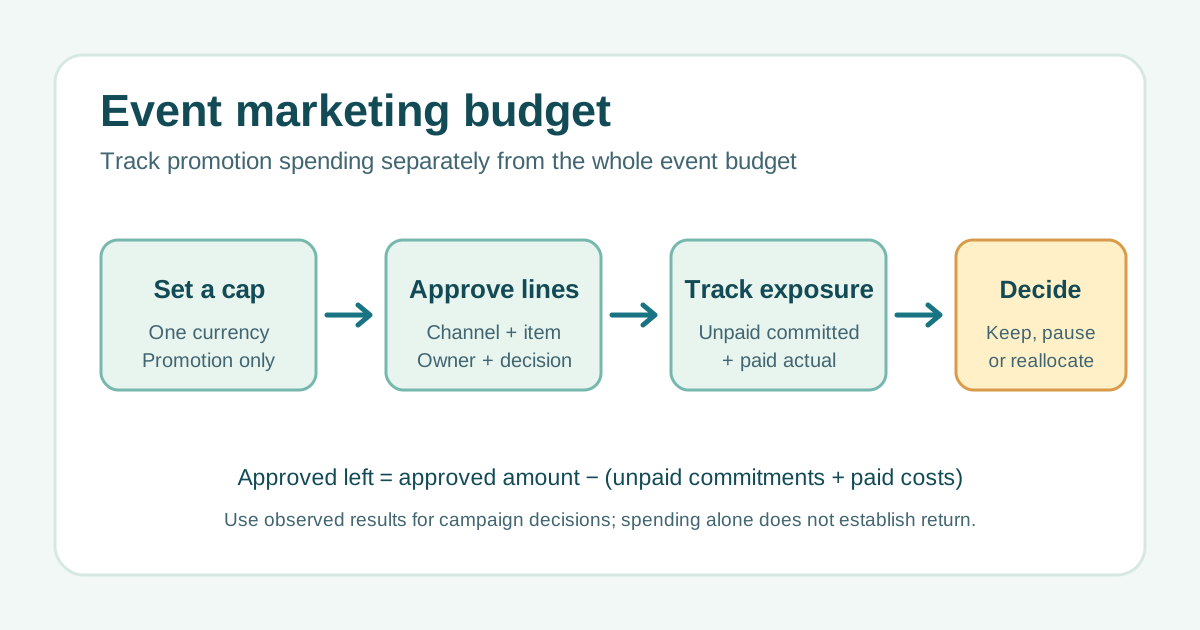
Start with the audience and launch calendar: which channels can reach them, what deliverable is needed, and when must it be approved? Enter an estimate for each candidate item, then the amount actually approved. The workbook shows the approved total against the cap and the unallocated cap separately. Negative unallocated cap means approvals exceed the limit; pause or revise those decisions before new commitments. Smartsheet’s templates likewise use itemized categories and projected-versus-actual figures, but no category mix is guaranteed to fit every event.[1]
Separate approval, commitment and payment
“Committed unpaid” means a cost the team has agreed to pay but has not paid yet. “Paid actual” means money already paid. As an invoice is paid, reduce the unpaid commitment and increase paid actual by the same amount; otherwise the same cost is counted twice. Exposure is their sum. “Approved left” is the approved line amount minus exposure and can be negative if spending has exceeded its approval. Store a purchase order, invoice or decision link in the evidence column and name the owner who can resolve a variance.
Review costs against actual evidence
At each campaign decision, compare exposure with the cap and each line’s approval. If a channel is underperforming, review observed reach, qualified visits, registrations and the limits of attribution before moving money; spending or clicks alone do not prove ticket revenue. When a cost is cancelled, confirm the commitment was released before reclaiming it. Update the main event budget’s marketing line from this sheet, rather than adding both totals to the same report.
Sources and further reading
- 12 Free Marketing Budget TemplatesSmartsheet · Accessed