Audit an event website footer for useful attendee routes
The footer is often the last place a visitor looks when the main page has not answered a question. It can recover a lost route to venue details, accessibility information or official support, but it should not hide urgent instructions or carry the only ticket link. This guide gives editors a bounded way to choose, label, check and maintain footer links for one event edition. The downloadable worksheet records each destination and the live-page evidence needed before sign-off.
Boletolibre editorial team
Published
Decide what the footer is for
Event footer wayfinding audit card
Start with three visitor questions that the page body or main navigation might not answer quickly: Where is the entrance? How do I request access help? Where can I find an official contact? The footer can provide a second route to stable answers. It is a poor place for a time-sensitive gate change or the only way to reach ticket purchase; visitors may act before scrolling that far. If a fact is urgent, publish it in the affected page content and use the footer only as a supporting route.
A site-wide footer may also carry organization, privacy or policy links. Keep those when they are needed, but do not assume every historical item deserves a place in an event footer. W3C describes a page footer as a region for site-wide information, not as a required list of particular destinations. Write down the role of each proposed group so the footer stays a useful map rather than a storage area for leftover links.[1]
Inventory destinations before choosing labels
Make a link inventory for the current event edition. For each candidate record the proposed destination URL, who owns the page, what a visitor expects to find there, and whether the information is current. Check venue, travel, accessibility, schedule, tickets, contact and policies according to the event; these are editorial candidates, not a universal required set. Open the destination before drafting its label. A plausible link name is not evidence that the page still answers the question.
Separate links you control from partner, venue or ticket-provider routes. A footer item that leaves the site should name the real destination or service; do not promise a refund, accessible route or ticket outcome that the destination has not confirmed. For annual events, check whether an old URL leads to last year’s schedule or a generic home page. Record a repair or replacement rather than silently pointing a current label at stale content. The worksheet keeps URL, owner, edition and decision together.
Follow one fictional footer link from promise to answer
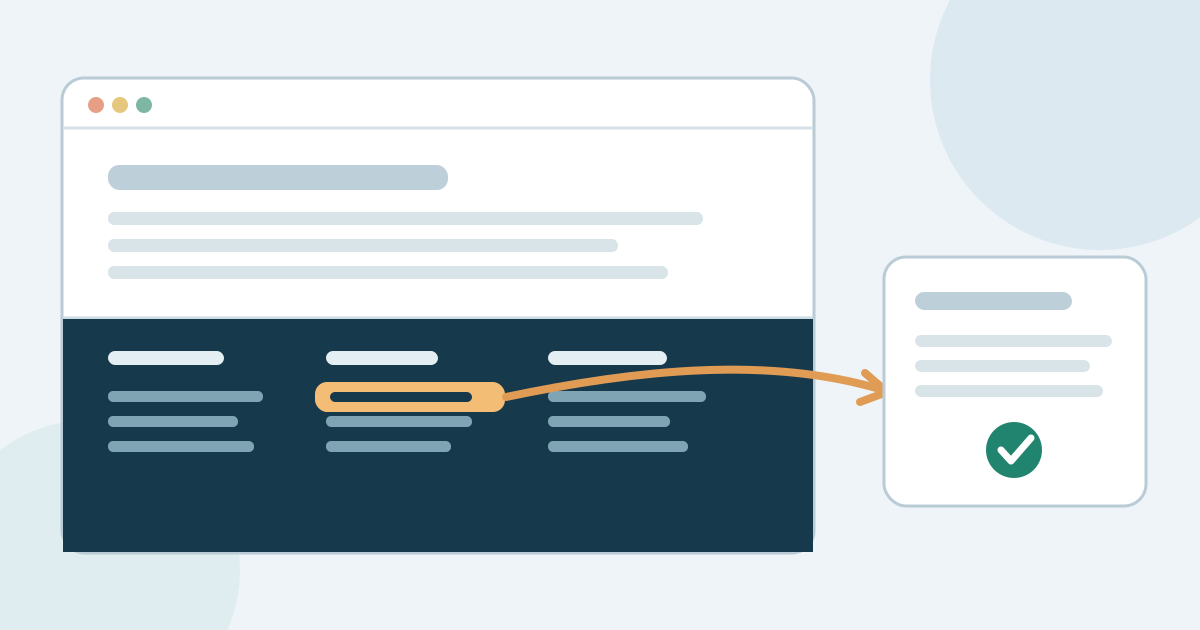
Suppose a fictional 2026 festival keeps a footer link labeled “Visit.” It opens a 2025 venue page that still loads successfully, while the current edition uses a different entrance. A link checker might mark the URL as reachable, but an attendee planning the trip receives the wrong instruction. In the card, write the visitor question (“Which entrance should I use for this edition?”), the visible label, the exact public URL, the edition shown on that page, the page owner and the observed answer. Mark the route as wrong-edition content rather than merely “link works.”
Ask the venue-information owner to approve a current page that actually states the entrance and travel details. If the new destination covers both, a label such as “Venue and entrances” may describe it more honestly than “Visit.” Keep the previous URL in the internal record, publish the repaired link, then open it from a current event page while signed out. If the entrance has changed at short notice, the changed fact belongs prominently on the affected page or notice too; the footer is a supporting way back to that answer, not the sole alert. This is a fictional editorial example, not a claim about any platform's footer.
Write links that tell visitors where they go
Use short, specific labels such as “Venue entrance and step-free access” or “Contact the event team.” “Information,” “Resources” and repeated “Learn more” links force the visitor to guess. W3C recommends meaningful link text and says a link’s purpose must be determinable from its text or programmatically available context. It does not require every footer label to repeat the full page title; choose the shortest wording that still distinguishes the destination and translates clearly.[3][4]
If two footer links go to different places, give them different names. If they go to the same place for the same purpose, use a consistent name. A nearby group heading can help orient a reader, but do not rely on visual columns alone to explain an ambiguous link. Read the links out of visual context and ask whether someone could still choose the right one. A direct URL test then checks the promise made by the label.[4]
Keep the page structure and order predictable
A page-level HTML footer can identify the site-wide content region. A substantial footer navigation group can use a labeled nav region and a list of links, with a label that distinguishes it from the main menu. Ordinary legal or contact links do not all need to be wrapped in nav: MDN notes that nav is for major navigation blocks. Editors can specify the groups and headings; a developer should verify the actual HTML and assistive-technology landmarks rather than assuming a visual footer creates them.[1][2][7]
Keep repeated footer navigation in a predictable relative order across the pages of the same event site. WCAG 2.2 SC 3.2.3 addresses repeated navigational mechanisms within a set of pages, unless the user initiates a change. W3C’s menu tutorial also advises the same wording and destination for items that remain visible across screen sizes. Do not force a translated label to be word-for-word identical; check that the same destination and group purpose survive in each locale. The WCAG criterion treats different language versions as different page sets; matching group purpose and destination across locales is an editorial quality check, not a requirement to use identical translated words.[5][2]
Test real routes on each public view
Test from at least a home page, an event-detail page and one page visitors enter directly from a ticket or venue message. At each route, inspect desktop and a narrow viewport. Check that the footer is visible, its groups reflow without cutting off link text, and no fixed bar covers a link. WCAG Reflow addresses loss of information or function at a width equivalent to 320 CSS pixels for vertically scrolling content; a quick phone preview is a useful screen, but it is not by itself a full conformance test.[6][2]
Tab through the links and follow each one while signed out. Confirm the landing page answers the label’s question, is the right edition and language, and has a usable path back. If a third-party page fails, record that boundary and give the visitor an accurate on-site help route where possible. Verify the actual published page after the CMS change; an editor preview does not establish what a visitor receives. Log the observed result, not just a checked box.
Turn each public check into a repairable finding
Choose representative pages where the footer actually appears: for example, the home page, an event-detail page and a page reached directly from a message. For each relevant language and footer variant, record the entry URL, visible group and label, opened destination, edition and answer found. Check a wide and narrow presentation and the keyboard route on the published site. A single shared-template preview does not establish that every live page uses the same footer or that the translated destination is correct. If two page templates differ, preserve both observations in the log instead of averaging them into one pass.
Classify the finding before assigning it. A clear label leading to last year's page needs a destination or content repair; a current page behind “Resources” may need a better label; a link hidden behind a fixed bar needs an implementation fix. Editors can own wording, approved facts and target selection. Send clipping, focus, landmark or responsive-order symptoms to a developer with the exact URL, viewport and steps to reproduce; the developer checks the actual markup and behavior. A footer inventory supports that handoff, but cannot certify WCAG conformance or replace a full accessibility evaluation.
Assign repairs and a retirement trigger
Prioritize a wrong or broken route that could change a visitor’s travel, access or ticket decision. Give each finding an owner, a correction and a retest URL. A cosmetic column change can wait behind a link that opens the wrong event edition. When one group is edited in a shared template, recheck representative pages because a global change may repair one route and introduce another inconsistency. Keep the footer linked to the approved event facts, not to an editor’s memory.
Set a review trigger for schedule changes, venue updates, a new ticket provider and the end of the event edition. After the event, decide which footer items should move to an archive and which should disappear from current-event pages. Keep stable organization and policy routes only if they still serve the visitor. The worksheet is a publishing record: it is complete when an owner has verified the public destination in every relevant locale, not when the proposed labels look tidy in a draft.
Sources and further reading
- Page RegionsW3C WAI · Accessed
- Writing for Web AccessibilityW3C WAI · Accessed
- Understanding SC 2.4.4: Link Purpose (In Context)W3C WAI · Accessed
- Understanding SC 3.2.3: Consistent NavigationW3C WAI · Accessed
- Understanding SC 1.4.10: ReflowW3C WAI · Accessed