Complimentary event tickets: approval, issuing and reconciliation controls
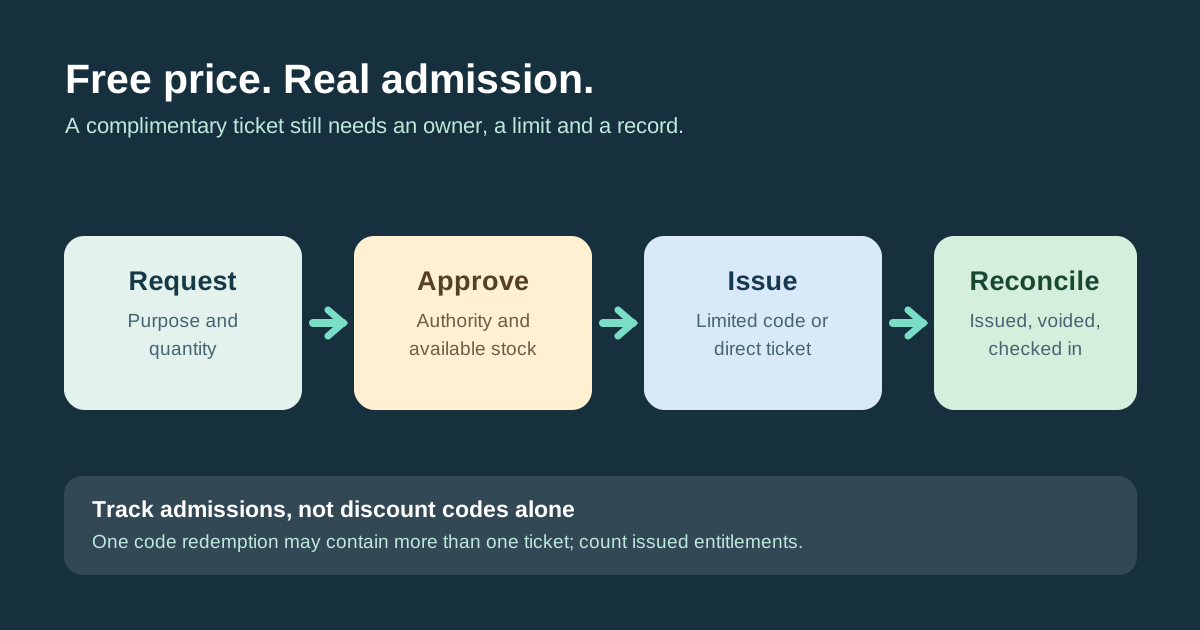
A zero-price ticket still gives someone an admission right. If complimentary places are handed out through unlimited codes, informal messages or separate guest lists, the organizer can lose track of who was promised entry. Create one short policy: who may approve a comp, which admission allocation it uses, how it is issued and how the final count is checked.
Boletolibre editorial team
Published
Define categories and approval authority
List the reasons a free admission may be granted: a documented sponsor or artist commitment, invited press, a discretionary guest or another event-specific purpose. These are examples, not a recommended quota. Name an approver and a maximum number of admission units for each category. Treat staff and contractor access as a separate credential decision if their role and entry rights differ from audience tickets. The approval log may record an internal reason without exposing that reason to the recipient.
- Write down the category, request reference, requested quantity and authorized approver.
- Check inventory by event, date, ticket type and zone before approving units.
- Choose a limited code or direct issue; check per-order quantity as well as code uses.
- Reconcile valid issued, voided and checked-in admissions against approved units.
Reserve admissions before issuing
A complimentary ticket occupies an admission allocation even though its sale price is zero. Check the approved event configuration and the correct ticket/date/zone allocation before approving it; a ticketing counter does not establish a safe venue limit. Record requested units, approved units, and the source bucket. Do not create extra public stock by merely changing a discount or inviting someone off-platform. A request is not an issued ticket, and a name on a guest list is not automatically an admission entitlement.
| State | What it means |
|---|---|
| Requested | Purpose and quantity recorded; no promise of admission |
| Approved | Approver authorizes specific units from a known allocation |
| Issued | Valid ticket or admission credential exists |
| Voided or used | Replacement or check-in state is reconciled |
Choose a controlled issue method
VenuePilot documents two ways in its own product: a 100% online discount with a bounded number of code uses, or a zero-price box-office ticket with a set quantity. Its help page explicitly warns against unlimited code use. If using a code, verify both order-use limit and maximum tickets per order: one redemption can represent multiple admissions. If directly issuing a ticket, confirm the recipient, ticket type, expiry or transfer rules and delivery. These are examples of control points, not claims that Boletolibre has the same features.[1]
Reconcile promises, tickets and arrivals
Before opening doors, compare approved units with valid issued units; investigate unissued approvals, duplicates, voids and late additions. At check-in, use the same authoritative entitlement system as paid tickets or a controlled import. Afterward compare valid issued and checked-in units, recording discrepancies without deleting the original history. Review unused holds before any release to public sale, and follow the actual event policy for replacements and transfers.
Download the original complimentary-ticket approval ledger (CSV)
Sources and further reading
- Create Comp / Free Admission TicketsVenuePilot Support · Accessed