How to run an event waitlist: queue rules, offers and expiry
A waitlist records interest when an event or ticket type cannot accept a purchase. It does not promise admission. A sound workflow says who is next, what real place becomes available, how long an offer lasts, and what happens when the person buys or the offer expires. Make those rules public before the first name joins.
Boletolibre editorial team
Published
Set the queue scope and rule
Decide whether the queue applies to the whole event, a specific ticket type, date or session. Define the eligibility and order rule—such as signup order—and how ties, priority groups and cancellations work. Do not silently move someone between queues with different terms. Hi.Events documents per-ticket waitlists and, for recurring events, date-specific entries; that is one provider implementation, not a universal platform feature.[1]
- Pick the queue scope and order rule; publish any priority or exceptions.
- Define how a valid place is recovered, who approves an offer and whether it is held.
- Choose one deadline in the event time zone and test the sent link and expiry behavior.
- Reconcile waiting, offered, purchased and released units before the next offer.
Offer only genuinely available stock
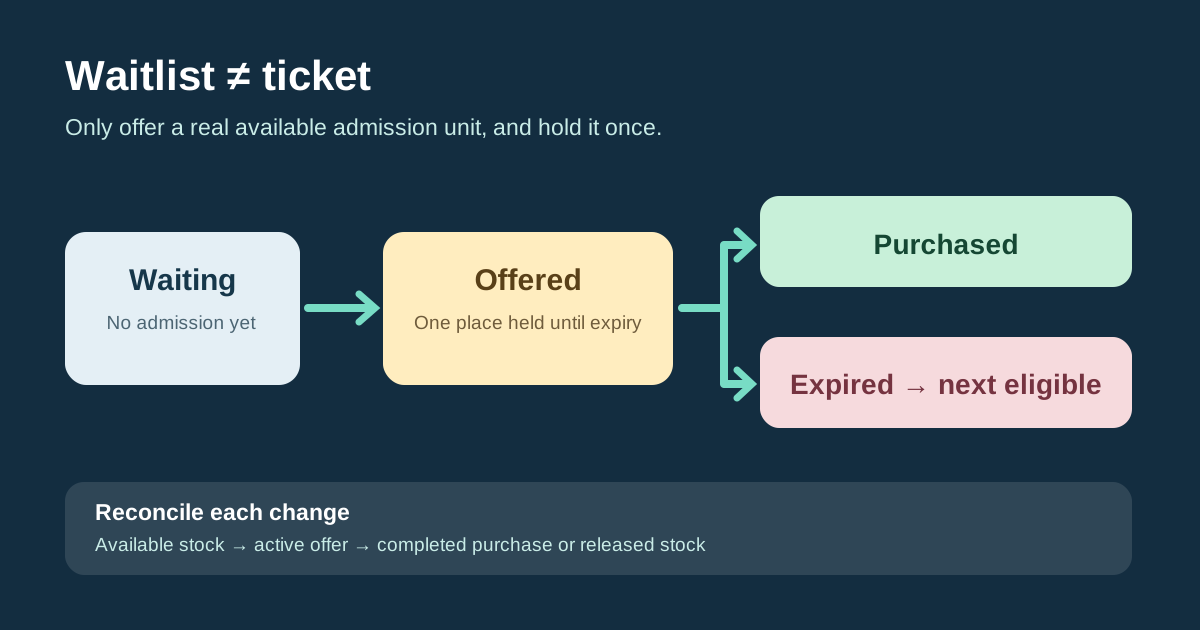
A cancellation, released hold or approved inventory change may create an offerable unit. Confirm its ticket type, date, payment and entitlement state before promising it. Reserve that unit for the active offer if the system supports a hold; if not, use a controlled manual process that prevents simultaneous public sale. Decide who may approve a manual exception. A waitlist position, offer and completed purchase are three distinct records.
| State | Meaning |
|---|---|
| Waiting | Interest recorded; no admission or held place |
| Offered | One eligible person has a time-limited chance; stock handled as held |
| Purchased | Valid purchase completed; confirm actual ticket issuance |
| Expired or cancelled | Offer closed; verify stock before offering again |
Write the offer and expiry messages
Tell a person who joins that no ticket is reserved. An offer should name the exact event and ticket type, price and total checkout route, expiry as a full date and time with named time zone, and what action completes the purchase. State what happens after expiry. Do not send a “ticket confirmed” message until there is a valid order and issued entitlement. Offer windows and automatic re-offers vary by product; Hi.Events documents expiring offers, an optional automatic process and a reserved order for its own workflow.[1]
Reconcile the ledger after every outcome
For each offerable unit, record the queue entry, rule, state, offer timestamp, deadline, purchase or expiry outcome and operator. When payment succeeds, close the offer and mark the ticket issued according to the actual platform state. When an offer expires or is revoked, make the unit available to the next eligible person only after verifying the first hold is gone. Review pending offers at the registration cutoff; if no more offers can be fulfilled, tell the remaining queue what will happen.
Sources and further reading
- WaitlistsHi.Events Help Center · Accessed