Conference speaker deck QA checklist: from submission to production handoff
A speaker brief says what to submit; a rehearsal checks whether the live session works. Between them, someone must know which presentation arrived, which file is current, what the room can play, what remains unresolved and what the operator is authorized to show. A folder named 'final decks' does not answer those questions. This guide and editable register give conference teams a practical route from speaker submission to a named, acknowledged production package, without treating a visual check as approval of the speaker's facts or specialized content.
Boletolibre editorial team
Published
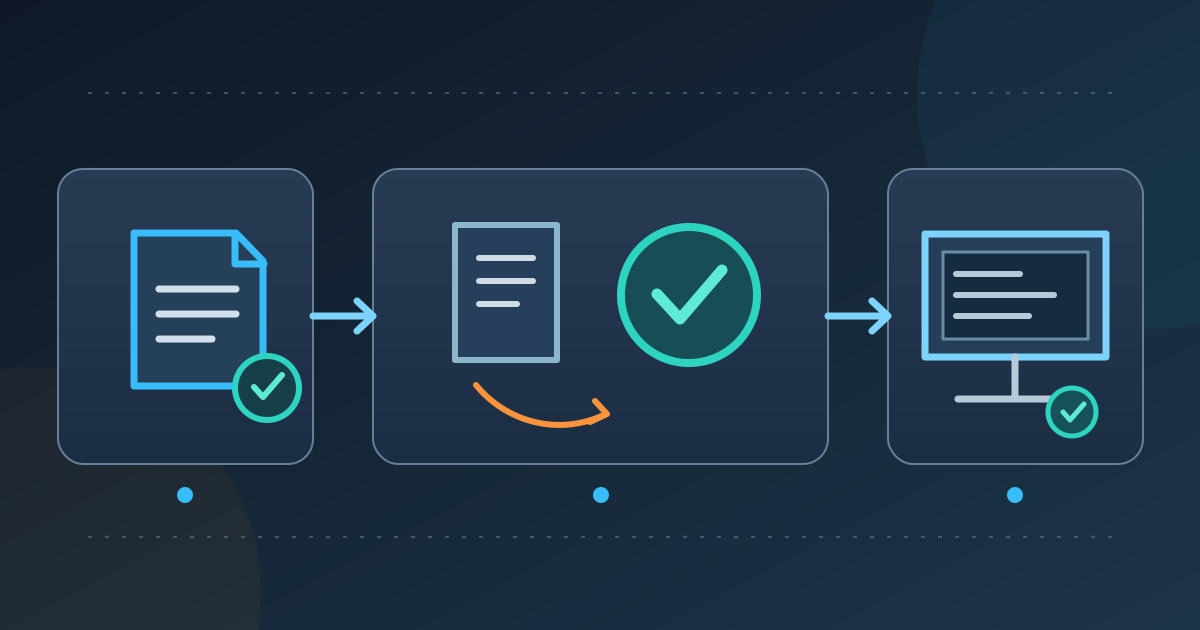
Download the deck intake and handoff register
Download the speaker deck intake, QA and handoff register (Markdown, English)
Download the English Markdown worksheet and copy it for one event. Its session register tracks expected and received files, active revision, owner, checks, open issues, approval, room assignment and operator receipt. Separate cards capture the file inspection, a playback test, a late replacement and the final handoff. The sheet can be pasted into a shared document or converted to a spreadsheet, but keep links to actual files in the organizer’s approved storage rather than embedding private presentation content in an open tracker. Give each session a stable ID that also appears in the programme, run of show, speaker brief and production folder.
This workflow starts after the speaker has accepted a brief and submission instructions. It does not recruit speakers, negotiate rights or decide whether a claim in a deck is true. It ends when the AV or presentation operator has acknowledged the exact approved files and known limitations; the live rehearsal then tests those files with the people and cues that will use them. The same owner may perform several roles on a small event, but the decisions must remain distinguishable. A polished slide is not automatically an approved message or a playable show file.
The worksheet is intentionally narrower than an all-purpose event checklist. Use one row per speaker-session file, not one row per person, because a presenter may appear in two rooms or use separate versions for two sessions. Keep an exception visible until someone chooses a remedy and verifies it. If no deck is expected, record that decision and the session’s alternative visual or no-screen plan instead of leaving the row blank. The aim is an auditable answer to five questions: expected, received, current, tested and handed off.
Set the rules before files start arriving
Work backward from the room’s rehearsal and operator handoff, not from an arbitrary number of days before doors. Agree a speaker submission time, review window, correction window, content approval point and production freeze for each session or wave of sessions. Name the time zone on every cutoff. Leave space for a speaker to receive a problem report and resubmit, and for the operator to test the replacement. Different deck volumes, media complexity and review authority require different windows; no universal five-day rule proves a presentation is ready.
Tell speakers where to submit, which source format is accepted, whether a PDF reference or backup is required, how to name the file, the target aspect ratio or template, and which media must travel with it. Those are event-specific production instructions, not a platform default. IPAC’26 provides a concrete organizer example: it names its own Indico upload route, programme-code filenames, required presentation and PDF files, and checks on conference computers. Its deadlines, screen ratio and no-personal-laptop rule belong to that conference; use the venue’s and AV team’s actual requirements for yours.[1]
Write down who can edit the speaker’s deck, who approves content, who resolves visual production defects, who decides a late exception, and who loads files in each room. Ask the AV lead about its playback software and version, operating system, display dimensions, presenter view, video/audio route, clicker, network dependency and backup method. Do not promise that every deck will display or sound the same on an untested machine. The briefing pack conveys these agreed rules to the speaker; the intake register records whether each returned file met them.
Receive each presentation into a controlled inventory
Create a row before the file arrives: session ID, programme title, speaker, room, start time, contact owner, expected format and required files. On receipt, record upload time, original filename, file type, file size if relevant, link in approved storage and the person who acknowledged receipt. Confirm the file opens before marking it received; a link to an inaccessible folder or an empty upload is not a usable deck. Do not rename or overwrite the only speaker-supplied original. If the event accepts several source formats, retain which one is authoritative for editing and which is merely a viewing backup.
Assign the working copy a consistent session-based name and explicit revision; for example, a session code plus v03 and a status, without putting private details in the filename. Store earlier revisions separately, or use a system whose version history is reliable to all operators. Record why the active version changed and who authorized it. Two files called 'final' are a decision problem, not a naming problem: ask the speaker or content owner which one supersedes the other, then tell the reviewer and operator. Keep a received file, a review candidate and a released show file as distinct states.
Use a dashboard view to expose missing decks, files waiting for review, corrections with a speaker, technically tested files, approved files and room handoffs. The number of slides alone does not represent review effort: a short deck with embedded video, live charts or custom fonts may need more testing than a longer static one. Prioritize sessions with the earliest rehearsal, rooms with unusual equipment, media-heavy files and items that depend on another team’s decision. Do not claim that an automated upload status means the presentation has passed visual, content or playback review.
| State | Evidence in the register | Next owner |
|---|---|---|
| Expected | Session and required files named; nothing usable received | Speaker contact follows up |
| Received | File opens and original receipt is recorded | Reviewer identifies candidate |
| Tested | Named revision checked on the intended playback path | Content and production owners decide |
| Released | Exact files and room manifest approved | Operator acknowledges receipt |
Review the file without taking over the speaker’s content
Open the file on a supported editor or viewer and check that it is the expected session and revision. Scan first and last slides, slide order, aspect ratio against the agreed room requirement, broken or blank elements, obvious clipping, unreadable diagrams and inconsistent template elements. Open speaker notes only if the agreed workflow needs them; those notes may contain working material that should not travel to public or operator copies. Compare the deck against the approved agenda title and speaker name, but route disputes over facts, figures, claims, references or permissions to the speaker and designated content owner. A QA reviewer should not silently rewrite specialized content.
Confirm whether text and diagrams need a human accessibility review, including reading order, meaningful alternative text and captions for media. Microsoft documents PowerPoint’s Accessibility Checker and specific authoring checks, but passing a software checker is not proof that every audience member can use the presentation. If the event offers live captions, interpretation, assistive listening or a published accessible copy, identify who owns those separate delivery paths. Keep the deck QA log focused on what was checked and what remains with the relevant owner; do not turn one checkbox into a blanket accessibility certification.[4]
Check fonts in the actual environment instead of assuming that a saved file will render identically elsewhere. Microsoft explains that embedding custom fonts can prevent substitution in some cases, but some fonts cannot be embedded and the chosen embedding option can affect later editing. Ask the AV team whether to use available fonts, embed where permitted, supply an approved font, or keep a PDF reference. After any change, open the deck on the playback machine and inspect slides with dense text, symbols and diagrams. A PDF reference may reveal a substitution; it cannot reproduce animations, video cues or presenter behavior.[2]
Test the actual playback path and media
Make the room or speaker-ready machine the test target, not merely the coordinator’s laptop. Use the same application and display path that the event expects where practical; check title slide, a dense slide, a chart, any animation, embedded media, linked content and the ending transition. Confirm the speaker’s method of advancing slides, what appears on the audience screen and what appears on the presenter monitor. Record the machine or room, software version, test date, operator and file revision. A successful open in another office is useful triage, but it is not a room playback test.
Ask whether videos and audio are embedded or linked, then test the actual file in the intended playback environment. Microsoft’s PowerPoint guidance notes that linked media depends on its source path or network connection and that embedding increases the file size; it recommends testing the connection for linked video before presenting. Do not infer that a video works because its first frame appears on a slide. Play enough to check start, sound route, captions where expected, and return to slides. Keep any separate media files with a manifest that names the deck revision and their role, so a late replacement does not strand an old clip.[3]
Treat exports as separate deliverables. A PDF can be a useful static reference or emergency alternative when agreed with the presenter and AV lead, but it may omit animation, builds, notes, interactive links or playback behavior. IPAC’26 asks for a source presentation and PDF for its own proceedings workflow; your event may have a different need. If the deck is projected and also distributed later, record which version is for the room and which is approved for sharing. Do not assume permission to publish a speaker’s slides from the fact that a file was supplied for live playback.[1]
Test the transition as well as the file: how the operator receives the cue, loads the right session, blanks or switches the display, hands control to the speaker, handles a media pause and returns to the next programme item. That is where a correct deck can still fail the show. The rehearsal article addresses the live people-and-cue test; this earlier QA pass makes sure the file, equipment and handoff assumptions are ready to be rehearsed. Record what was not tested, such as an unavailable remote feed, rather than marking the entire deck 'tested'.
Turn every problem into an owner and a decision
Give each issue an ID tied to the session and file revision. Describe what was observed, where it appears, how to reproduce it and who decides the fix. Distinguish a missing source file, a production defect, a content question and an AV environment limitation. A reviewer may be authorized to correct a typo in a footer or align a supplied logo, but may not be authorized to change a quoted figure, reconstruct a chart or remove a claim. Set those boundaries before edits begin and retain the submitted original alongside any working copy.
Return a concise correction request to the speaker or owner with the affected slide or cue, requested action, decision deadline and resubmission route. Let the owner answer whether the content changes; let the AV lead answer whether playback behavior changes. A late issue should have a named decision: fix and retest, use an approved backup, change the cue, or present without that asset. Do not mark 'resolved' because a message was sent. Record the replacement revision, who checked it and the test result; if it changes a cue, update the run of show and tell the show caller.
Keep unresolved items visible to the person who can accept or reject the remaining limitation. For example, if the deck opens but a nonessential video has no sound in the room test, the production owner needs a documented choice and the speaker must know what will happen live. Do not invent a guarantee that a backup PDF will preserve the intended session. If a claim requires legal, financial, scientific or medical review, pause that item and route it to a qualified owner rather than having a presentation technician approve it by implication.
| Observed issue | Decision belongs to | Release condition |
|---|---|---|
| Missing or conflicting version | Speaker / content owner | Active source identified |
| Claim, figure or permission question | Qualified content owner | Specific content decision recorded |
| Font, media or playback defect | AV / production owner | Fix or alternative tested |
| Cue changed by replacement | Show caller and production | Run of show updated |
Release a named package to each room operator
Define a production package for each room, not just a cloud folder called 'latest'. Include a dated manifest listing session ID, start time, speaker, exact deck filename and revision, required media, approved static backup if any, issue exceptions, playback notes and the person authorized to release it. Put only the approved show copies in the operator’s active folder and make old candidates visibly unavailable for selection. If a venue uses a central presentation server, ask its operator how files are mapped to rooms and sessions; do not assume a copy in the intake folder will appear on the show machine.
Have the content owner approve the intended message and the production owner approve the tested playback package under the event’s agreed process. Those decisions answer different questions. The room operator then acknowledges the manifest and file access, checks the named file opens on the room path and knows whom to call about an exception. Record that acknowledgment with time and revision. If one person fills multiple roles, write the separate decisions anyway. A dashboard that says 'ready' without the exact file and operator receipt is too vague for a multi-room event.
Prepare a modest fallback that matches the session: a tested PDF for a static talk, a locally available clip for a media cue, or a no-slide version agreed with the speaker and show caller. Record the trigger and who chooses it. A fallback is not permission to distribute unreleased slides or bypass a content hold. Include practical handoff details such as file location, playback order, speaker control method, any known font or media caveat and who will remove or archive local copies afterward according to the event’s agreed retention process.
| Package item | What to identify | Proof of handoff |
|---|---|---|
| Show deck | Session, filename, revision, room | Operator opens named file |
| Media and backup | Clip names, approved alternative, limits | Operator knows trigger and route |
| Release manifest | Approvers, timestamp, unresolved items | Room acknowledgment logged |
Handle replacement decks without losing the tested version
Set a replacement rule before freeze. Require the speaker or content owner to submit through the same controlled route, identify the old and new revision, state what changed and say whether the prior file is withdrawn. The production owner decides what can be rechecked before the session: content, layout, links, fonts, media, room playback and cues. A 'minor' edit to a slide can still change line breaks or an animation sequence. Never overwrite the already-tested show copy and leave the operator to guess which file is newer.
If there is time, retest the replacement on the actual playback path and issue a new manifest with a new release time. Revoke or clearly archive the superseded copy in the operator’s active area and obtain fresh acknowledgment. If there is not enough time, choose among the previously tested version, an agreed alternative or a changed session format with the authorized speaker, content owner and show caller. Record the limitation honestly. The event date does not erase a failed playback test, and a last-minute upload should not silently replace a file already loaded in a room.
At rehearsal, bring the same approved revision and manifest that the operator expects to use. Test introduction, first slide, media cues, presenter controls, Q&A transition and exit with the speaker and production team, then record fixes in the rehearsal issue log. If rehearsal changes the deck, it re-enters this file workflow: new revision, appropriate approval, room retest and renewed operator receipt. The handoff is therefore a controlled boundary between content preparation and live execution, not a one-time email attachment.
Worked example: a revised deck arrives after rehearsal
Imagine a speaker submitted `S24_v03.pptx`, which passed the room test on Tuesday. On Wednesday, the speaker sends `S24_final-new.pptx` with a corrected chart and a different embedded video. The coordinator records it as a new candidate, keeps v03 as the tested show file and asks the speaker which facts changed. The content owner checks the chart; the AV lead tests the video and fonts on the room computer. Until both decisions are complete, v03 remains the only released version or the session is placed on hold under the agreed rule.
Suppose the new video plays but its sound reaches only the presenter monitor. The issue log names that observed behavior, the affected cue and the operator investigating the audio route. The show caller and speaker decide whether to repair and retest, use a tested alternative or omit the clip. After a successful retest and content approval, the production owner releases `S24_v04.pptx` in a new room manifest, withdraws v03 from the active folder and gets the operator’s acknowledgment. The filename itself does not prove the new file is ready.
The example is a workflow illustration, not a fixed technical prescription. The actual event may have a different submission system, software, room equipment, file format or decision authority. What should remain stable is the ability to show which file was submitted, which one was inspected, which one was tested, who approved it and which one the operator has. That traceability turns a late replacement from a vague request into a manageable production decision.
Sources and further reading
- Speaker preparation guidelinesIPAC’26 · Accessed
- Benefits of embedding custom fontsMicrosoft Support · Accessed
- Tips for improving audio and video playback and compatibility in PowerPointMicrosoft Support · Accessed
- Make your PowerPoint presentations accessible to people with disabilitiesMicrosoft Support · Accessed