Event speaker rehearsal checklist: test content and handoffs
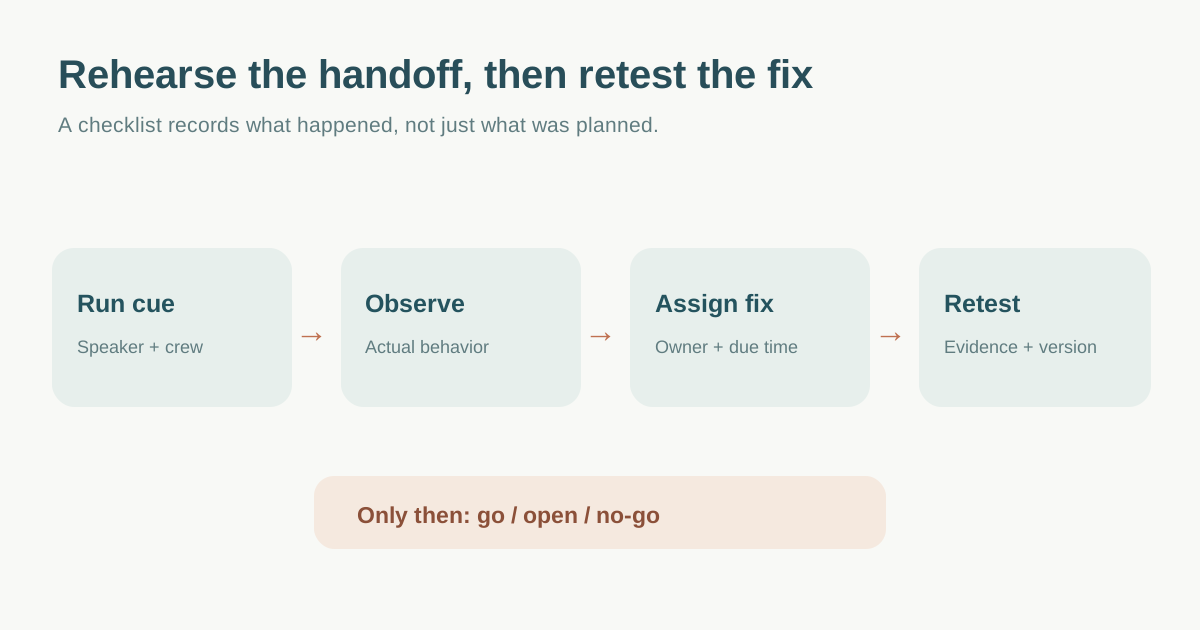
A speaker brief tells people what should happen. A rehearsal shows what actually happens when the presenter, moderator and production team execute the session together. Use a short sequence of real cues, record what fails, assign a fix and retest it before marking the session ready.
Boletolibre editorial team
Published
Choose the people and version to rehearse
Bring the speaker, moderator or chair, show caller, relevant AV operator and a note-taker for the session being tested. Use the current speaker brief, approved slide or media files, and the production run of show. MIT’s virtual run-of-show template records named roles, contacts and event timing; treat those as the reference for the test, then note any disagreement rather than silently editing one copy.[2]
Schedule around the actual platform and venue access available. A content run-through can be done away from the venue; a technical rehearsal should use the real or representative room, devices and credentials where feasible. Agree who may change content, timings, graphics or cues, and who announces a revised version. Do not adopt a vendor’s universal “24 hours before” rule without checking event constraints.
Walk the session from introduction through exit
Start with the moderator’s introduction, speaker entrance or join, first slide, one media or demo cue, a timed middle segment, Q&A transition, final signal and handoff to the next item. Test the actual microphone, display, captions or interpretation path and presenter view when applicable. The Stagetimer production guide organizes technical rehearsals around presenter systems, transitions and cues; make your run card specific to the session rather than copying its hardware or bandwidth thresholds.[1]
| Moment | Observe | Who decides or fixes |
|---|---|---|
| Join or entrance | Correct identity, room, route and introduction cue | Stage manager / host |
| Content start | Right file, version, sound and first visual | AV operator + speaker |
| Timed segment | Actual duration against allocated slot | Moderator / show caller |
| Q&A and transition | Microphone, captioning, audience question route and next cue | Moderator + production |
| Failure fallback | Approved action if demo or media does not run | Named decision owner |
For virtual webinars, do not assume a normal attendee link grants rehearsal access. Zoom documents practice sessions for hosts, alternative hosts and panelists before the live broadcast; Webex also separates a production-team practice session from the attendee view. Confirm the platform’s current role and practice-mode settings, and explicitly verify when attendees can see or hear the session.[3][4]
Record a decision, owner and retest for every issue
For each mismatch capture the cue or content item, observed behavior, impact, owner, fix or accepted workaround, due time, retest result and version updated. “AV tested” is not a useful outcome if the speaker’s video failed and nobody owns the replacement. If a fix changes the running order, update the moderator and production copies, then repeat the affected handoff. The person authorized to approve an exception should be named in advance.
End with a go / open / no-go status for this session, not a blanket declaration that the whole event is ready. Confirm the speaker’s arrival or join instructions and day-of contact once more. Keep rehearsal recordings or screenshots only under the event’s agreed permissions and access rules.
Download the speaker rehearsal run card and retest log (Markdown, English)
Sources and further reading
- Essential Event Production Checklists: Downloadable TemplatesStagetimer · Accessed
- Run of Show — Virtual EventsMIT Alumni Association · Accessed
- Using Webinar practice sessionZoom Support · Accessed
- Hold practice sessions in Webex WebinarsWebex Help Center · Accessed