Core Web Vitals for event pages: LCP, INP and CLS explained
An event page can show a poster late, ignore a tap on “Get tickets,” or shift the button just as someone reaches it. Core Web Vitals describe those three experiences with Largest Contentful Paint (LCP), Interaction to Next Paint (INP) and Cumulative Layout Shift (CLS). They point to different investigations; one overall performance score does not tell the team which attendee task is failing.
Boletolibre editorial team
Published
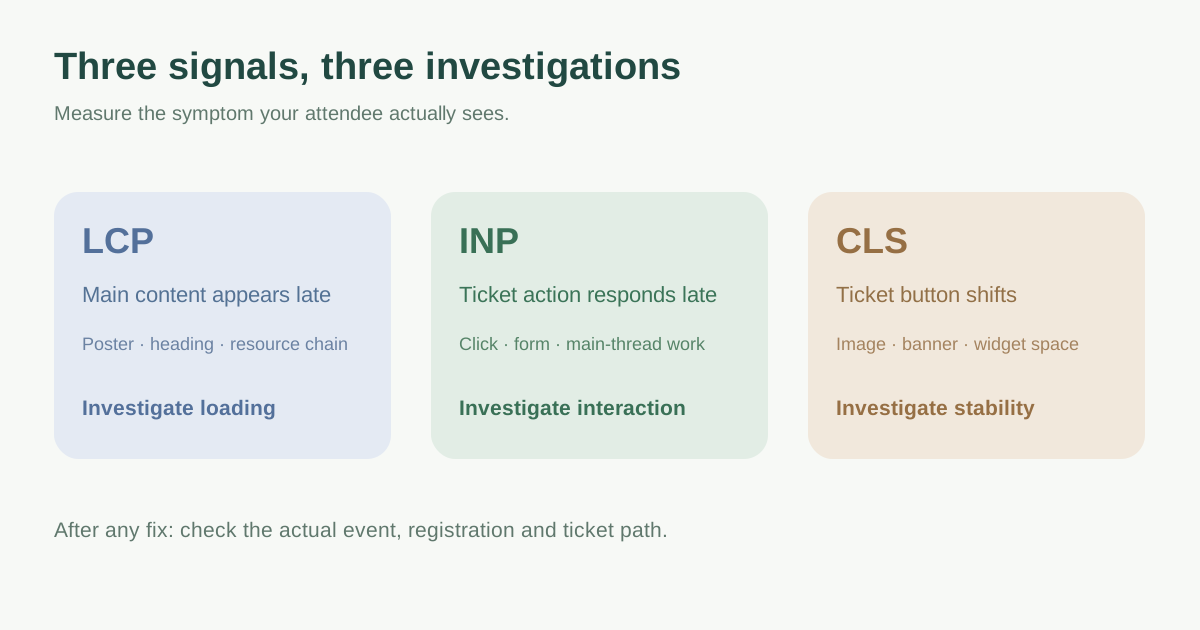
Read each metric as a visitor symptom
Google defines LCP as loading performance, INP as responsiveness and CLS as visual stability. Its “good” guidance is LCP within 2.5 seconds, INP at or below 200 milliseconds and CLS at or below 0.1 for the relevant real-user experience. These are diagnostic thresholds, not a promise that crossing them will move a page to a particular search position.[1]
| Metric | What it asks | Event-page clue |
|---|---|---|
| LCP | When the main visible content appears | Hero/poster or event heading arrives late |
| INP | How quickly an interaction produces a visible response | Ticket tier or registration control feels stuck |
| CLS | How much visible content shifts unexpectedly | Late banner/image moves the ticket button |
Separate field experience from a local diagnostic run
The Search Console Core Web Vitals report uses real-user data and groups similar URLs. It may omit a new or low-traffic event page when there is too little data, or show an origin-level group instead. A group status is not an exact reading for every individual event URL. Check mobile and desktop separately and record the URL group and date range before drawing conclusions.[2]
Lighthouse and DevTools help reproduce and diagnose issues under chosen lab conditions; their result is not the same as field data from actual visitors. A newly launched event may have no usable field report. In that case, run a controlled mobile journey as a starting point, state the limitation, and gather field evidence when enough visits exist.[3]
Turn the slow metric into the next investigation
For poor LCP, identify the actual LCP element and inspect whether its image, font, server response or resource priority delays display. On an event landing page this may be a large poster; use the image guide if that is the measured cause. Do not shrink a useful visual blindly without checking what becomes the LCP element.
For poor INP, observe the interaction that is slow across the visit: opening a ticket selector, entering a promo code, switching language or submitting a form. Review long main-thread work, script loading and UI feedback. If the delay occurs only after handoff to a separate ticket provider, measure and assign that provider boundary separately.
For poor CLS, look for the exact element that moves. Reserve space for images, consent notices, ticket widgets and dynamically inserted messages before they appear. An event page needs stable price and action controls especially when inventory changes. A low score is valuable only alongside a usable path through registration.
| If you see… | Investigate first |
|---|---|
| Late main visual or title | LCP element, request chain and rendering |
| Delayed tap or key response | INP interaction and main-thread work |
| Jumping price or ticket button | CLS shift source and reserved space |
Record one fix against one attendee journey
Write the affected URL/group, device class, source (field or lab), metric, observed attendee symptom, suspected cause and owner. Make one scoped change, then repeat the same journey and watch field data when available. Keep ticket availability, form completion and confirmation in the acceptance check. Google recommends good Core Web Vitals as part of broader page experience, but useful content and working transactions still matter; do not optimize a number by hiding the action visitors need.[1][3]
Download the event-page Core Web Vitals triage worksheet (Markdown, English)
Sources and further reading
- Understanding Core Web Vitals and Google search resultsGoogle Search Central · Accessed
- Core Web Vitals reportGoogle Search Console Help · Accessed
- Core Web Vitals workflows with Google toolsweb.dev · Accessed